Thinking About Analysis Codes
By thinking about and preparing certain coding and setup prior to your System Setup training sessions, valuable time can be saved during the sessions which could be taken by decision making and discussion by the participants.
Having an understanding of how some Tourplan NX setup and functions work will not only be beneficial to provide knowledge of how Analysis fields can work.
Training on how to insert codes for analysis fields will be covered in the applicable training sessions. This topic will help provide an understanding of how they work and get you thinking about the codes you may use.
The examples used in this document are to assist you in how you can use these functions / codes. You do not need to enable these fields in Tourplan if you do not want to, these fields are optional fields that can be enabled if you wish and coding will be specific to your organisation.
Product Analysis
These codes can be used to filter for reporting and can also be used to filter services in the booking. A product analysis field can also be used in the discount commission matrix to set a specific markup / discount based on a service type or product market.
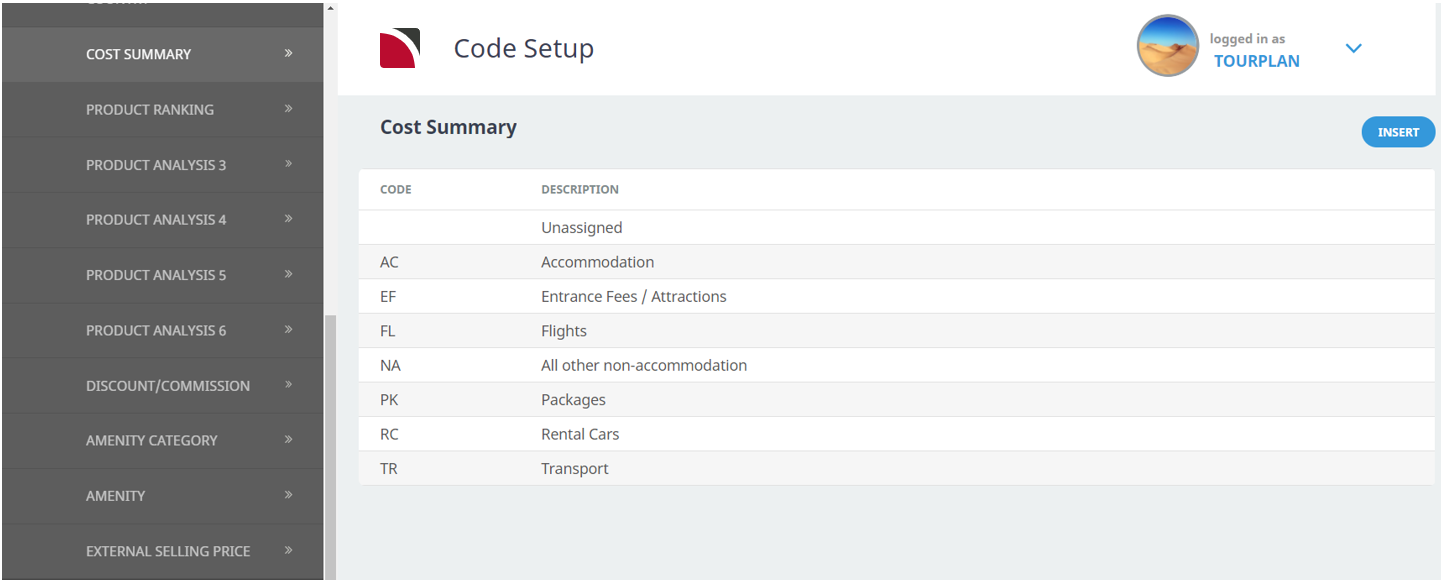
Example: Cost Summary Analysis
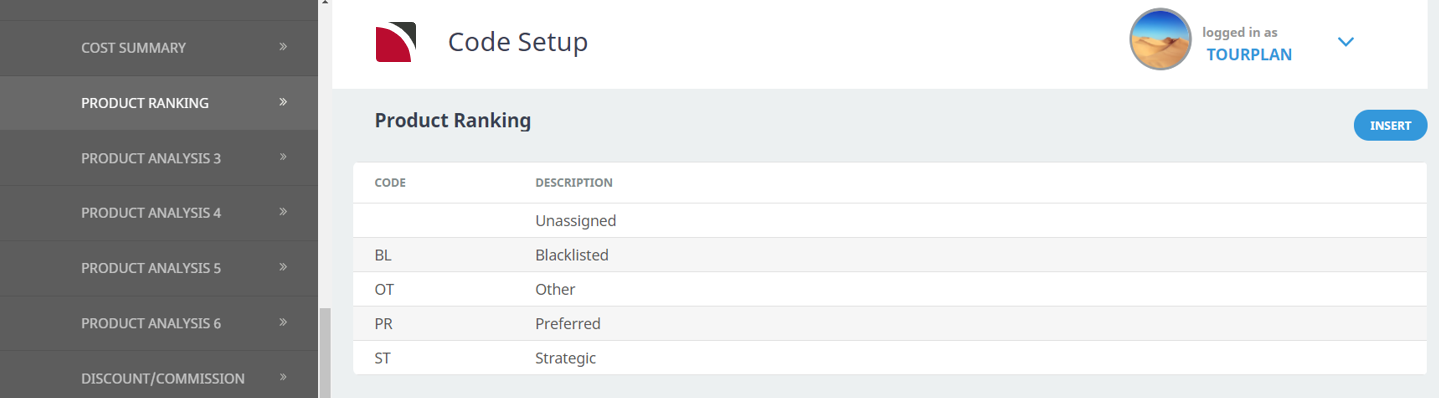
Example: Product Ranking
Booking Analysis
Using booking analysis codes enables reporting to be selectively based on the analysis codes. The codes can be used in a wide variety of standard booking reports.
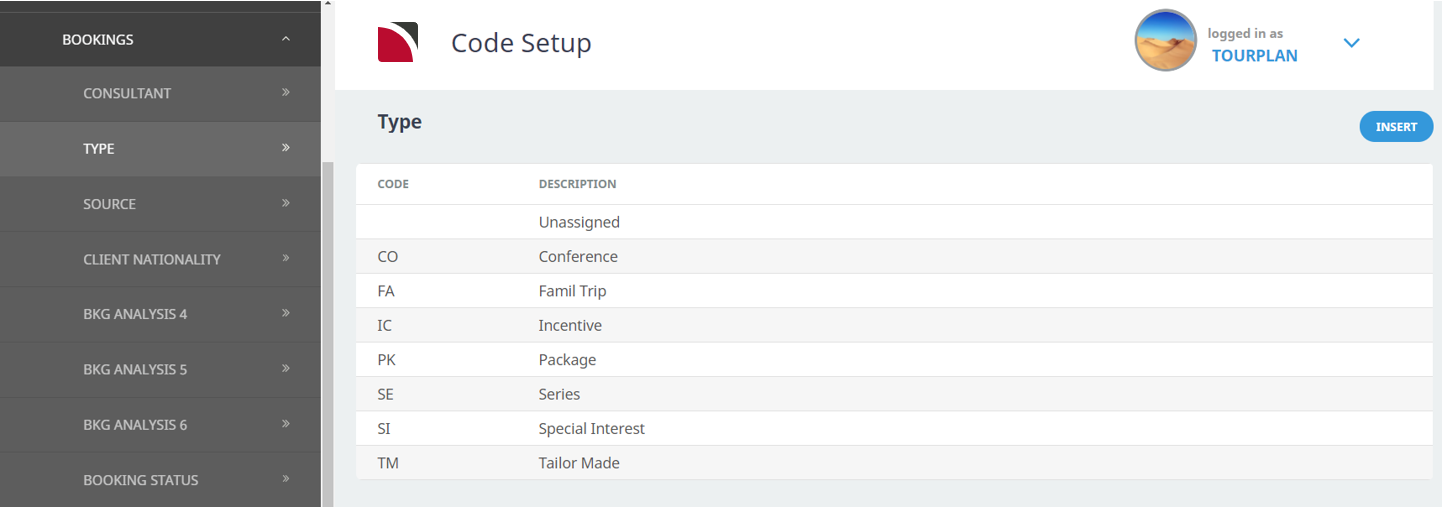
Example: Booking Type
Example: Booking Source
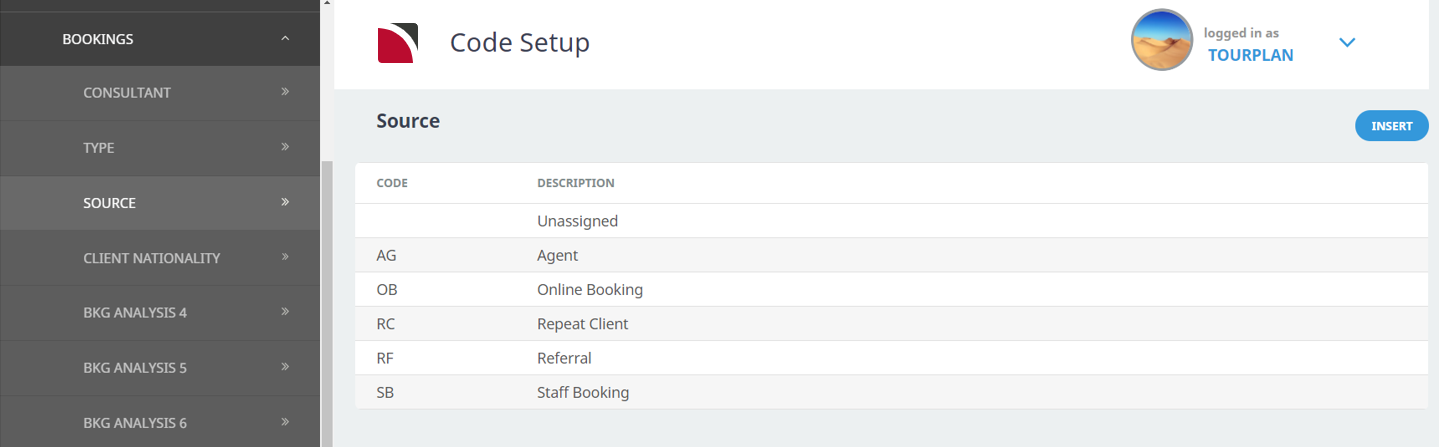
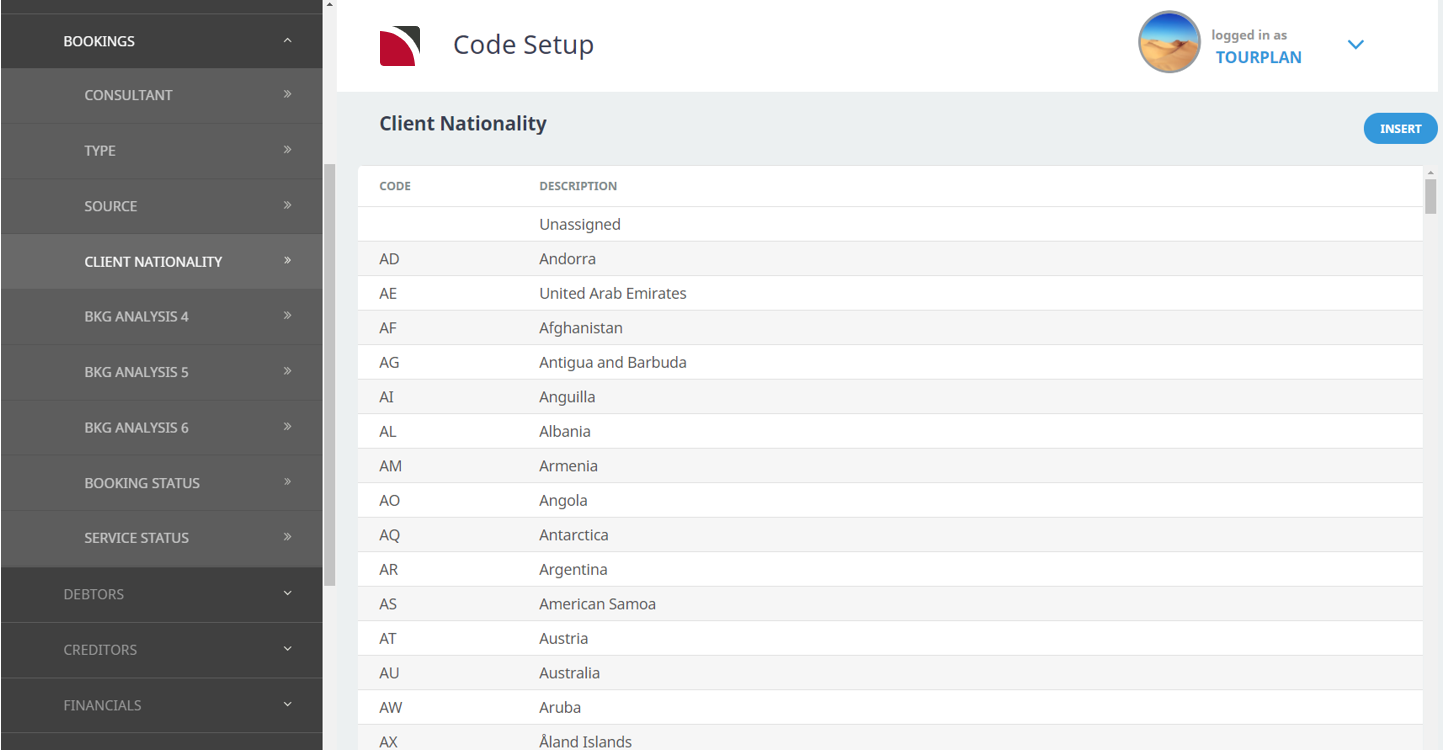
Example: Client Nationality