
Loading interactive content…
Supplier Product Connections
What are supplier/product connections?
To improve the current mapping functionality of linking suppliers and product to external connections, there is now the option to link a single supplier to multiple external connections. A new 'connections' feature shifts from using XML configuration inside Tourplan notes to a more structure and user friendly interface.
Including:
-
New Menu Options ‘Connection’ - Access to external connection mapping is provided through new menu items within the Product/Supplier menus. Making it easier for users to manage and configure mappings.
-
New Connection Interface - Common mapping elements are configured through a user interface rather than in straight XML. However, the system still supports viewing and editing full mapping as an XML document when needed.
-
Validation of XML code - Additional XML mapped elements are validated upon saving and an error message will appear, detailing the line number, position and specific formatting issue if the data is invalid.
-
Supplier and Product linkage - A single supplier can be associated with multiple external systems. Products can be linked to any combination of external systems connected to the supplier.
-
Maintaining Existing Setup - Both the new external connection mapping method and the existing note mapping method are supported concurrently.
The new connection mapping method takes precedence over existing note mappings; if external mapping information is available in the new structure, it is used.
If not, the system falls back to the information stored in notes. This precedence rule applies to both suppliers and products.
Additionally:
-
If a connection is defined using the new method for a supplier, then any mapping in notes for the supplier and its product is ignored.
-
If a new connection type is defined against a master supplier, then any child suppliers are deemed to be using the new method and therefore mapping note are ignored for them.
-
To add a connection your system will need to have:
-
Endpoint Definitions Defined
-
External Service Configuration
-
Connections Setup and Mapping
Endpoint Definitions
Endpoints define how your NX system connects to external suppliers. Each endpoint definition is tailored to your specific system requirements and the agreements you have with your suppliers.
View Endpoint Definitions
-
Open
 System Setup > Code Setup > System > Endpoint Definition
- Click the Code Setup menu to expand it:
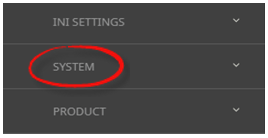
- Click the System menu option to expand it:

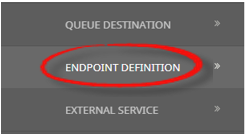
- Click Endpoint Definition to open the Endpoint Definition screen: (any existing records will display)

- Click the Code Setup menu to expand it:
-
View Endpoint Definitions.
External Service Configuration
External Service Configurations store configuration elements for your connection, general information such as how the rates will display on screen and login.
View External Service
-
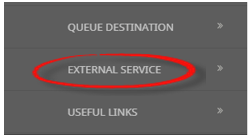
OpenSystem Setup > Code Setup > System > External Service.
- Click the Code Setup menu to expand it:
- Click the System menu option to expand it:
- Click External Service to open the External Service screen: (any existing records will display)

- Click the Code Setup menu to expand it:
-
Select the External Service.
-
Tourplan will use the Configuration Field information to general XML for the Connections. Changes made to entries in the Configuration tab will update the Additional tab XML Configuration.
-
Open the Additional tab to view the XML configuration.
NOTE: Any changes made to the Additional tab configuration text will update the relevant field information in the Configuration tab.
Connections
Connections store mapped elements to return external rate information. Mapping elements can be inserted at a Suppleir level or at a Product level.
Supplier Connections
Involves setting up mapping elements for the External Service Information relevant to the supplier.
Create a Supplier Connection.
-
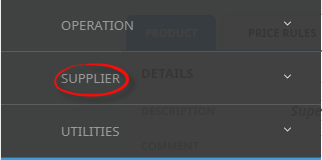
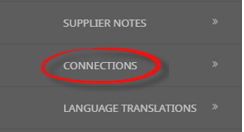
OpenProduct > Supplier > Connections.
- Click the Product Setup menu to expand it:
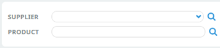
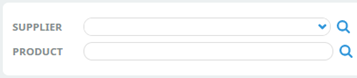
- Search and find the Supplier and the Product:
- Click the Supplier menu option to expand it:

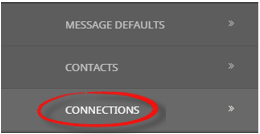
- Click the Connections menu option to expand it:

- Click the Product Setup menu to expand it:
-
Insert a Connection.
-
Select the External Service.
-
Enter the required mapping formation.
-
Select the Additional tab to view the XML editor.
NOTE: If more complex mapping is required, that can be entered on the Additional Tab
Product Connections
Involves setting up mapping elements for External Service Options.
Create a Product Connection
-
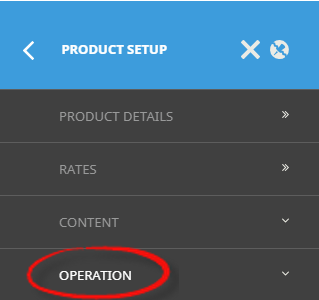
OpenProduct > Supplier > Operation > Connections.
- Click the Product menu to expand it and search for a product:
- Click the Operation menu option to expand it:

- Click Connections to go to the Connections screen:

- Click the Product menu to expand it and search for a product:
-
Select the External Service.
-
Enter the required mapping information
-
Select the Additional tab to view the XML editor.
NOTE: If more complex mapping is required, that can be entered on the Additional tab.
For more detailed guidance on mapping options, refer to the article titled: Setup & Mapping Using NX Connections. Or the System Setup User Manual & Product User Manual for more information on each process: