
Loading interactive content…
A Debtors details can be copied to another Debtor by selecting the Copy Debtor button – all details except transaction details are copied.
Copy a Debtor
- Make sure the debtor / agent to be copied is displayed (see Create a New Debtor or Retrieve an Existing Debtor).
-
On the Debtors Details screen, click
 Copy Debtor.

-
On the blankCopy Debtor screen, enter a Code and Agent name for the new debtor (replace text already in the Agent field if necessary).
NOTE: The code must be unique.
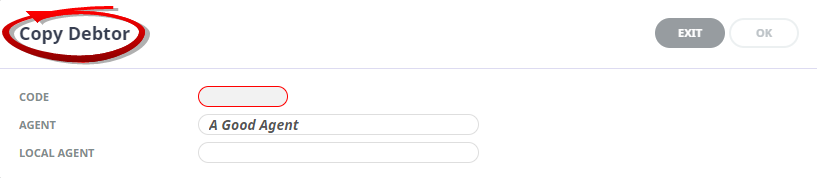 For example: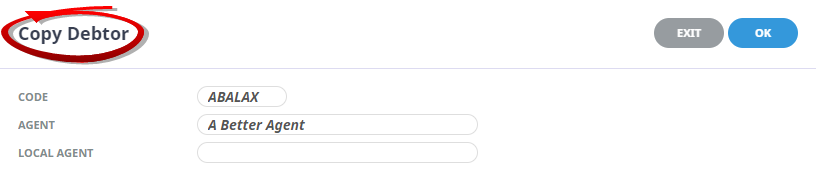
-
ClickOK to keep the changes and save or update the entry.

-
ClickExit to discard any changes.

Any detail that needs to be changed in the newly copied Debtor can be accessed via the tabs within the debtor.