
Loading interactive content…
The Service Status report provides detailed information of individual services used over a given service date range or travel date range. The report can be used as a control to list which suppliers have not responded to requests, or to identify which services are still wait listed etc.
This report includes the following information:
- (Service) Status.
- Supplier (Code).
- Service Date.
- Date Entered.
- Service (Type).
- Location (Code).
- (Product) Code.
- Booking Name.
- (Booking) Reference Number.
- (Booking) Status.
- Pax (Count).
- Second Charge Unit (Quantities).
- Escort, Driver and Guide (Counts)
- Agent (Code).
- Consultant (Name).
- Room Configuration.
Data can be set to order by one of the following:
- Service Status.
- Supplier.
- Date Entered.
- Booking Reference.
- Consultant.
- Service Date.
NOTE: If user companys are using services within packages, selection to exclude package services is also available.
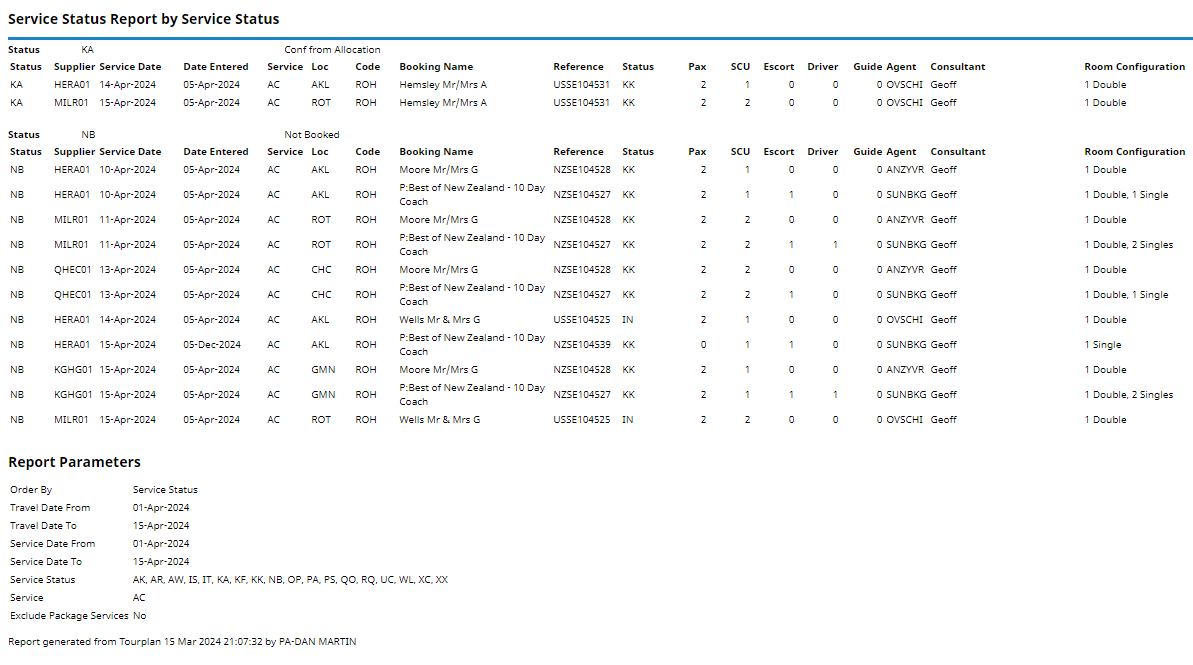
Setting Service Status Report Parameters
-
From the Home menu, select
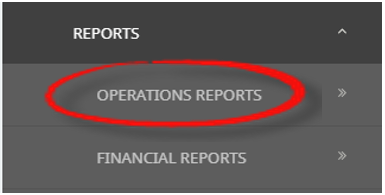
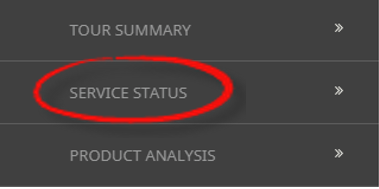
 Home > Reports > Operations Reports > Service Status.
- Click the Reports menu to expand it:

- Click the Operations Reports menu option to expand it:

- Click Service Status to go to the Service Status Parameters screen:

- Click the Reports menu to expand it:
-
On the blank Service Status Parameters screen, the Service Tab will open. Select the required parameters for the Service Status Report.
NOTE: There are 4 tabs available to select parameters from. They are: Booking Tab, Analysis Tab (Booking & Agent), Service Tab and Analysis Tab (Product & Supplier).
- Check the completed screens.
- Click on the Other Tab. Select how the services are to be ordered in the report from the dropdown selection.
- Select how the report is to be displayed.
- To view the report, clickView.

- To Download the report to a PDF file, clickDownload PDF.

- To Download the report to a CSV file, clickDownload CSV.


About Service Status Parameter Fields
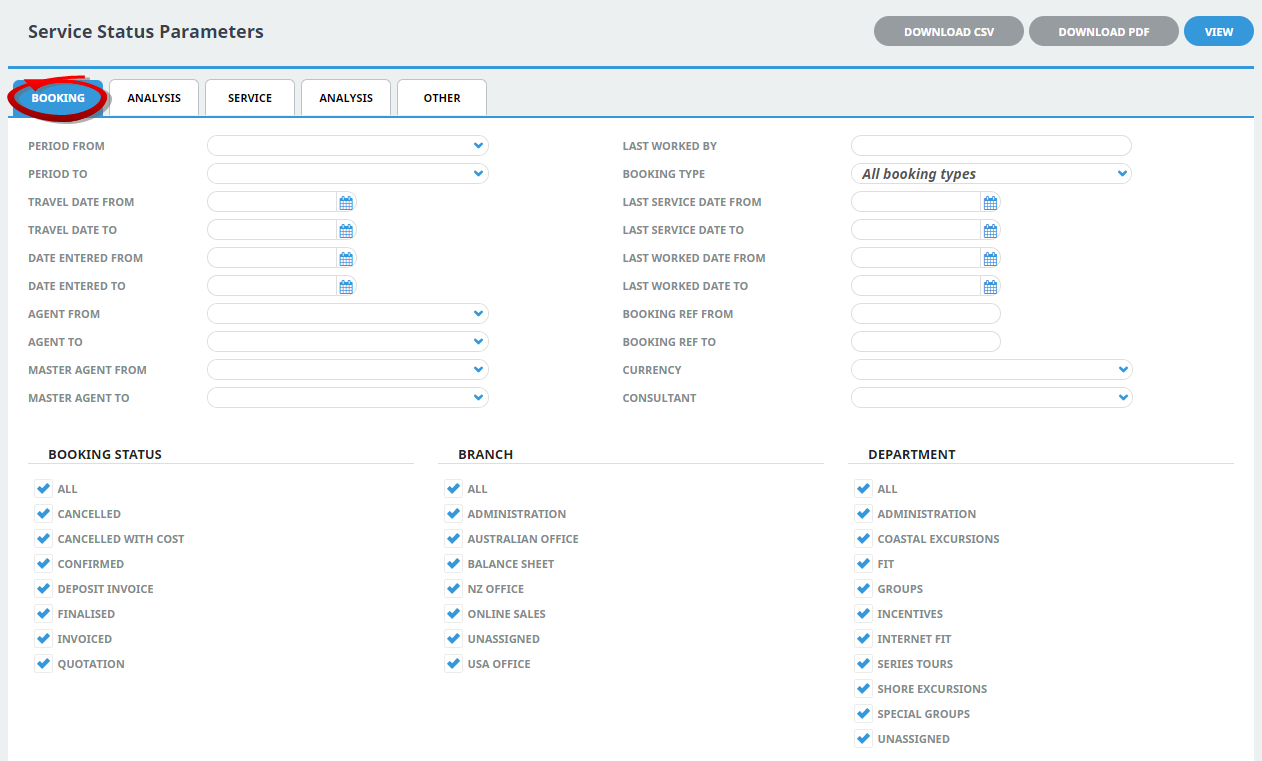
Period From/To
Travel date within financial accounting period (or range of).
Travel Date From/To
Booking travel date (or range of).
Date Entered From/To
Booking header date entered.
Agent From/To
Booking agent range available from the dropdown selection.
Master Agent From/To
(Debtor) Master Agent range available from the dropdown selection.
Last Worked By
Service last worked by - type the full name (correctly spelt) of the Tourplan user.
Booking Type
Dropdown selection available for:
- All booking types (default).
- FITS.
- Groups.
Last Service Date From/To
Booking header last service date (or range of).
Last Worked Date From/To
Booking header last worked date (or range of).
Booking Ref From/To
Full booking reference (or range of).
Currency
Dropdown selection of available currencies.
Consultant
Dropdown selection for booking consultants name and initials.
Booking Status
Multi select options for available booking header statuses.
Branch
Multi select options for available (booking reference) branches.
Department
Multi select options for available (booking reference) departments.
NOTE: Booking Status, Branch and Departments showing in the screen captures above are for training purposes, users company systems will reflect users organisational requirements.
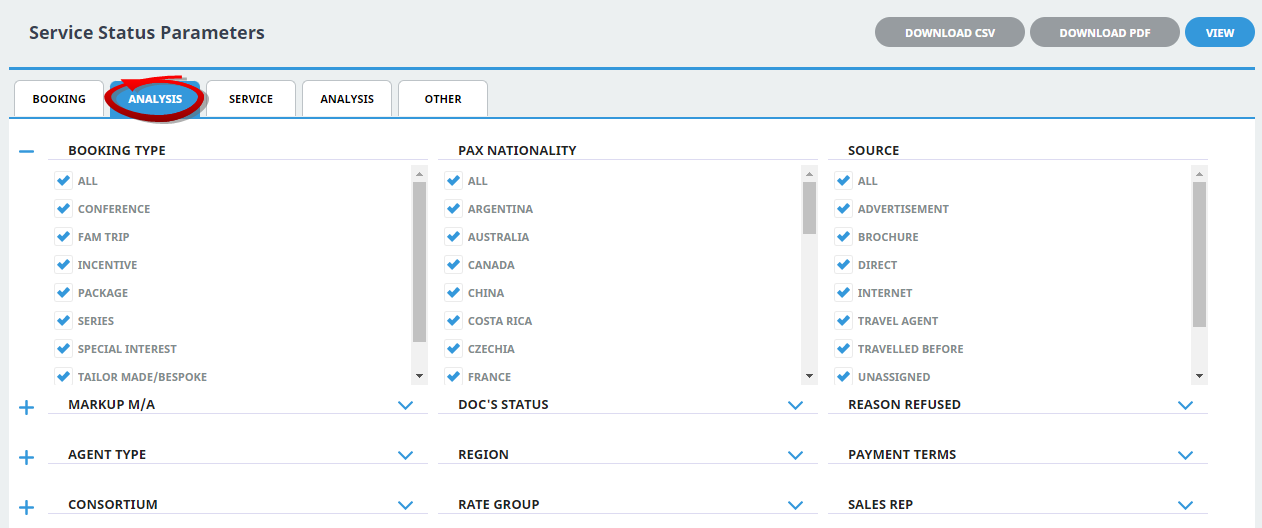
Booking Analysis Codes 1-6
The top 6 Analysis fields are the Booking Analysis codes.
Agent Analysis Codes 1-6
The bottom 6 Analysis fields are the Agent Analysis codes.
Multi select list of Analysis codes can be used to refine the report if necessary. To expand the fields use the +, and to minimise the analysis list use the -.
NOTE: Analysis codes in the above screen capture are used for training purposes. Users company systems will have analysis fields and codes unique to their organisational requirements.
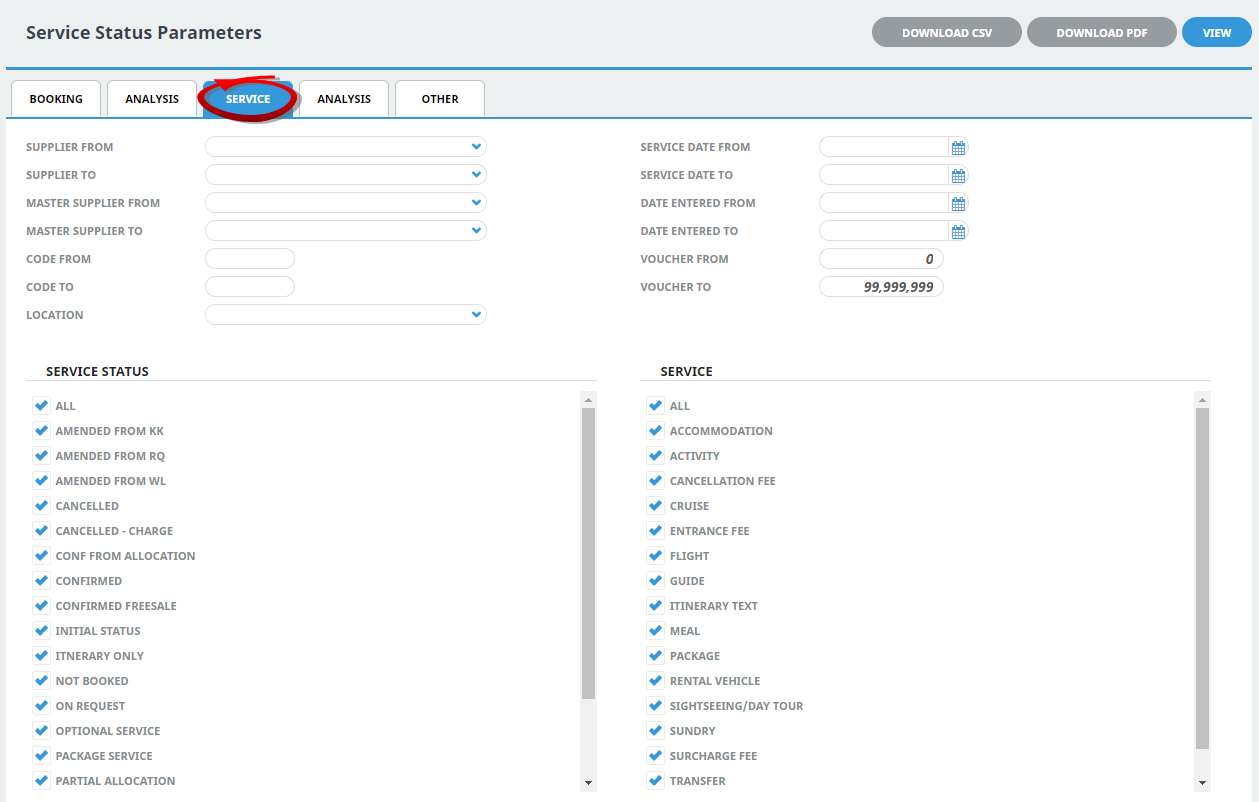
Supplier From/To
Supplier range available from the dropdown selection.
Master Supplier From/To
Master Supplier range available from the dropdown selection.
Code From/To
(Product) Code.
Location
Location code, selectable options are available in the dropdown.
Service Date From/To
The service line date (or range of).
Date Entered From/To
Service date entered (or range of).
Voucher From/To
The voucher number from and to. This will default to: From = 0 and To = 99,999,999 which will out put all vouchers that meet the selection criteria. Selection of specific voucher numbers (or range of) can be made.
Service Status
Multi select options for available service statuses.
Service (Type)
Multi select options for available service types.
NOTE: Service Statuses and Services showing in the screen captures above are for training purposes. User company's systems will reflect users organisational requirements.
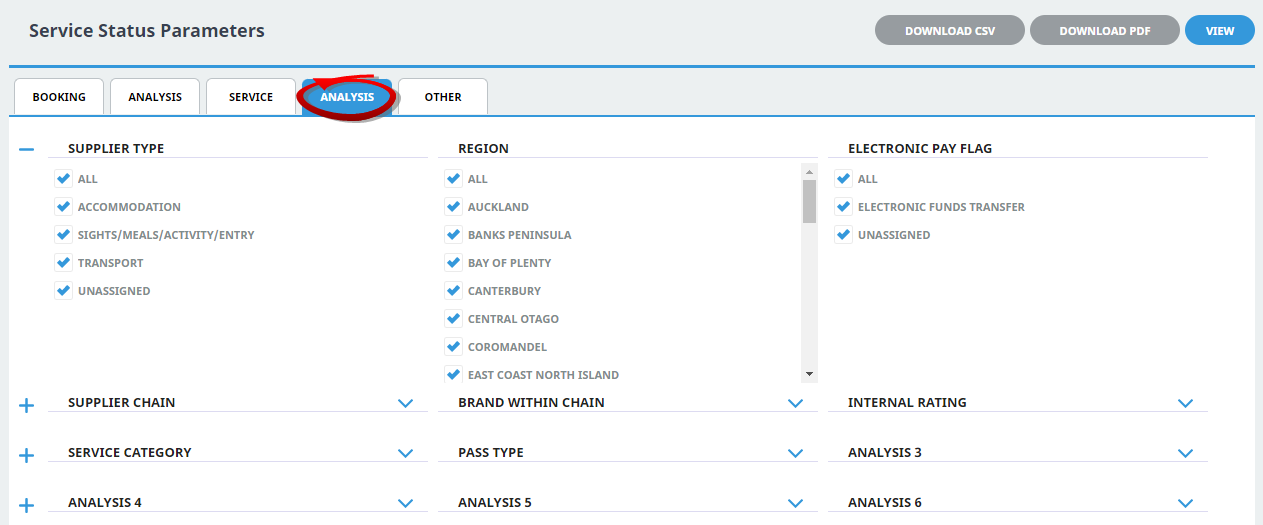
Supplier Analysis Codes 1-6
The top 6 Analysis fields are the Supplier/Creditor Analysis codes.
Product Analysis Codes 1-6
The bottom 6 Analysis fields are the Product/Service Analysis codes.
Multi select list of Analysis codes can be used to refine the report if necessary. To expand the fields use the +, and to minimise the analysis list use the -.
NOTE: Analysis codes in the above screen capture are used for training purposes. Users company systems will have analysis fields and codes unique to their organisational requirements.

Order By
Dropdown selection to order the results of the service status report. Selection includes:
- Service Status.
- Supplier.
- Date Entered.
- Booking Reference.
- Consultant.
- Service Date.
Exclude Package Services
Checkbox to exclude services included in packages.