
Language Translation Fields
Tourplan can define language alternatives for a selection of supplier and product fields. These can then be translated by the system into the agent’s language for use on agent messages and through hostConnect/webConnect.
This article will explain…
-
What fields are available for alternative languages.
-
Where to find this functionality.
Overview
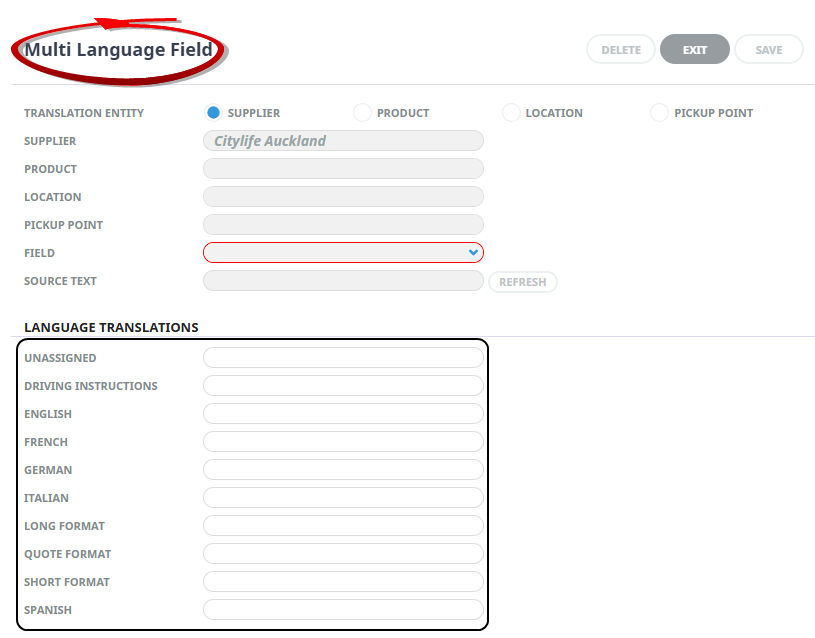
Agent language fields enable organisations to specify alternative languages for Supplier information, Product information, and Pick up and drop off points.
The language field entry can be found under "Language Translations" in the Product > Supplier menu. The appropriate information type and fields can be selected to provide translations into various languages.
These can be used in agent messaging by defining message definitions in those languages. Agent Language functionality can be configured to display when the agent is logged in through webConnect. If you are interested in learning more about webConnect/hostConnect integration for alternative languages.
Product / Supplier Translation is available for:
-
Supplier - Internet name, supplier name and address fields.
-
Product - Comments,Descriptions, Extras Fields, and Pick-up and Drop-off points.
-
Location
-
Pick-up and Drop-off points.
NOTE: The language options must be defined in Code Setup > Languages before they are available.
For more information on adding Supplier /Product Language Translations.