
Loading interactive content…
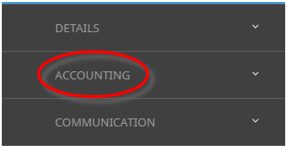
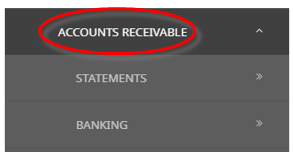
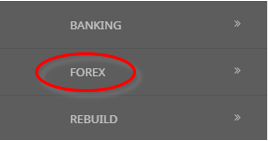
Debtors Forex processing is run from Financials > Accounting > Accounts Receivable > Forex.
Creditors Forex processing is run from Financials > Accounting > Accounts Payable > Forex.
Only the Debtors Forex screens are being used for this topic.
NOTE: If foreign currencies are not being used, this procedure does not need to be run.
Processing can only be run for either the current (open) accounting period, or the last closed accounting period—it cannot be run for accounting periods in advance of the current accounting period, nor for accounting periods prior to the last closed accounting period.
Forex processing can be performed on Debtors or Creditors at any time.
There are two types of Forex calculations in Tourplan:
- Realised - Realised Forex is generated when:
- The process is being run for a closed accounting period. Any Invoice transaction that is fully paid, or credited, and all transactions applied to it are in a closed accounting period will have its forex variation defined as being realised.
- Unrealised - Unrealised Forex will be generated when:
- The process is being run for an open accounting period.
- The process is being run for a closed period and the invoice transactions that are not fully paid or credited by transactions in closed periods.
At period end, the normal Forex processing procedure is run for the closed accounting period.
NOTE: The General Ledger INI settings must hold the correct account information for debtors and creditors Forex accounts.
NOTE: It is best practice to have separate accounts for realised/unrealised. However, one account can be set for both if appropriate.
A foreign exchange gain or loss occurs when there is a difference in the exchange rate used in the invoice transaction and the exchange rate used in the cash transaction (debtor’s receipt or creditor’s cheque).
Example Debtor Forex Difference

In the Debtors transaction Example above, accounting period 202501 deposit invoice 20812 (in black) for USD 446.14 has been entered with the exchange rate (on the date of the invoice) of 0.6785, giving a base currency (NZD) value of 657.58. When the receipt for that invoice was issued, the rate was 0.6545 which now gives a base currency (NZD) value of 681.61 - an exchange variation of NZD -24.03.
In accounting period 202502, the final invoice 20814 (in red) for USD 1784.63 has then been entered with the exchange rate (on the day of the invoice) of 0.6979, giving a base currency value of 2557.29 and no payment has been received.
Debtor Balances Screen
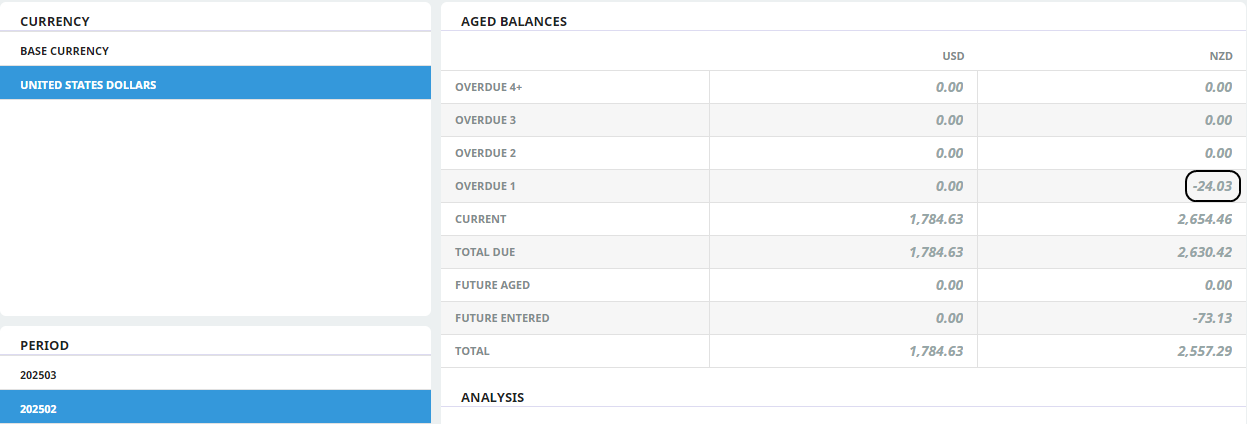
In the Debtor Balances Screen above which is for accounting period 202502, there is a 0.00 overdue 1 balance in USD but the NZD overdue 1 balance is showing a credit of -24.03 which is the exchange variation between the value of the invoice and the value of the receipts when converted to base currency.
Processing Forex Variations - Debtors
-
From the Home menu, select
 Financials > Accounting > Accounts Receivable > Forex.
- Click the Home Menu to expand it:

- Click the Financials menu option to expand it:

- Click Accounting to go to the Accounting menu to expand it:

- Click Accounts Receivable to go to the Accounts Receivable menu to expand it:

- Click Forex to go to the Debtors Forex Variation screen:

- Click the Home Menu to expand it:
- The Debtors Forex Variations screen will open. Select the required Code From/To, Forex As At End Of and if required a Currency Sub-code.
- Select the Transaction currencies by clicking currency Check-box in the Apply column.
-
ClickSave to keep the changes.

-
ClickExit to discard any changes.



About Forex Variations Screen
NOTE: In the following example, the Debtors Forex processing screen is displayed. The Creditors Forex processing screen is identical except it is titled Creditors Forex Variations.
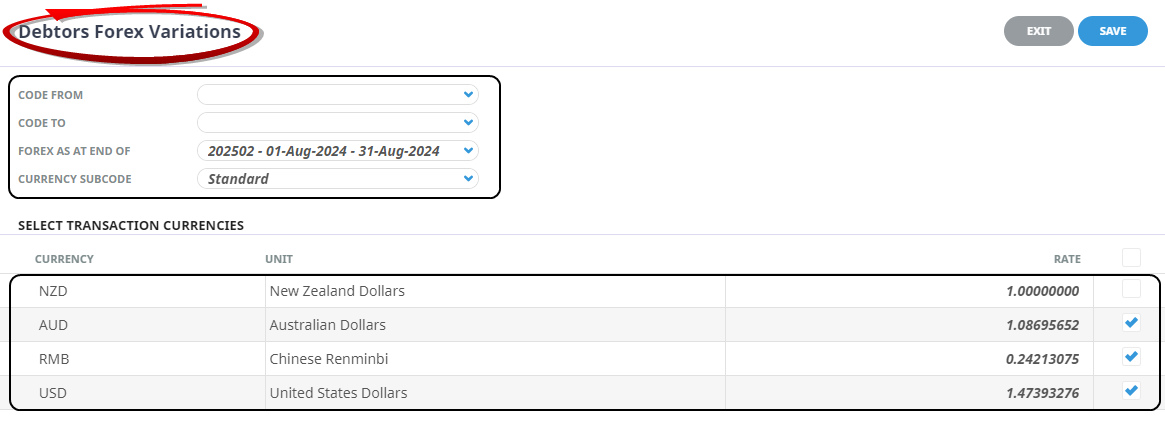
Code From/To
To process all Debtors/Creditors leave these fields blank. For a specific Debtor/Creditor - select the agent/supplier code in both fields and for a range of Debtors/Creditors - select the first agent/supplier code in the From field and the last agent/supplier code in the To field.
Forex as at End Of
Only two accounting periods are available for selection in this screen — the current accounting period and the last closed accounting period. Selecting the current period will result in all of the Forex being calculated as 'Unrealised' selecting the closed period will allow the Forex process to calculate 'Realised' variations when invoices are fully paid.
Sub code
The exchange rate to use for the Forex processing can be from a specific currency sub code if required.
Select Transaction Currencies
By default, all currencies (except the system base currency – NZD in this example) are checked for processing. To process specific currencies, check/uncheck the currency in the Apply column. The currency rates in the rate column are the rates as at the processing date. They can be edited in this screen.
By default, the system Base Currency is unchecked, as it is not normally required when processing foreign currency variations. However, there is an instance in Debtors Forex processing when it must be included with the selected currencies
• The invoice is in base currency, the receipt is in foreign currency.
The Forex process will calculate both realised and unrealised transactions as appropriate. Unrealised transactions generate a reversal transaction in the following period and will be regenerate the next time the process is run.
Unrealised Forex Transactions

Using the previous example, the above Debtors transaction shows that the final invoice 20814 (in red) for USD 1784.63 has then been entered with the exchange rate (on the day of the invoice) of 0.6979, giving a base (NZD) value of 2557.29.
However, when the Forex was run no payment had been received, and the exchange rate for USD to NZD was 0.6784570 (un -rounded). Meaning that the actual base value (NZD) of the invoices is currently 2630.42 - an exchange Variation and Unrealised Forex value of 73.13 from the exchange rate used on creation.
Therefore at the time of the Forex being run the Unrealised Forex calculation was: The previously invoiced amount 1784.63 USD divided by 0.6784570 (rate) = 2630.42, minus 2557.29 (invoiced amount) = 73.13 (NZD).
When the Forex processing is run for the closed period, a Finalised transaction will be created for any fully paid invoices. If the process had previously been run for that period when it was open then the unrealised and reversal transactions will be removed.
Realised Forex Transaction
