
Loading interactive content…
The process to close and advance accounting periods is a separate exercise for Debtors, Creditors and G.L. However, the process itself is identical for all three ledgers.
The process updates the closed and current accounting periods of each ledger and is performed at the end of each accounting period after all reports have been run and transactions have been checked.
The period close is multi-functional — i.e. it:
- Ages the ledger balances.
- Closes the ledger current period so that transactions can no longer be entered into that period.
- Advances the ledger to the next period.
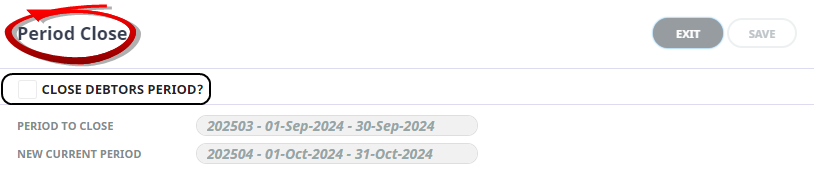
Example Accounting Period Close Screen
Period Close - Debtor
-
From the Home menu, select
 Financials > Accounting > Accounts Receivable > Period Close.
- Click the Home Menu to expand it:

- Click the Financials menu option to expand it:

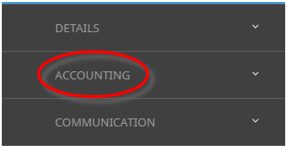
- Click Accounting to go to the Accounting menu to expand it:

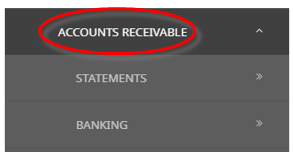
- Click Accounts Receivable to go to the Accounts Receivable menu to expand it:

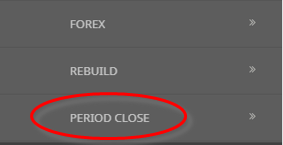
- Click Period Close to go to the Period Close screen:

- Click the Home Menu to expand it:
- The Period Close screen will open. Select the checkbox Close Debtors Period to close the period.
-
ClickSave to keep the changes.

-
ClickExit to discard any changes.



Period Close - Creditor
-
From the Home menu, select Financials > Accounting > Accounts Payable > Period Close.
- Click the Home Menu to expand it:
- Click the Financials menu option to expand it:
- Click Accounting to go to the Accounting menu to expand it:
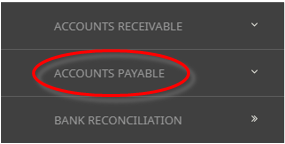
- Click Accounts Payable to go to the Accounts Payable menu to expand it:

- Click Period Close to go to the Period Close screen:
- Click the Home Menu to expand it:
- The Period Close screen will open. Select the check-box Close Creditors Period to close the period.
-
ClickSave to keep the changes.
-
ClickExit to discard any changes.
Period Close - General Ledger
-
From the Home menu, select Financials > Accounting > General Ledger > Period Close.
- Click the Home Menu to expand it:
- Click the Financials menu option to expand it:
- Click Accounting to go to the Accounting menu to expand it:
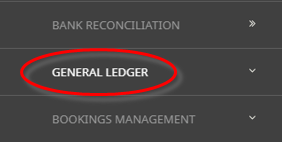
- Click General Ledger to go to the General Ledger menu to expand it:

- Click Period Close to go to the Period Close screen:
- Click the Home Menu to expand it:
- The Period Close screen will open. Select the checkbox Close General Ledger Period to close the period.
-
ClickSave to keep the changes.
-
ClickExit to discard any changes.
About Period Close Fields
Close Debtors/Creditors/General Ledger Period
Checking the 'Close (ledger) Period check-box will enable the Save button.
Period To Close
The example above shows that the current period is 202503—i.e. the 3rd financial period for the 2024 financial year (1st September 2024 to 30st September 2025).
This defaults to the current accounting period for the ledger being processed and can not be changed.
New Current Period
The above example shows that the new current period will be 202504 (October 2024) when the period close is performed.
A Status field will open below the New Current Period field advising the status of the Close.