
Loading interactive content…
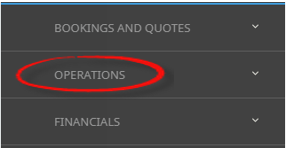
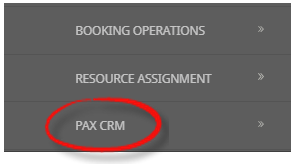
The Pax CRM is a stand alone application which can be found in the Operations Menu. You will require the correct security settings to be able to gain access to this application. The Pax CRM stores each customer name with their unique ID number.
Searching by group enables users to search for CRM Group details and names associated with that group. Once located individual details can be edited or deleted.
NOTE: The term "Group" used here should not be confused with the same word used in Group Bookings. In the CRM context it is a 'title' that relates pax names - i.e. all Pax in one booking are Grouped under. By default, in FITs and Groups the booking name is used as the Group Name, but it can be edited.
Find existing passenger in the CRM
-
Select
 Menu Home > Operations > Pax CRM.
- Click the Home Menu to expand it:

- Click the Operations menu option to expand it:

- Click Pax CRM to open the Pax CRM screen:

- Click the Home Menu to expand it:
- Search for the Passenger either by Group.
-
Entering the Group Name and selectsearch.

-
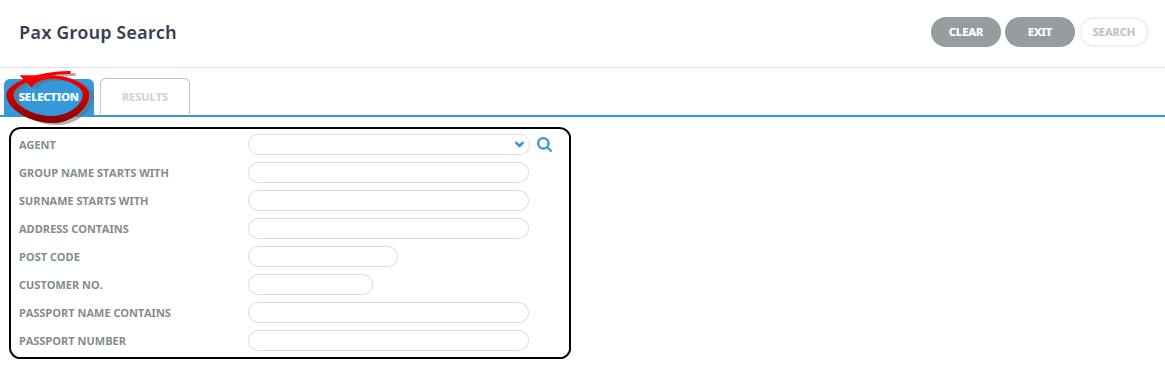
Or if the group name is unknown selectsearch to enter more advance filters for searching.
-
ClickSearch.

-
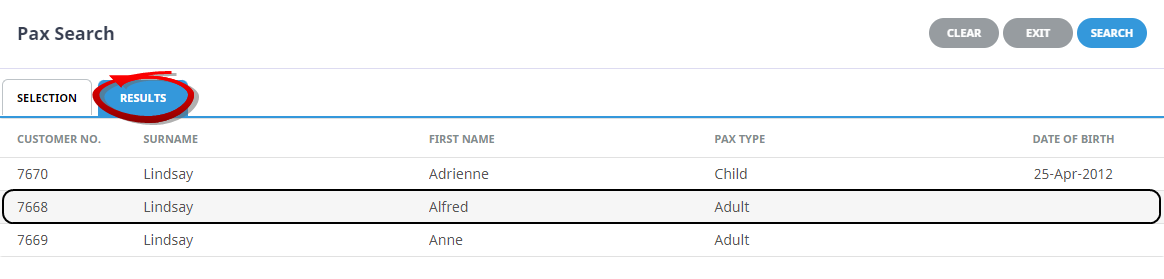
A full list of passenger names matching your search will return, click on thename of the passenger to view their entered details.
-
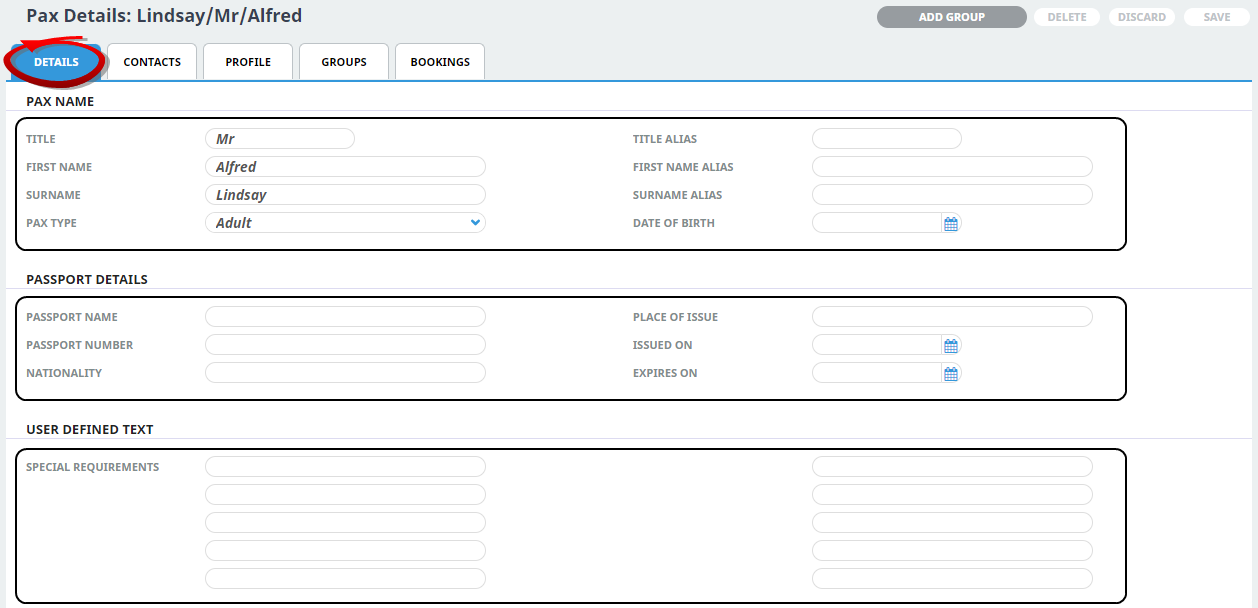
View passenger records from theDetails Tab where the pax full name, alias and date of birth can be noted on the upper section of the screen. The middle section allows storage of passport details and contact information specific to this passenger, with the lower section of the screen allowing any information defined by your organisation, e.g. Special Requirements, to be entered for the passenger.
-
Unique passenger profile entries are available from theProfile Tab. This is where organisations may choose to store visa information, loyalty membership numbers or special requirements. The setup of these headings is detailed in the System Setup User Manual.
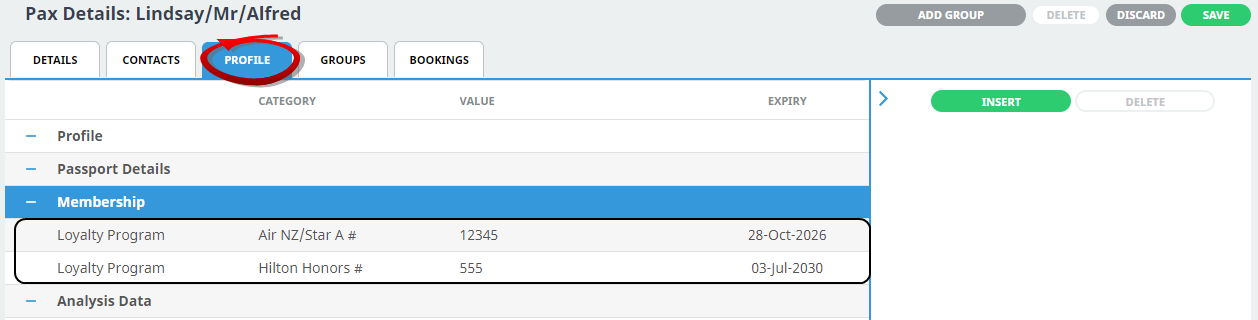
You can see in this example that Mr Alfred Lindsay is a member of two loyalty programs (Air NZ and Hilton Honors and his loyalty numbers and expiry dates have been recorded for both).
-
TheGroups Tab provides the ability to view if the passenger is linked in a group of travellers.

-
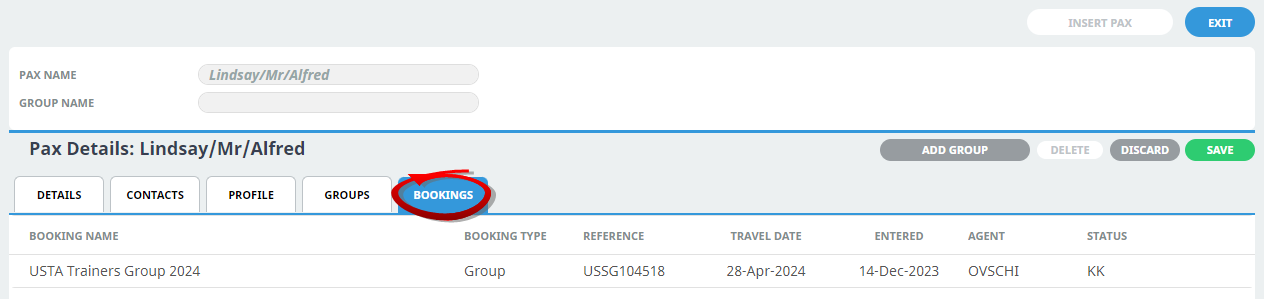
A list of bookings the passenger has previously been named in can be viewed or selected from theBooking Tab.
-
To keep the changes, clickSave.

-
ClickDiscard to discard all changes.

-
ClickExit to discard any changes.


About the Pax CRM Fields
Pax Name - Surname
The last name (surname) of the passenger.
Pax Name - First Name
The first name (Christian name or forename) of the passenger.
Group Name
The name of a group passengers - Enter the first few characters of a Group name (if known) and click the search icon.
About the Group Advance Search Fields
NOTE: When entering selection filters, remember that the more filters entered, then a) the less data will be returned and b) the possibility of error is greater. For example, if all 8 selection fields have a value entered, and there is a spelling or numerical error in one of them, nothing will be returned.
Agent
Clicking the dropdown arrow will display a list of Agents Names in alphabetical order. Clicking in the blank Agent field and typing the first letter of the agent name, will scroll from that point. Clicking the search icon will display a further search screen, this allows users to search for added detail relating to the agent such as; Language; IATA Code; Master Agent details; or Analysis Codes.
Group Name Starts With
Enter the first few characters of a Group name (if known) and click the search icon.
Surname Starts With
Enter the first few characters of the Surname (last name - if known) and click the search icon.
Address Contains
Enter a word or letters that may be in any of the Group address detail field.
Postcode
Enter the Group Address Postcode (if known). The postcode must be complete - e.g. '805' will not locate '8052'.
Customer Number
This field refers to an internal system generated number and is used principally by Tourplan support staff.
Passport Name Contains
Enter a name of letters that may be in the Pax Passport Name Field.
NOTE: This field cannot be searched on in isolation - there must be search parameters in at least one of Agent or Group Name, Pax Name, Customer Number or Passport Number.
Passport Number
Specifying the a passport number that is in the Pax Passport Number Field.