
Loading interactive content…
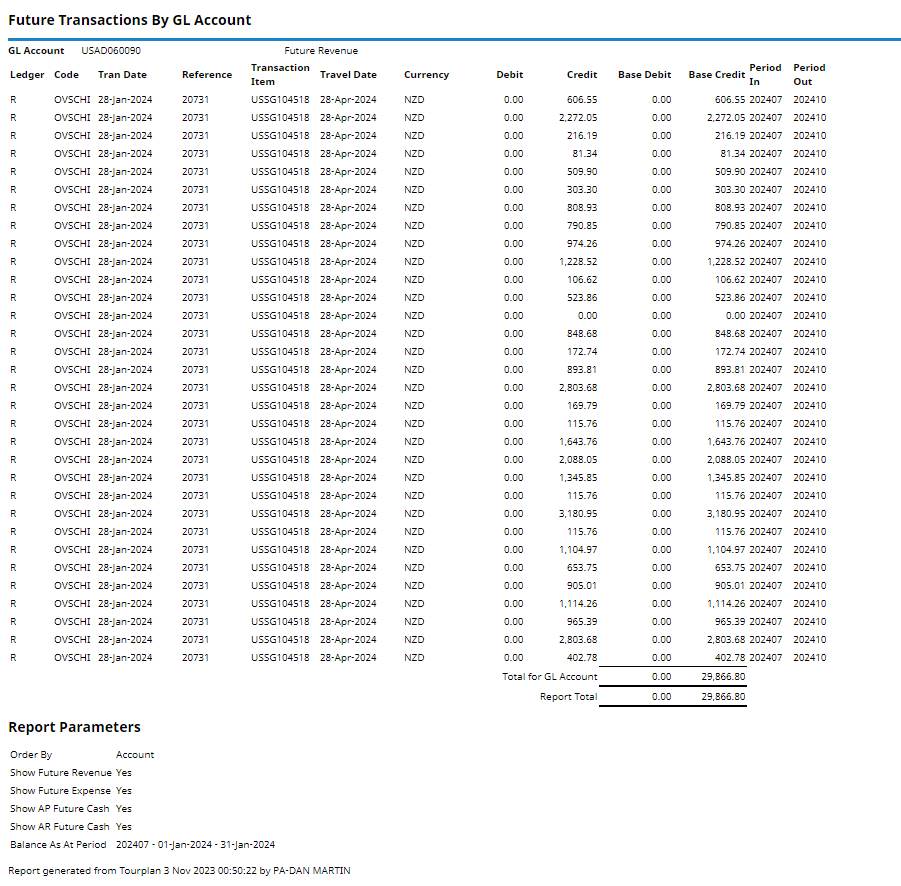
The Future Transactions report reports transactions that will affect account balances in future periods. Accounts that are able to be reported are:
- Future Revenue.
- Future Expense.
- AP Future Cash.
- AR Future Cash.
NOTE: The balance for the last period should always be ZERO for each of these accounts.
NOTE: Future Revenue Tax and Future Expense Tax Accounts will also output if used.
When the report is run to View, PDF or CSV file the information available within the report is the:
- Ledger Code (P=Payables, R=Receivables, G=General Ledger).
- Code (Debtor or Creditor Code).
- Tran(saction) Date.
- (Transaction) Reference.
- Transaction Item.
- Travel Date.
- (Transaction) Currency.
- Debit (Amount).
- Credit (Amount).
- Base Debit (Amount).
- Base Credit (Amount).
- Period In (To futures account).
- Period Out (of futures account).
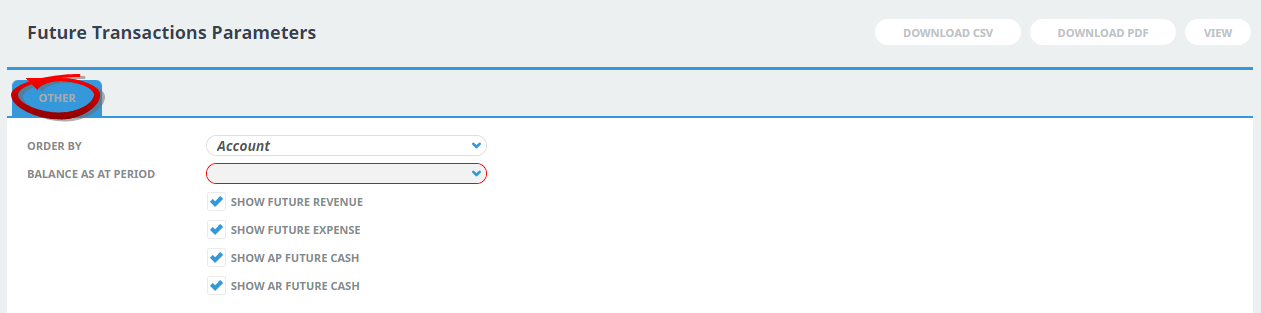
Report Parameters allow users to select to show:
- Order By - Account or Account Period In.
- Balance As At Period - Financial Period Selection.
- Future Revenue (Yes or No).
- Future Expense (Yes or No).
- AP Future Cash (Yes or No).
- AR Future Cash (Yes or No).
Generating a Future Transactions Report
-
From the Home menu, select
 Home > Reports > Financial Reports > Future Transactions.
- Click the Reports menu to expand it:

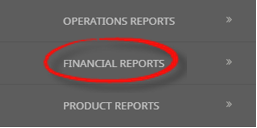
- Click the Financial Reports menu option to expand it:

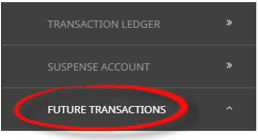
- Click Future Transactions to go to the Future Transactions Parameters screen:

- Click the Reports menu to expand it:
-
On the blank Future Transactions Parameters screen, the Other Tab will open. Select the required parameters for the Future Transactions Report.
- Check the completed screen.
- Select how the report is to display.
-
To view the report, clickView.

-
To Download the report to a PDF file, clickDownload PDF.

-
To Download the report to a CSV file, clickDownload CSV.


About Future Transaction Parameter Fields
Order By
The available output order selections are:
- Account (Default Setting).
- Account, Period In.
Balance As At Period
A dropdown selection to choose the required financial period.
Show Future Revenue
Checkbox. (Default is checked).
Show Future Expense
Checkbox. (Default is checked).
Show AP Future Cash
Checkbox. (Default is checked).
Show AR Future Cash
Checkbox. (Default is checked).