
Loading interactive content…
Prior to setting up allocations, the codes and names of any sub-allocations (also known as “Allocation Splits” or “Agent Allocations”) must be set up. Typically, sub-allocations are used to split supplier allotments by agent or market. For example, a hotel may give an allocation of 10 rooms a night which can then be split into three sub-allocations - a 6 room General sub-allocation for general use, and two 2 room sub-allocations which could be assigned to specific agents.
NOTE: If there is no intention to split allocations, at least one sub-allocation needs to be set up - this could be called “General” for example. Within the Debtors application, the sub-allocation needs to be selectively applied to agents to indicate which agents can take rooms/seats from allocation and which agents cannot.
Create Allocation Splits
-
Select menu
 Home > System > Code Setup.
- Click the Home menu to expand it:

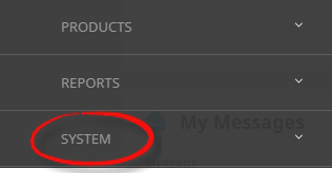
- Click the System menu option to expand it:

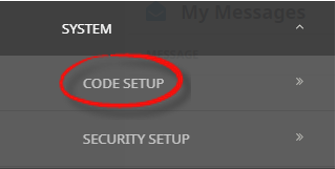
- Click Code Setup to go to the Code Setup menu:

- Click the Home menu to expand it:
-
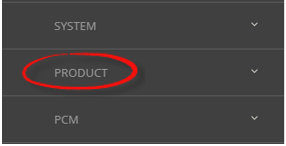
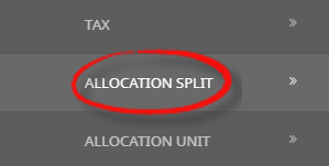
Select menuCode Setup > Product > Allocation Split.
- Click the Code Setup hamburger menu to open it:

- Click the Product menu option to expand it:

- Click Allocation Split to open the Allocation Split screen:

- Click the Code Setup hamburger menu to open it:
-
On theAllocation Unit screen, if the code required is not already in the list, click Insert.
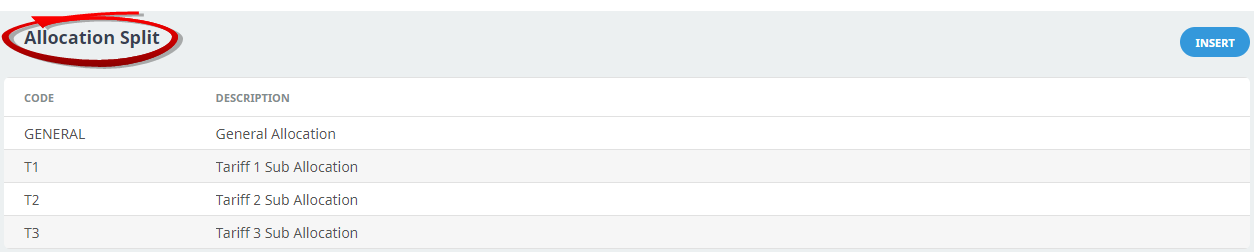
-
Enter a Code and Description for the allocation split and clickSave.



NOTE: After clicking Save, the screen clears, ready for another Allocation Split – continue adding Allocation Splits or click Exit to close the screen.
About Allocation Split Fields

Code
Enter a code for the Allocation Split.
Description
Is any meaningful name for the Allocation.
This example is an allocation split that will be attached to specific agents who qualify for the Tariff 2 Rate. There is no limit to the number of allocation splits that can be entered into Tourplan, although too many will make Allocation maintenance unnecessarily difficult.

The important thing to remember when setting up allocations splits is to then attach the allocation to the required agent(s). If this step is overlooked, when making a booking the system will not allow allocations to be viewed or taken from. Allocation splits are attached to agents in Financials > Debtors (select the agent) > Details > Allocations.