Loading interactive content…
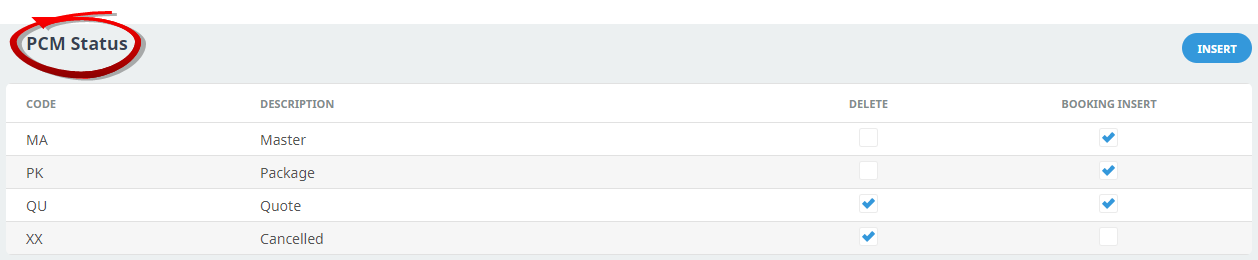
All PCMs must have a status and a Default PCM status must be set up in System > Code Setup > INI Settings > PCM . When a PCM is created, the status applied will be the default PCM status. The status can be altered if necessary.
The PCM Status will determine if:
- The PCM can be deleted
- The PCM can be inserted into Bookings
In PCMs, the status is generally used to indicate the type of PCM being created.
On initial entry to the PCM Status node, any existing records will display.
Create a PCM Status
-
From the Home menu, select
 Home > System > Code Setup.
- Click the Home menu to expand it:

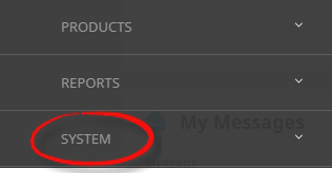
- Click the System menu option to expand it:

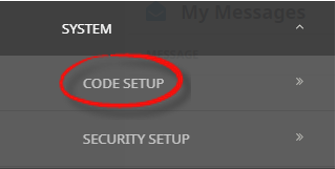
- Click Code Setup to go to the Code Setup menu:

- Click the Home menu to expand it:
-
From the Code Setup menu, selectCode Setup > PCM > PCM Status.
- Click the Code Setup Menu to expand it:

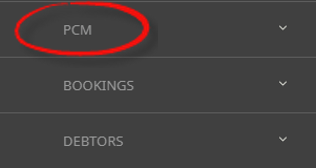
- Click the PCM menu option to expand it:

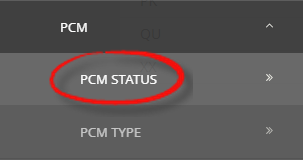
- Click PCM Status to open the PCM Status screen:

- Click the Code Setup Menu to expand it:
-
If the status that you want is not already in the list, clickInsert.

-
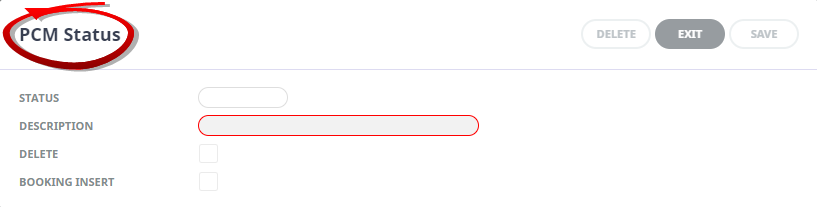
On thePCM Status screen, add a 2-character code in the Status field, a Description in the Description field and check the Booking Insert check-box (to enable PCMs with this status to be imported into bookings).
-
Check thecompleted screen.
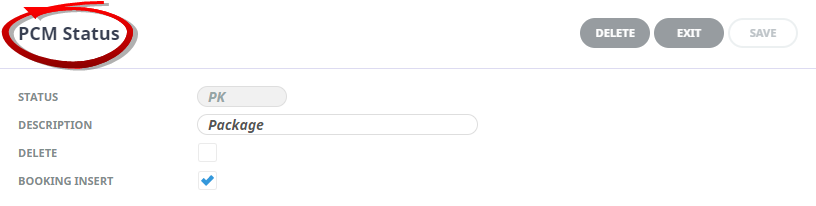
This completed example shows a PCM Status labelled PK, indicating a Package.
 This completed example shows a PCM Status labelled QU, indicating a Quote.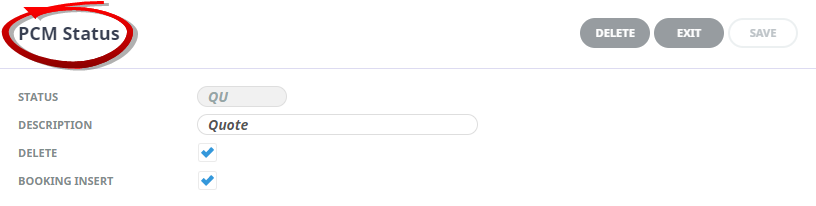
-
ClickSave to keep the changes.

-
ClickExit to discard any changes.



About PCM Status Fields
Status
A 2 character code is required for the PCM Status.
Description
A descriptive field for the status code, this field can be up to 30 characters.
PCM Status Control
- Delete check-box - if this is selected, PCM's with this status can be deleted.
- Booking Insert check-box - if this is selected, PCM's with this status can be inserted into bookings.