Auto Update Package Components
How do I auto update pickup and drop off details for package components?
In PCM Packages, service lines on day 1 can be configured to auto-update the service pickup and dropoff points when inserted into a booking. The Copy from Header settings defined in the PCM will determine if the information is copied from the header to the day 1 service lines and whether the information can be edited from within the booking.
NOTE: This functionality is intended for organisations who use transportation only copy in packages. The feature provides an efficient way to update a list of services in one location - from the package header.
This white paper will help you to …
-
Define the Copy to Header settings in a PCM Package.
-
Add the Pickup, Dropoff, and Remarks details in the package header.
-
Update the details from the package header.
Overview
From version 2.4.4, Copy to Header settings for Pickup/Dropoff fields are available for Copy-in Packages only. The settings allow the Pickup, Dropoff, and Remarks details to be automatically copied from the package header to specified package components when used in bookings.
Requirements
The following conditions allow for the auto-update of pickup and dropoff details:
-
The PCM product and package price must be setup first; otherwise, the Copy to Header settings in the PCM Package will be locked for editing.
-
Only PCM service lines on Day 1 can be configured to copy the header’s Pickup/Dropoff details to the booking’s service lines.
-
The PCM Package Handling Settings must be disabled for Process as Book-On and enabled for Allow Package on Request.
Define the Copy to Header settings in a PCM Package
-
Open the PCM Package > Itinerary where all or specific day 1 service lines can be configured.
-
Click the service line and open the Pickup/Dropoff tab.
-
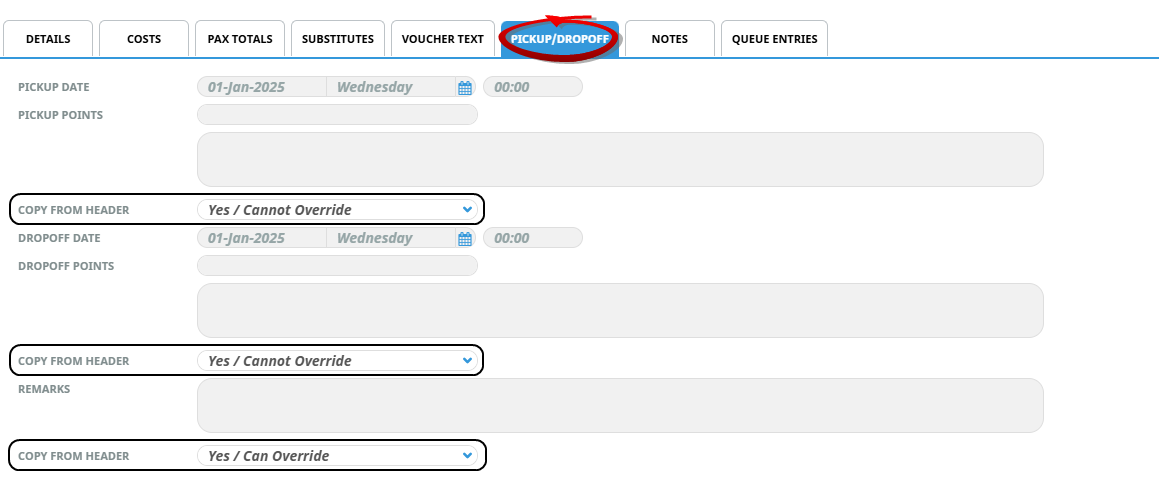
Select the appropriate Copy to Header setting for each of the Pickup, Dropoff, and Remarks fields.
-
No - The details entered in the package header will not be copied to the day 1 service lines.
-
Yes Cannot Override - The details entered in the package header will be copied to the service lines and will be locked for editing from within the booking.
-
Yes Can Override - The details entered in the package header will be copied to the service and will be available for editing in the booking. Any edits made will be overwritten by new details entered against the header service.
-
-
Click Save.
-
If required repeat steps 2-4 for each day 1 service line.
In the example below, the Pickup and Dropoff details are set to be copied from the package header without being able to edit in the booking. The Remarks field is set to copy the details from the package header with the ability to edit.
Package Header Edits
Adding pickup/dropoff details to package header
-
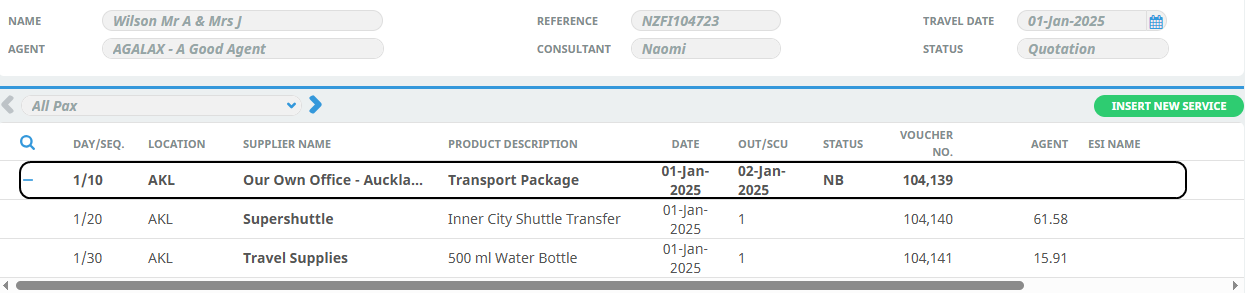
Insert the PCM into a booking as a Package Service and click on the package header.
-
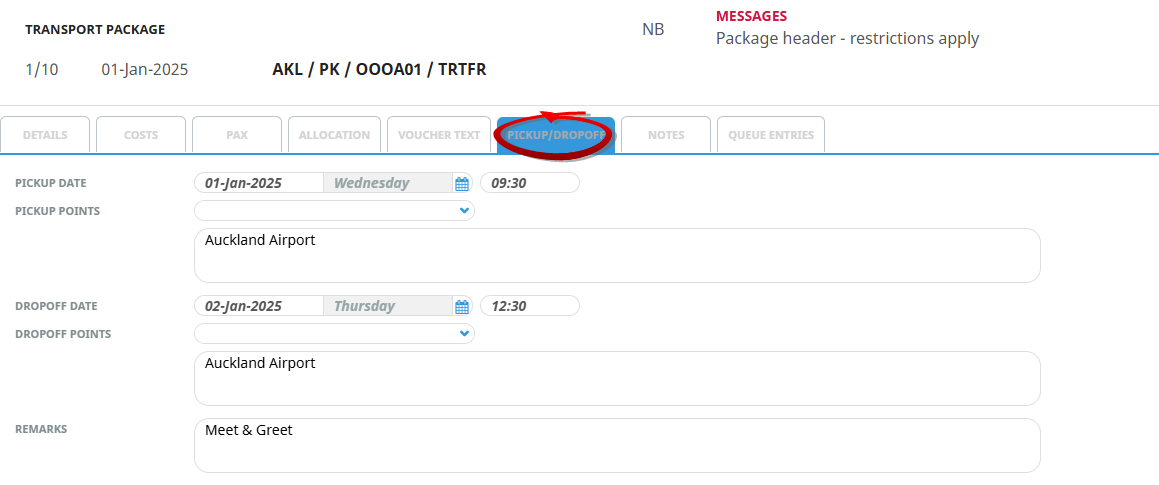
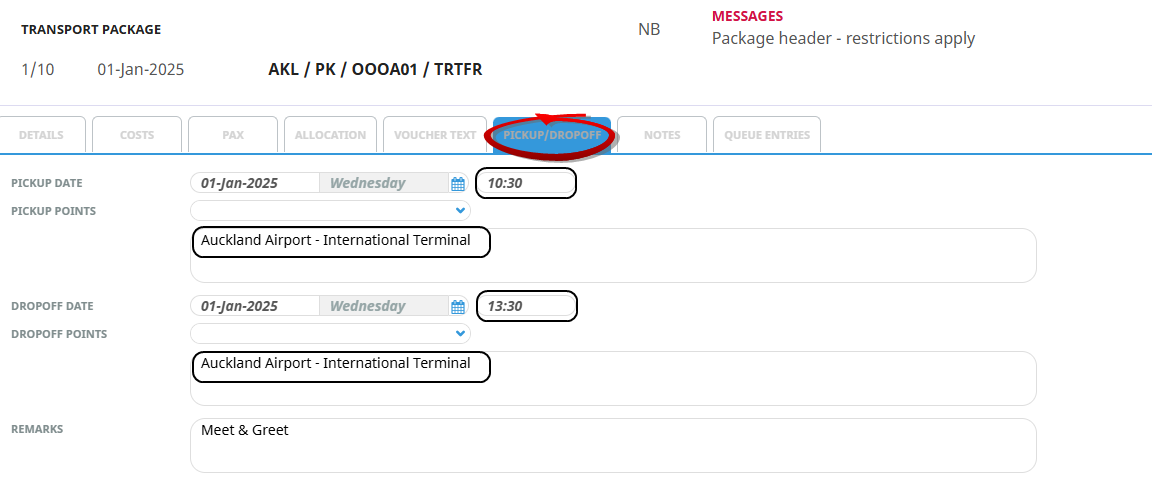
In the Pickup/Dropoff tab, enter the Pickup, Dropoff, and Remarks details.
-
Click Save.
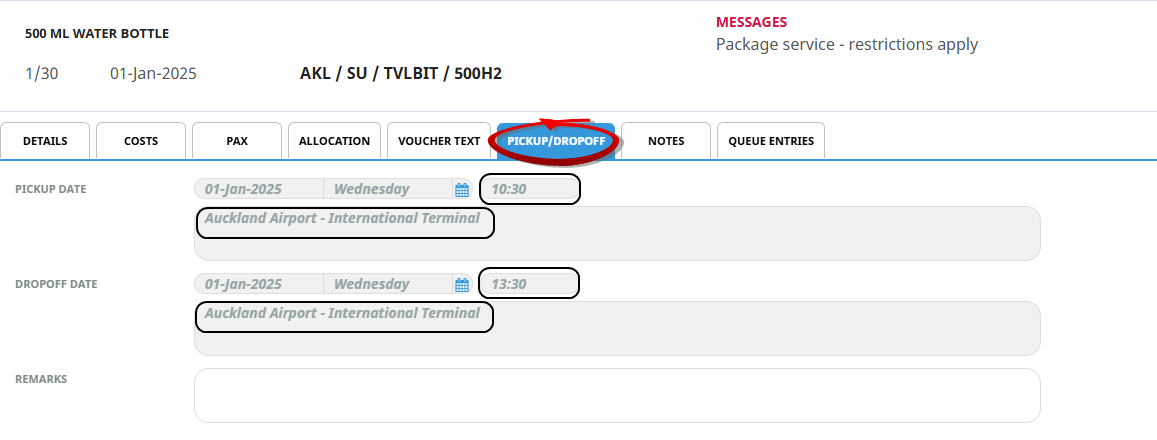
The setting applied in the PCM Package determines if the package header's Pickup/Dropoff detail are copied to the specified package service lines in day 1 of the booking.
-
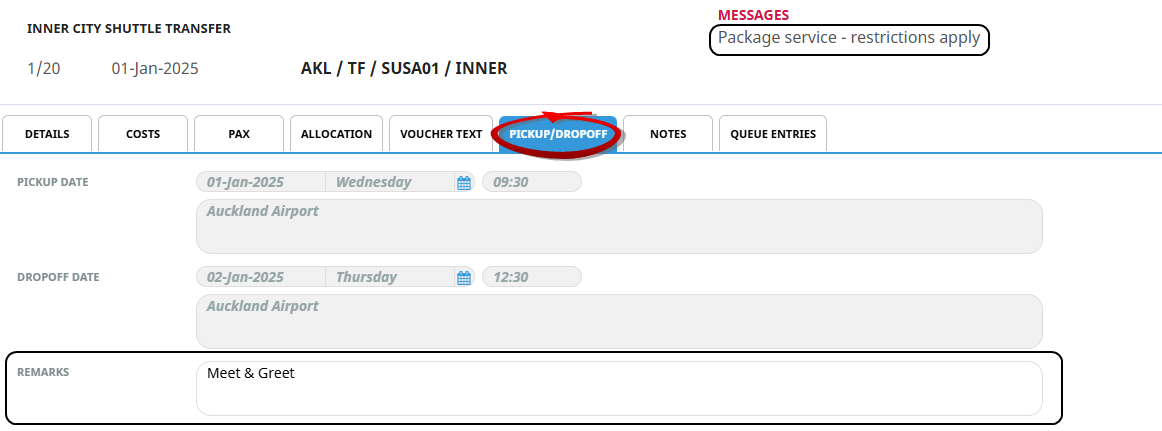
In the example below, the Pickup and Dropoff details are copied from the package header and cannot be edited in the booking (Copy to Header = Yes, Cannot Override).
-
The Remarks field was setup to copy the details from the package header with the ability to edit (Copy to Header = Yes, Can Override).
The PCM Settings determines if the Package Header details are copied to the Package Service Lines.
Update the details from the package header
The Pickup, Dropoff, and Remarks details can be changed in the package header and applied to the day 1 service lines.
-
In the package header, edit the Pickup, Dropoff, and Remarks details as required.
-
Click Save.
-
A modal opens notifying you of the Remark Changes in Related Service Lines.
-
Click OK.
NOTE: When the changes are saved, the information is updated in all the day 1 service lines configured with the Copy to Header settings at the PCM level.