Understanding Supplier Confirmation & VCC
A standalone application is available for Tourplan customers to be able to offer their supplier the ability to:
-
Confirm services via a link in the Tourplan Supplier message
-
Optionally generate a Virtual Credit Card (VCC) which the supplier can be paid by.
Both external suppliers and internally contracted rates can be paid using Virtual Credit Cards (VCC). These processes, though different, require the submission of a completed Client VCC Request Form.
Key Benefit
Organisations using the supplier confirmation option are able to provide streamlined confirmation process for their suppliers, whilst minimising manual touch points for their own bookings.
Tourplan NX Setup
-
A ‘VCC connector’ can be defined in the Tourplan Creditor Analysis tab. This contains the following details:
-
VCC endpoint
-
Connector Code and Name (WEX)
-
-
Suppliers have the ability to be activated as a ‘VCC Payment’ supplier. Configuration of VCC connection details are required for:
-
VCC Connector - VCC Activation type (to record a payment date) - either (I)immediate, (C)heckIn date, Check(O)ut date
-
Days before activation – number of days before activation date the card becomes valid
-
Active duration – number of days the card is active for
-
VCC billing currency

-
Bookings via External Supplier Connections
-
If the supplier is flagged as requiring ‘VCC payment’, when an external booking is made, it will connect with the WEX API to obtain a VCC number to include in the ‘booking request’ data when sent to the external supplier system.
-
The following VCC details will be recorded against the Tourplan service in the External service note:
-
VCC transaction reference
-
Bookings with Internal/Contract Rates
-
A ‘Supplier Confirmation’ webpage (see below) will allow the supplier to:
-
Confirm (or deny) the service request
-
Add their confirmation number
-
Retrieve the VCC number (if the supplier is flagged as requiring ‘VCC payment’)
-
When the supplier updates to service status to ‘Confirmed’, the ‘webpage’ will obtain a new VCC number via the WEX API
-
-
A link to the above webpage must be included in a supplier request message from Tourplan. This will be made available by a new substitution code to generate the URL.
-
The following VCC details will be recorded in the Tourplan service in a secure area:
-
VCC transaction reference
-
VCC active from date
-
VCC active to date
-
VCC confirmed amount and currency
-
Supplier Messages
A messaging subsitution code is used to generate a hyperlink to a Supplier Confirmation Application when the supplier message is sent.
Supplier Confirmation Application
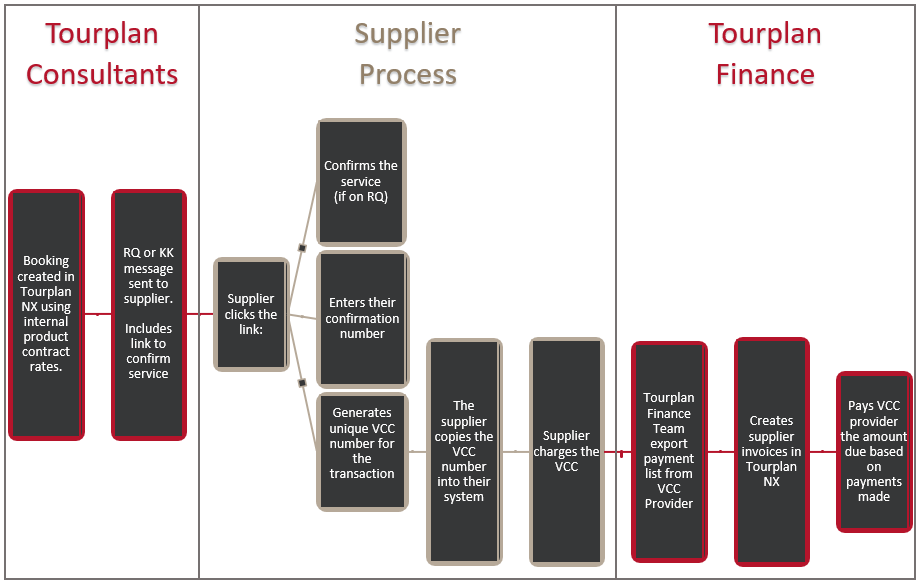
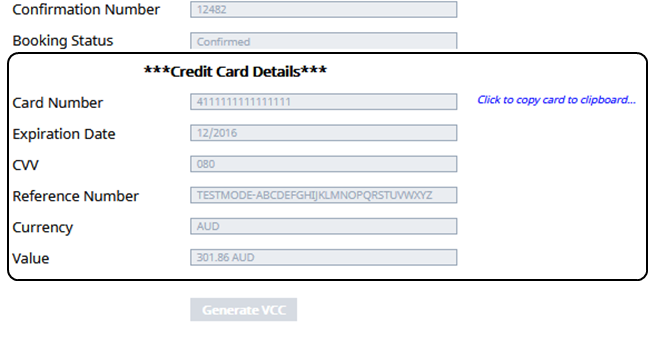
When the message is sent from Tourplan, the supplier will receive a booking request with a hyperlink to the confirmation page where they can generate the VCC for the service.
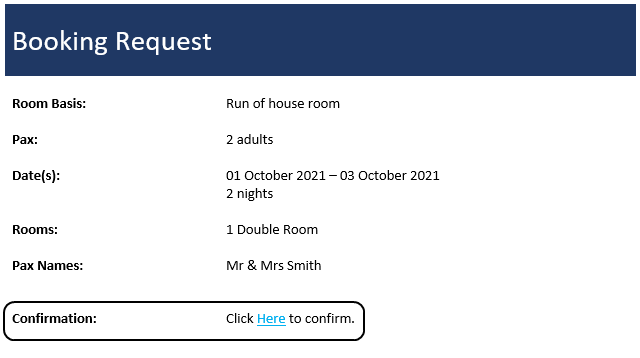
This will then direct the supplier to the confirmation page where they can click 'Generate VCC'
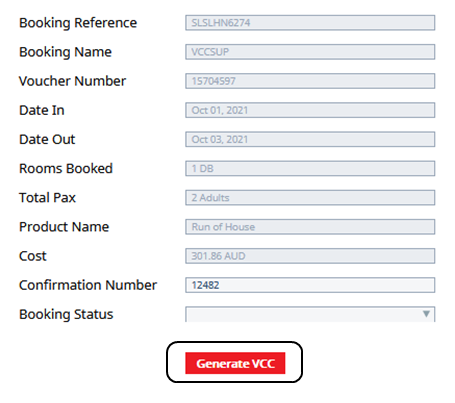
The Credit card details will populate.
Importing WEX Payment Information into Tourplan for Invoices
Payment data can be downloaded from WEX for Tourplan bookings. Your accounts staff can then manually access the WEX Portal, and download a 'payment list'. This data is provided in a CSV format and will include the following information for each payment:
-
Tourplan Booking Reference
-
WEX VCC Transaction Reference
-
Tourplan Booking Name
-
Transaction Date
-
Currency
-
Amount
The supplier invoice import function will allow this information to be matched with the relevant Tourplan booking services, and an AP invoice is created for the supplier.
- Amounts don't match between the outstanding expected cost in Tourplan and WEX amount
- Booking Reference not found in Tourplan NX
- WEX VCC transaction reference not found in Tourplan NX
Accounts Payable/Create Cheques
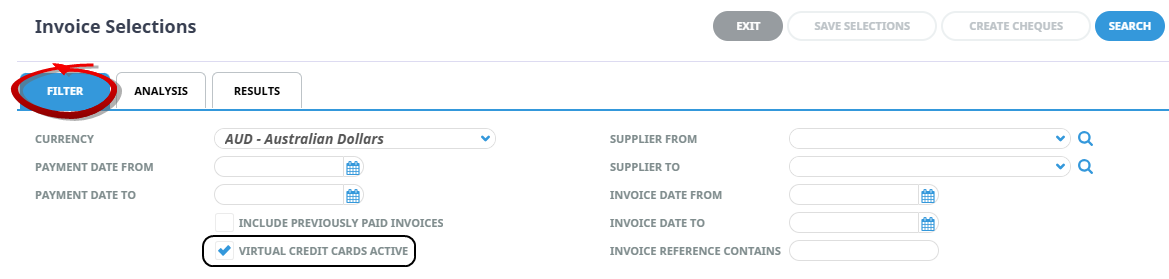
The Accounts Payable > Create Cheques > Invoice Selections 'Filter Tab' has a check box 'Virtual Credit Cards Active' . When checked, outstanding invoices for creditors with VCC active will display.