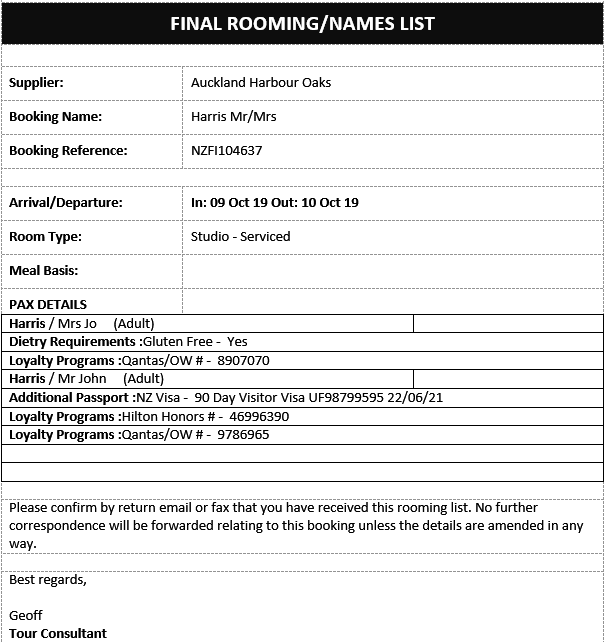
For those Tourplan NX user companies that use the Pax CRM, the CRM detail can be output on messages using special tags.
There are 2 Section tags and 5 CRM specific substitution codes.
The Pax CRM <<PROFILE>> section must be used between the NAMES tags, in any place where the NAMES tags are valid. The <<ENTRY>> section must be used within the <<PROFILE>> tags.
For details of the available Pax CRM message substitution codes, see Pax CRM Substitution Codes.
| Section Tags |
|
|||
|---|---|---|---|---|
| <<NAMES:START>> | ||||
| <<AC>> | Message Format Type | |||
| <<PROFILE:START>> | Beginning of Profile Section | |||
| <<ENTRY:DR>> | Details for the DR Profile Entry Type | |||
| Substitution codes for DR Profile Detail | ||||
| <<ENTRY:LP>> | Details for the LP Profile Entry Type | |||
| Substitution codes for LP Profile Detail | ||||
| <<PROFILE:END> | End of Profile Section | |||
| <<NAMES:END>> | ||||
Apart from defining just the Profile Entry Type, the ENTRY tag can also be used with the following parameters:
| Entry Tag | Explanation |
|---|---|
| <<ENTRY:XX>> | Defines the template for Profile Entry Type XX. |
| <<ENTRY:XX:ENT001>> | Defines the template for Profile Entry Type of XX and entries with a code of ENT001 |
| <<ENTRY:XX:TrueFalse>> | Defines the template for Profile Entry Type of XX and entries with a data type of True or false |
| <<ENTRY:XX:Date>> | Defines the template for Profile Entry Type of XX and entries with a data type of Date |
| <<ENTRY:XX:Text>> | Defines the template for Profile Entry Type of XX and entries with a data type of Text |
| <<ENTRY:XX:Number>> | Defines the template for Profile Entry Type of XX and entries with a data type of Number |
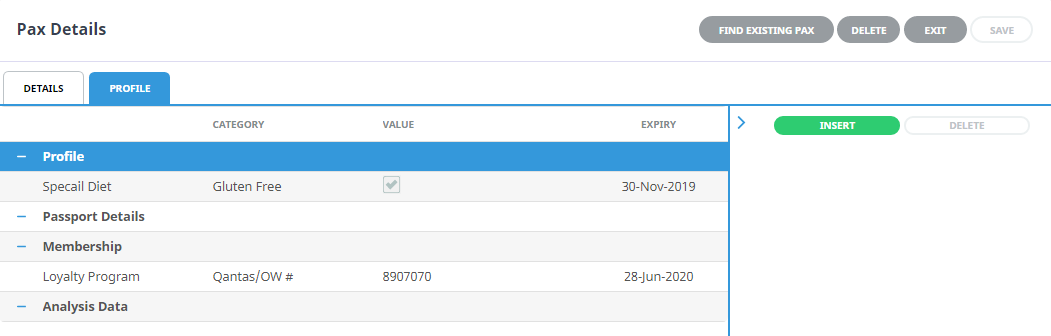
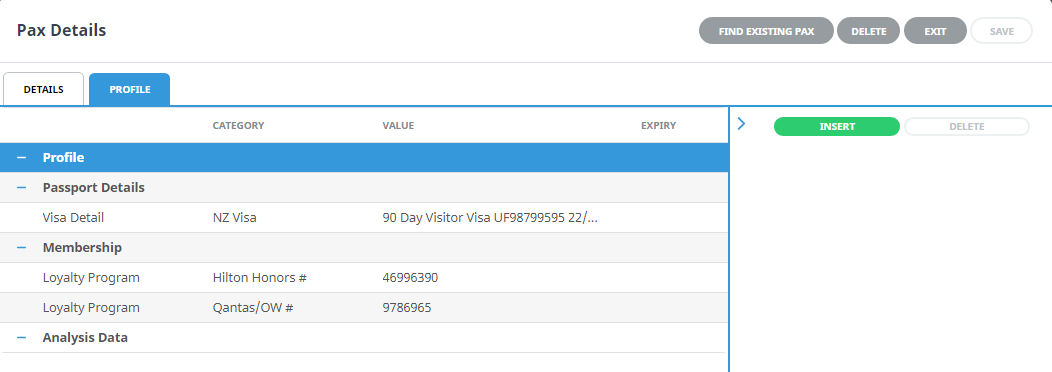
Example Booking Pax CRM Detail
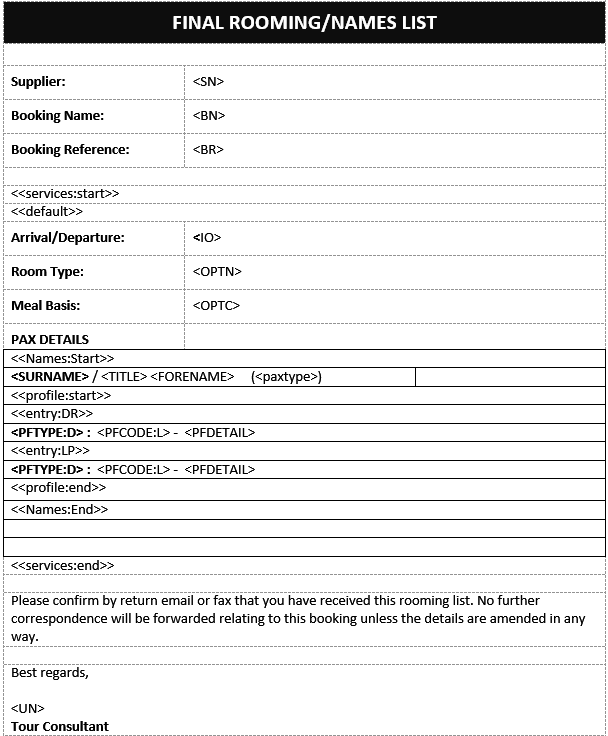
Example Pax CRM Message Template
Example Pax CRM Message Output