Creditors are those organisations that tour operators purchase goods or services from. They are known variously as Suppliers, Creditors or Vendors. All Creditors are identified by a user defined 6 character code. Tourplan recommends using 6-character codes for suppliers to allow flexibility and consistency. If less than 6 characters are used, it can make searching for suppliers difficult, since the system will always find, alphabetically, the supplier with the least number of characters in the code. If possible, use alphanumeric rather than numeric characters for Creditor/Supplier codes. It is easier for Consultants to remember and use them efficiently. Any company or person, from whom an invoice is received from, MUST be set up as a Creditor. This includes non-trade creditors (rent, utility companies etc), as well as normal trade creditors - hotels, transport companies etc.
Mandatory Fields
Creating a new supplier requires entering data into three mandatory fields:
- Creditor Code - 6-character alphanumeric code that uniquely identifies the supplier throughout Tourplan.
- Creditor Name - the name or label by which the supplier is known (up to 60 characters of descriptive text).
- Default Currency - typically the currency of the country in which the supplier is located. Other currencies can be added later.
Creditor Code and Creditor Name are entered manually when a new supplier is created (see Create a Supplier next).
Creditors Application
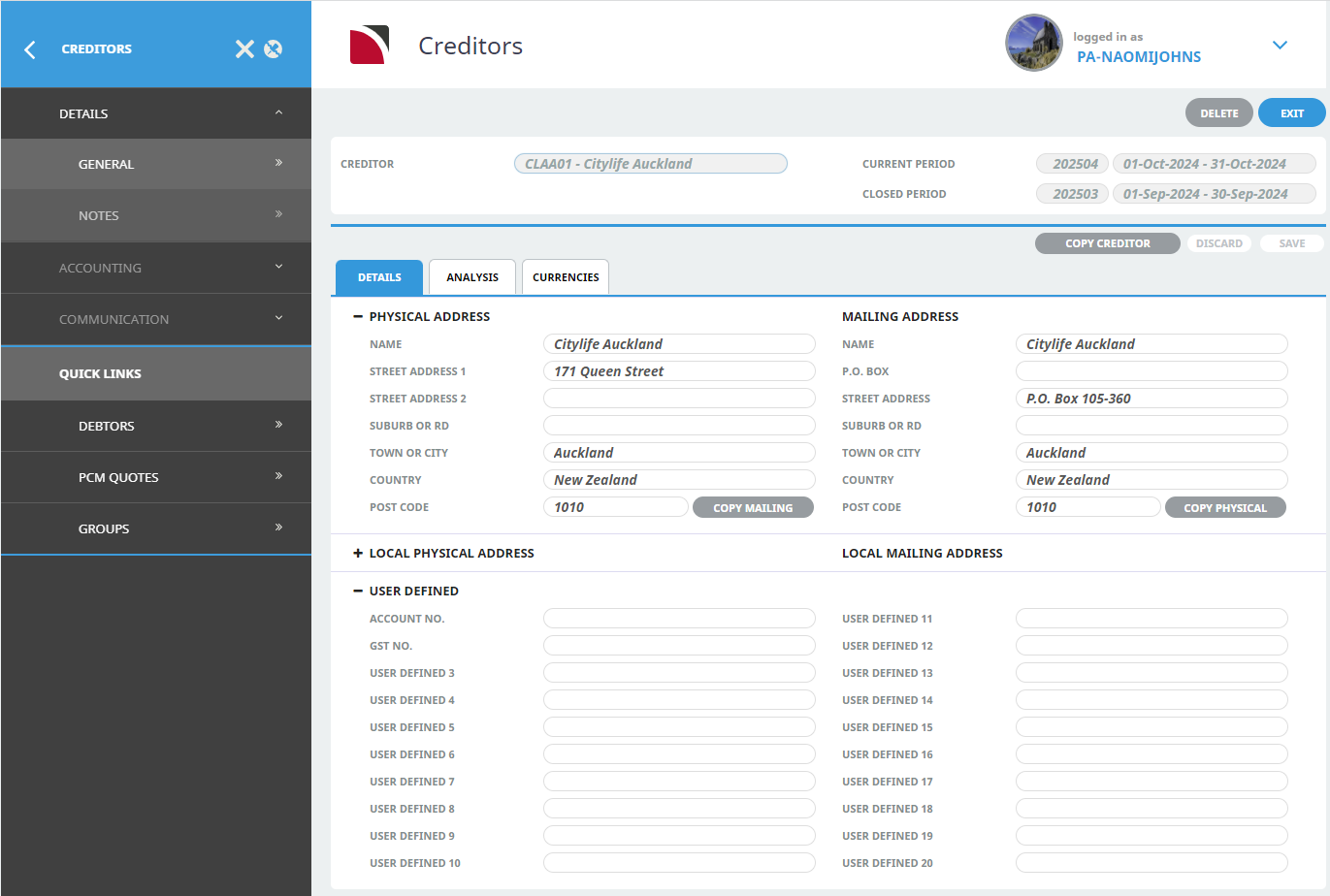
Suppliers are created in the Creditors application. The following screenshot is an example of the Creditors screen with the menu pinned and an existing supplier selected: