
Date Time Entry & Display
Can I change the entry and display of dates and times?
Tourplan like most systems makes a distinction between Entry of Date/Time fields and Display of Date/Time fields.
The entry for Date and Time fields as well as the display of these fields can be customised.
This white paper will help you to:
-
Learn the different entry and display formats for date and time
-
Set a global (for all users) date entry and display format
-
Set a global (for all users) time entry and display format
Date
Date fields can be found throughout Tourplan, from Product Setup, to Bookings and Financial entries.
Date Entry
-
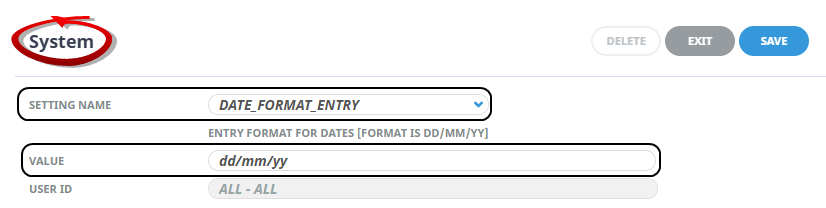
The Default Date Entry is dd/mm/yy
-
Systemwide setting can be applied by amending the Value of System INI Setting: DATE_FORMAT_ENTRY.
Date Display
-
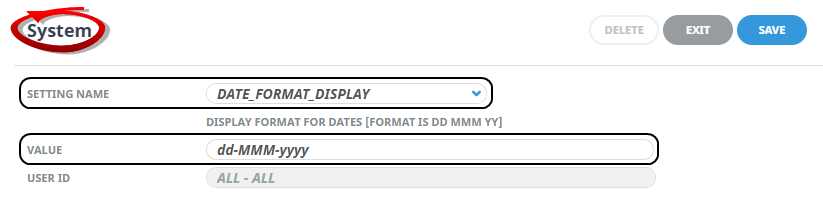
The default Date Display is dd Mmm yyyy
-
Systemwide setting can be applied by amending the Value of System INI Setting: DATE_FORMAT_DISPLAY.
Time
Times are typically used in the Pickup/Dropoff area of Bookings, PCM Quotes and PCM Packages.
Time Entry
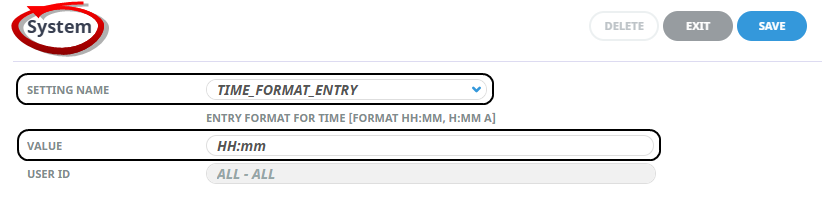
The default time entry method is HH:mm
Systemwide setting can be applied by amending the Value of System INI Setting: TIME_FORMAT_ENTRY
Time Display
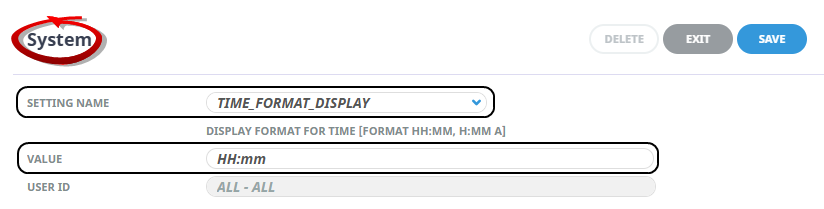
The Default Time Display is HH:mm
A systemwide setting can be applied by amending the Value of System INI Setting: TIME_FORMAT_DISPLAY
Accepted Formats for Time Entry & Display
| Value | Configuration Display | Entry | Entry Display |
|---|---|---|---|
| HH | 24 hour | 2 digits | 00 to 23 |
| H | 24 hour | 1 or 2 digits | 0 to 23 |
| hh | 12 hour 2 digit 00 | 2 digits | 00 to 12 |
| h | 12 hour 1 or 2 digit 0 | 1 or 2 digits | 0 to 12 |
| mm | Minutes 00 | 2 digits | 00 to 59 |
| a | am/pm indicator |
NOTE:
-
The separator does not have to be a colon. HH'm also works.
-
Any spaces are counted as part of the required format HH mm would mean a space between is required.
-
12h does not make sense without am/pm indicator.
Example Formats
| Value | Display | Examples |
|---|---|---|
| HH:mm | 00:00 to 23:59 |
01:23 13:23 |
| H:mm | 0:00 to 23:59 |
1:23 13:23 |
| h:mm a | 12:00 am to 12:00 pm |
1:23 am 1:23 pm |
| HHmm | 0000 to 2359 |
0123 1323 |
| Hmm | 000 to 2359 |
123 1323 |
| hmm a | 1200 am to 1200 pm |
123 am 123 pm |
NOTE:
To configure 24 hours with 2 digit 'Display' but no separator for 'Entry' the INI Setting Values would be:
-
TIME_FORMAT_DISPLAY = HH:mm
-
TIME_FORMAT_ENTRY = HHmm
To configure 12 hours 'Display' and 24 hour 'Entry' the INI Setting Values would be:
-
TIME_FORMAT_DISPLAY = h:mm a
-
TIME_FORMAT_ENTRY = HHmm