
Disable External Service Connection
How do I disable an External Service Connection?
From NX Version 2.4.4
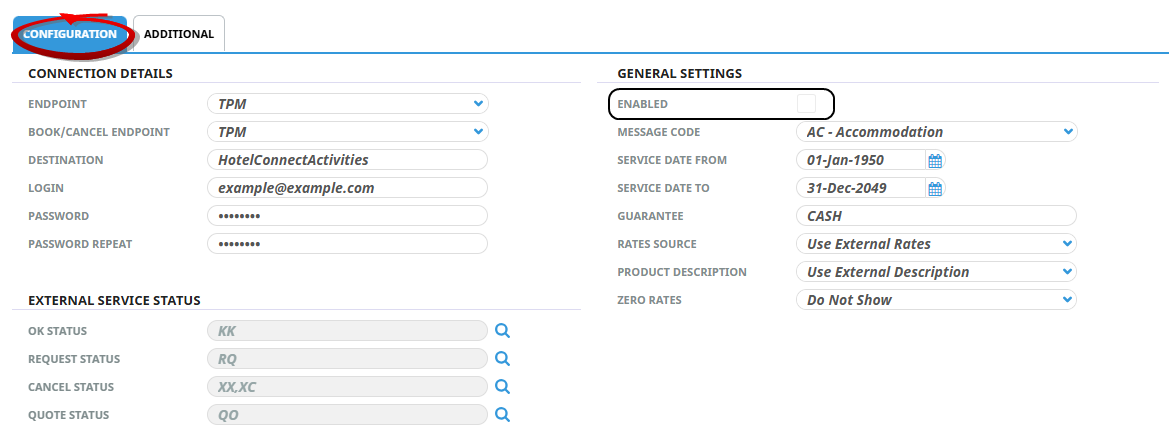
Within each external service connection setup there is a General Settings ‘Enabled’ checkbox available within the configuration tab, the checkbox can be un-checked to disable the connection. Note: Disabling a connection removes the ability to look, book and cancel external services for this connection.
The feature is designed to easily disable external service connections for a number of scenarios including but not limited to:
-
Training and/or test external service connections are no longer required
-
NX production database is copied to create a test NX instance – the external service connections are not required in your test NX system
-
An external service connection is no longer required
Disabling an existing external service connection
-
Open System > Code Setup > System > External Service and click the connection Name.
-
The Configuration tab will open, un-check the Enabled checkbox.
-
Click Save.
The External Service connection is now disabled. Any attempt to look, book or cancel services with the external supplier connection will receive the following error messages within NX:
| Function Attempt | Error Message Displayed |
|---|---|
| External Service search "look to book" | Error Code 1008: Error Updating Service Line XXX/XX/XXXXXX/XXXXXX: Cannot add service line to quote (External Service system is disabled) |
| Add external service to a booking or quote "book" | Error code 1008: Cannot book in a disabled external system |
| Add external service to a PCM Quote | Error Code 1008: Error Updating Service Line XXX/XX/XXXXXX/XXXXXX: Cannot add service line to quote (External Service system is disabled) |
| Convert quote to booking | Service XXXXXX Cannot book in a disabled external system |
| Cancel requests | Error Code 1067: Error cancelling service line XXXXXX: Cannot cancel in a disabled external system. |