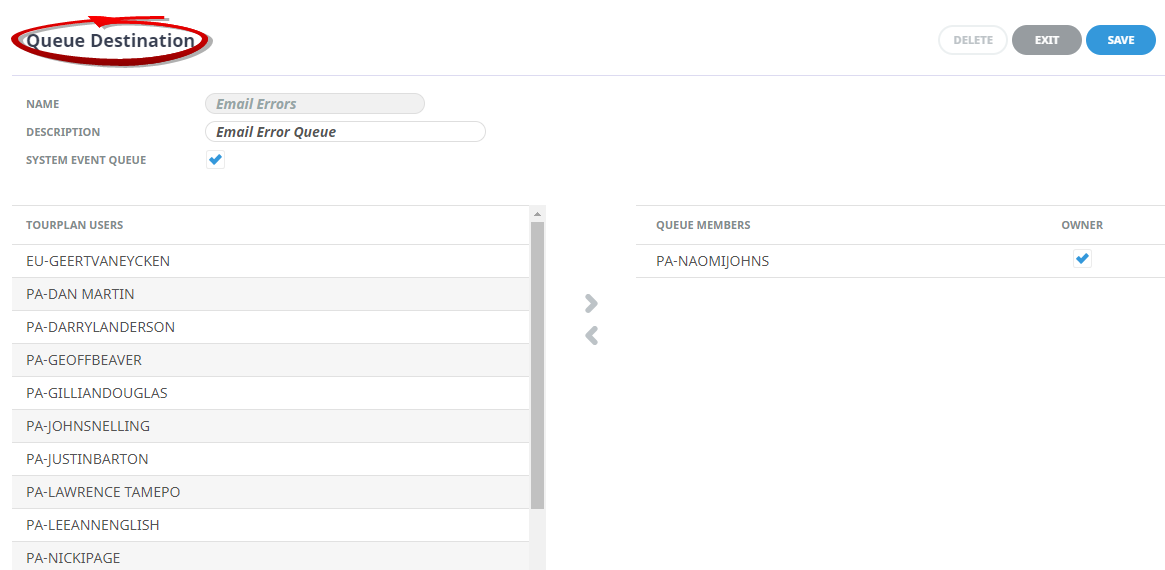
Each queue message has a destination. A destination can be either an individual Tourplan user or a group of users.
A Queue Destination in this instance is defining a destination which has a group of users. This enables a queue message(s) to be sent to a Queue Destination and Tourplan will distribute the message to all members of the queue group.
NOTE: Detail on the use of queues is provided in relevant User Manuals, the example booking queue instruction is covered in FIT and Groups User Manuals, whereas accounts queue instruction is covered in the Accounts User Manual.
Note: a defined Queue Destination must be configured in the Email Account setup to execute an error message.
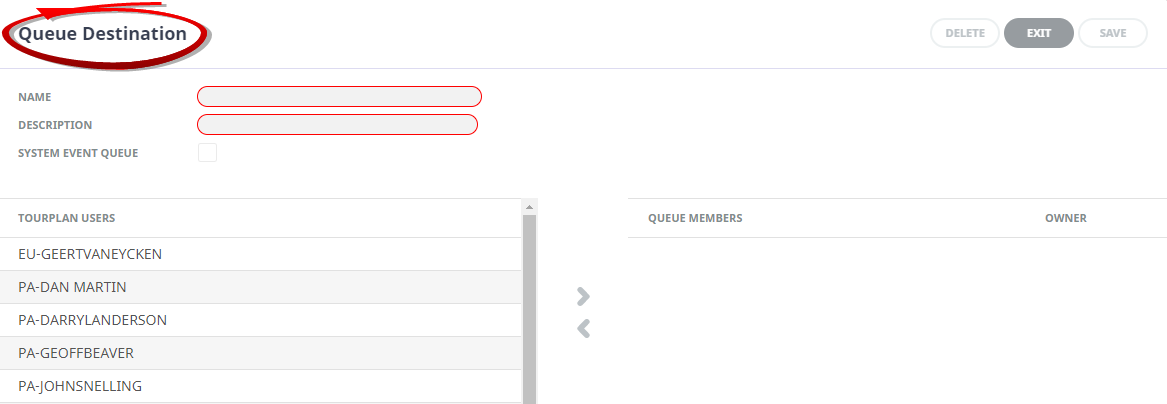
Create a Queue Destination
(missing or bad snippet)NOTE: After clicking Save, the screen clears, ready for another Queue Destination – continue adding queue destinations or click Exit to close the screen.
About Queue Destination Fields
Name
The name field is used for a short destination name.
Description
The description field is used for a longer destination name.
System Event Queue
This checkbox is intended for User Company's who have enabled supplier connectivity and are using external service searches. Additional setup is required with assistance from your Local Tourplan Support Office.
Tourplan Users
A list of Tourplan users who are not attached to this Queue Destination display in the left hand column.
Queue Members
This column contains a list of Tourplan User's that are members of the Queue Destination.
To add a Tourplan user to the Queue Destination, highlight the users name and click the button. To remove a user from the Queue Destination, highlight the user's name to be removed, and click the
  button.
Owner
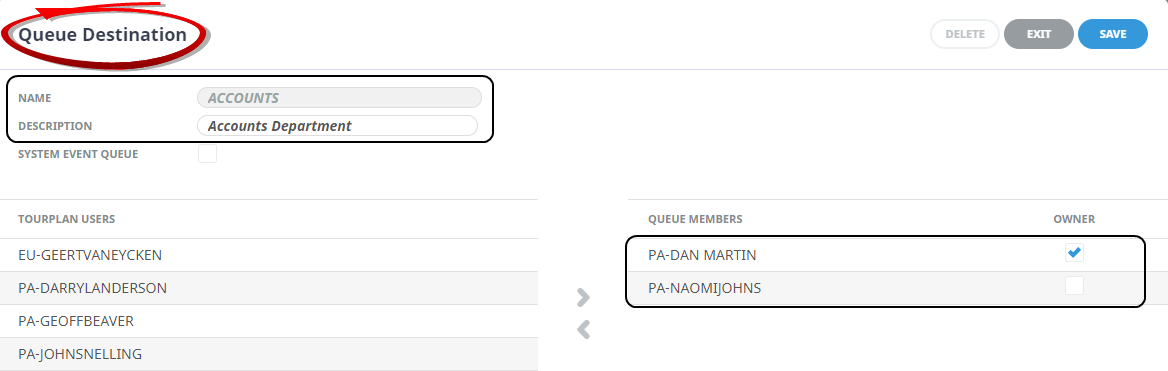
A Queue Destination can have an owner, and if one has been assigned they can action a queue and re-assign a message to other members of that destination. If an owner is not assigned no one can action that queue.
In the Accounts Department Destination, the check-box indicates Dan is the owner of the Destination. The Owner is able to re-assign the message to other members of the Destination.
If a queued message is sent to the queue destination 'Domestic Ticketing' from within the bookings module, the message would be received by Dan and Lawrence.
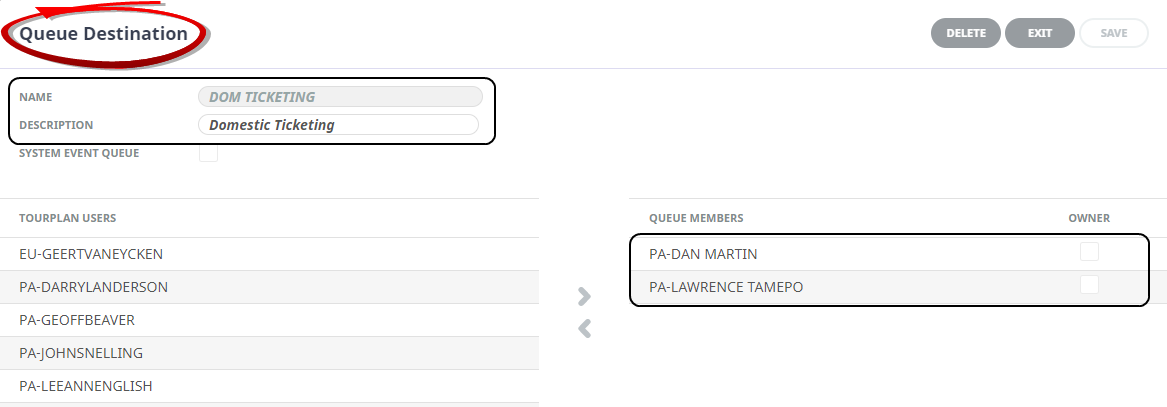
The advantage of setting up Queue Destination Groups is that messages can be sent to multiple people in a group. When the user logs in the message will show in their home screen for them to action the Queued Message.
Email Error Queue Destination Example