
Loading interactive content…
The Branch code also makes up the first two characters of the Booking Reference number.
Branch and Department codes together with a system generated number make up the booking reference. PCMs can have a Branch defined for costing purposes however the Branch does not make up the PCM Reference.
NOTE: The Branch Code field cannot be changed. Branches cannot be deleted if they have been used in Bookings, PCMs, G.L. Account Setup, Commission/Discount/Mark-up structures, External Selling Proce records, Debtor, Creditor or G.L. Journal transactions, Debtors Receipt Types, Creditor Payment Types, Debtor Currencies, Creditor Currencies, and Bank Reconciliation Setup.
Create Branch Codes
-
From the Home menu, select
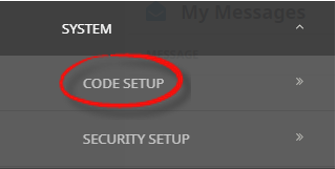
 Home > System > Code Setup.
- Click the Home menu to expand it:

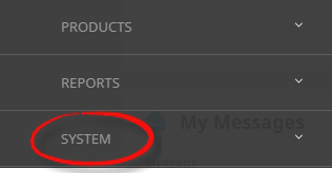
- Click the System menu option to expand it:

- Click Code Setup to go to the Code Setup menu:

- Click the Home menu to expand it:
-
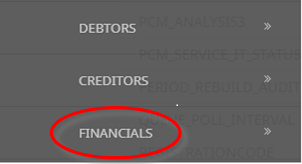
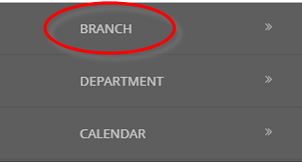
From the Code Setup menu, selectFinancials > Branch.
- Click the Code Setup menu to expand it:

- Click Financials to expand the Financials menu:

- Click Branch to open the Branch screen:

- Click the Code Setup menu to expand it:
-
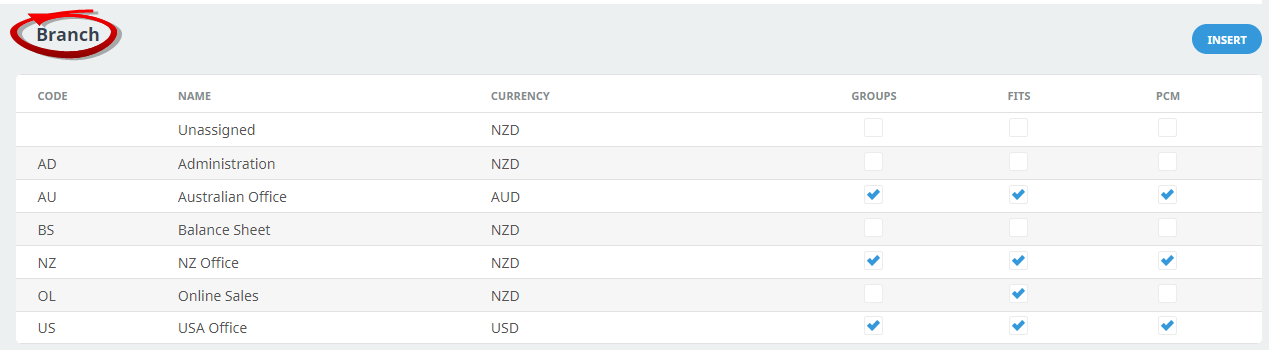
On theBranch list screen, if the branch that you want is not already in the list, click Insert.
-
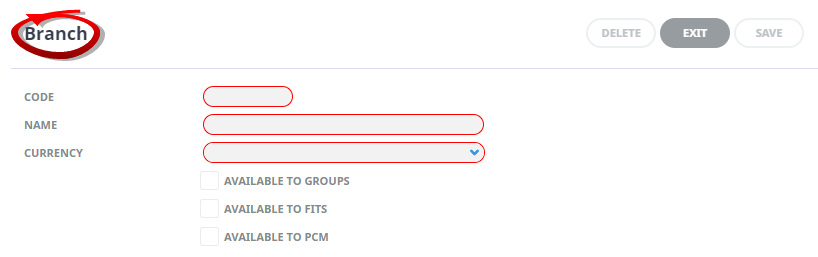
On the blankBranch screen, enter a 2-character Code and a Name (mandatory), select a Currency and check the relevant check boxes to make the branch available for FIT and/or Group bookings.
This example shows typical data for setting up an Australian office:
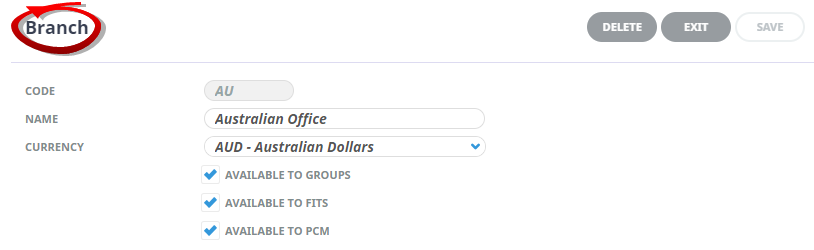
- Review the completed screen.
-
ClickSave to keep the changes.

-
ClickExit to discard any changes.



About Branch Fields
Code
A code for the Branch, this field must be 2 characters.
Name
A descriptive field for the Branch, this field can be up to 30 characters.
Booking Branch Availability
- Available to Groups - If the branch is to be available in the Group Bookings application as a valid Booking Reference Branch, then check this box. Otherwise leave unchecked.
- Available to FITs - If the branch is to be available in the FITs application as a valid Booking Branch, then check this box. Otherwise leave unchecked.
- Available to PCMs - If the branch is to be available in the PCM Quotes, PCM Packages applications as a valid Branch, then check this box. Otherwise leave unchecked.
NOTE: Being able to selectively allow a branch code to be used for either Groups, FITs, PCMs or all, means that the likelihood of an incorrect branch being used in bookings is minimised.
In the list of completed branch code screen below, the Online Sales Branch has been flagged as not being available for Group Bookings (i.e., Groups checkbox is unchecked). This means that when a consultant in Group bookings is choosing the Branch Code to apply as the first part of the Booking Reference, the branch OL will not display on the list of available branches.