
Loading interactive content…
It is necessary to define the Accounting Calendar with the number of accounting periods in each accounting year before any Bookings, Agents or Suppliers and accounting transactions can be entered into Tourplan NX.
The Bookings modules (FITs and Groups) allow production of Invoices to agents. The invoice generation program needs to know the accounting period the invoice is being raised in, the period the revenue is to post to, the period the revenue is to age to and the period of the date entered. For this reason, the calendar must be set up as a pre-requisite to any use of the system—whether full accounting is being used or not.
The basis of the calendar is the user company's accounting financial year. The majority of companies account each month; i.e., 12 one month periods in each financial year.
The calendar periods are in the form YYYYNN where YYYY is the Financial Year (e.g. 2024), and NN is the accounting period in that year (e.g. 01). 01 does not refer to the month of January, unless the financial year is the same as the calendar year. Taking the year 2024 as an example, the following are the period numbers and dates for the three most common financial years:
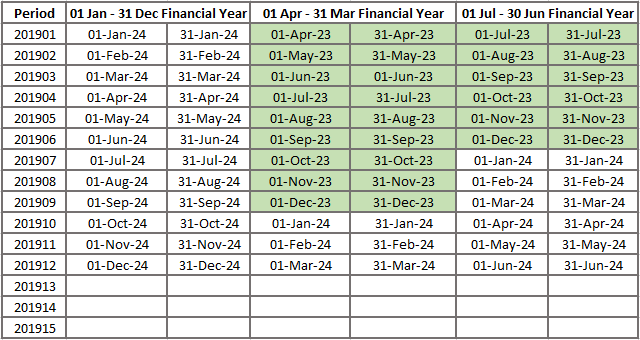
Where a Financial Year spans a calendar year, then it is normal that the Tourplan NX Calendar Year be named the year of the Financial Period end. The cells that are shaded green in the columns 01-Apr - 31 Mar and 01-Jun - 30 Jul reflect that the financial year begins in the 2023 calendar year and ends in the 2024 calendar year.
Up to 15 Calendar Periods per year may be specified, but this should only be done on the advice of Tourplan Support. This facility enables a user company to change their balance date.
It is not uncommon for some companies to have their accounting periods in line with Airline accounting periods which generally consist of 13 four weekly periods, rather than 12 calendar month periods.
The calendar in this example system actually commences with the 2010 financial year which begins on 01 Jul 2009. The calendar periods currently terminate at the end of the 2030 financial year on 30 Jun 2030. Periods can be viewed a financial year at a time.
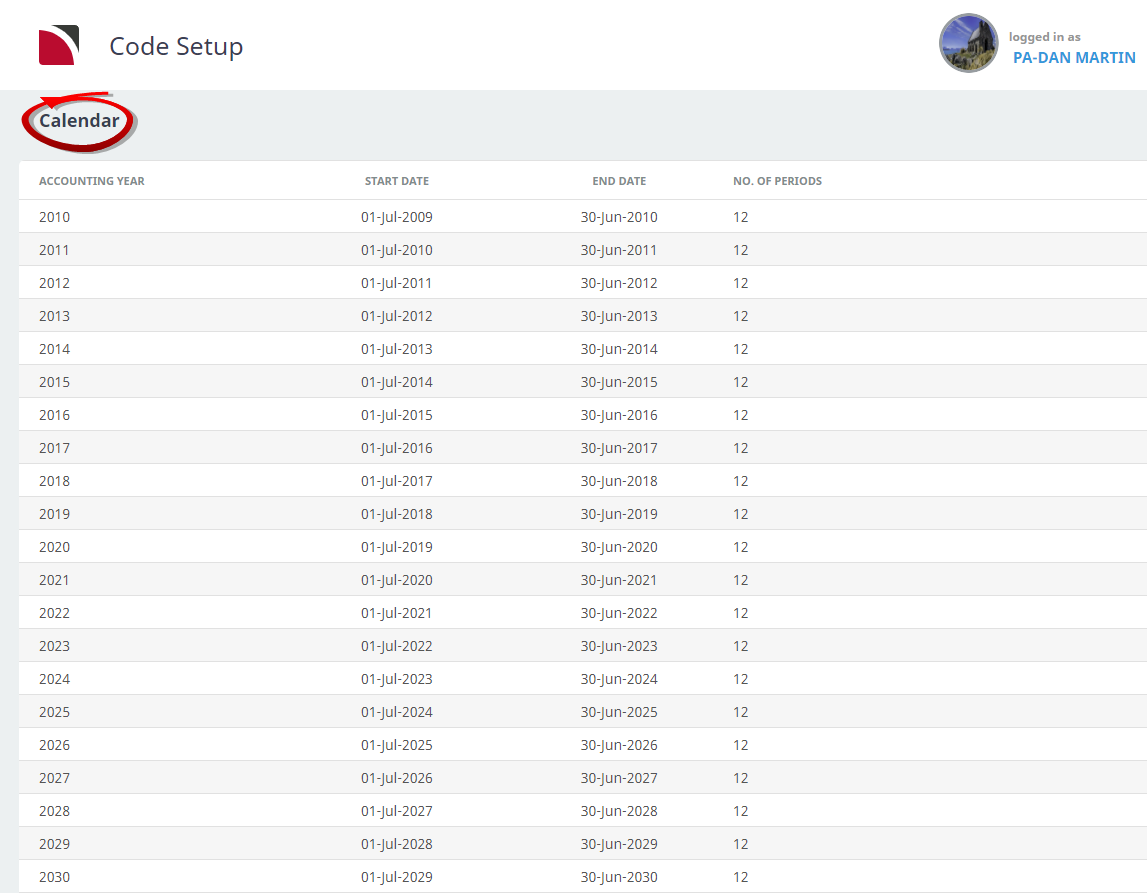
The column headings at the top of the scroll are the only column headings available in this screen.
- Start Dates cannot be modified. Changing an End Date will adjust the Start Date of the next period.
- Changing Calendar Dates can have a significant impact on the validity of the financial transactions in a Tourplan system. The Transaction Date, Age period and Posting period on existing transactions have been calculated based on the dates attached to the Calendar period records. These dates and postings will be in incorrect periods if changes are made. Consult the local Tourplan support office if any type of change is needed for calendar periods.
NOTE: Individual periods within a year cannot be deleted. Selecting a period within a financial year and clicking the delete button will delete all periods for that financial year.
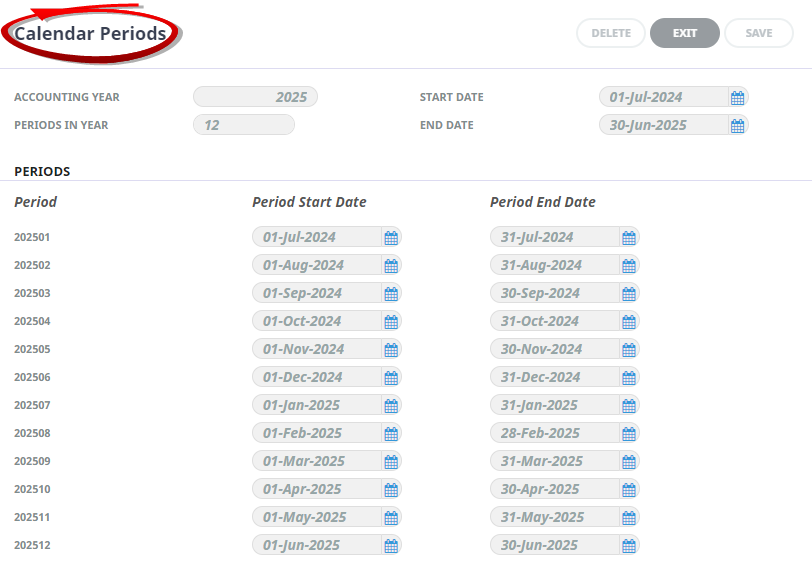
Entering on the calendar year will display the calendar periods.
Create Calendar Periods
-
From the Home menu, select
 Home > System > Code Setup.
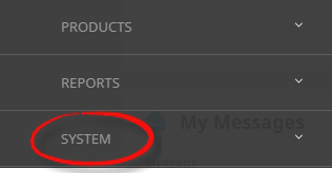
- Click the Home menu to expand it:

- Click the System menu option to expand it:

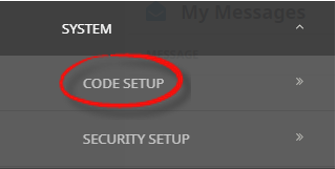
- Click Code Setup to go to the Code Setup menu:

- Click the Home menu to expand it:
-
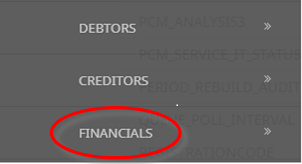
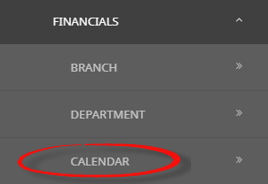
From the Code Setup menu, selectFinancials > Calendar.
- Click the Code Setup menu to expand it:

- Click Financials to expand the Financials menu:

- Click Calendar to open the Calendar screen:

- Click the Code Setup menu to expand it:
-
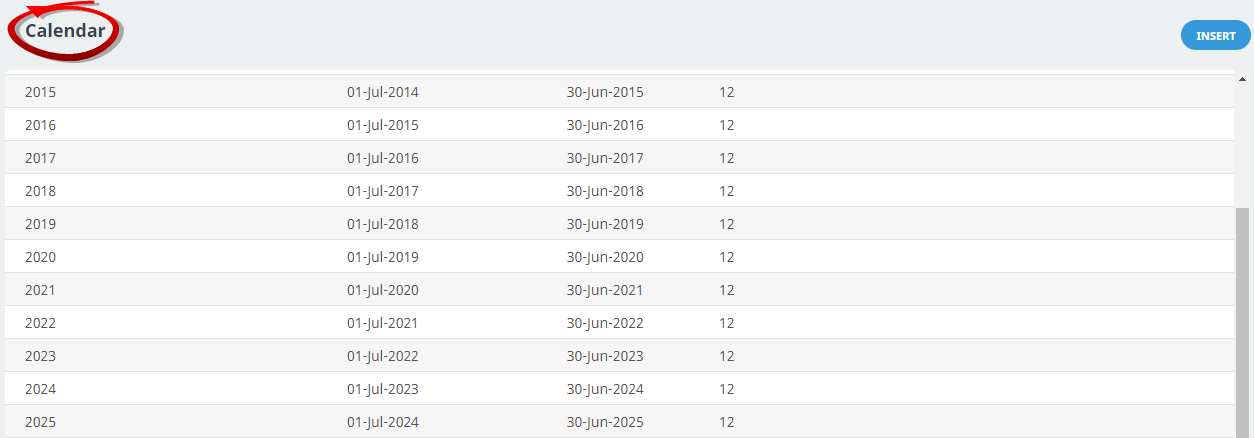
On theCalendar list screen, if the Accounting Year that you want is not already in the list, click Insert.
-
On theCalendar Periods screen, the accounting year, periods in year will default from the previous calendar period, review the Accounting Year, and Periods In Year fields to ensure they have populated correctly.
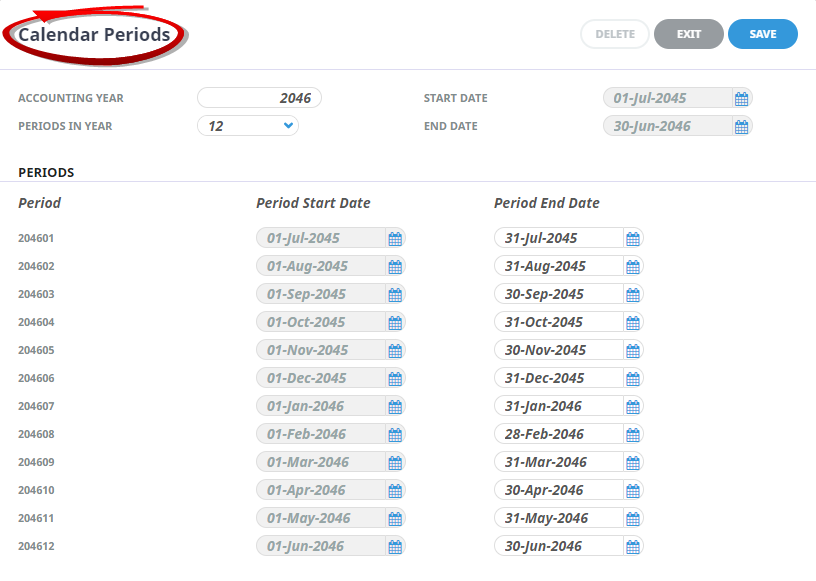
- Review the completed screen.
-
ClickSave to keep the changes.

-
ClickExit to discard any changes.



About Calendar Period Fields
The system will default these fields based on the previous calendar period. The fields can be overridden if required, otherwise check the completed screen and proceed to enter additional calendar periods.
Accounting Year
If inserting calendar periods for the very first time, the Accounting Period year will need to be entered. If updating the system to include a new Accounting Year, the system will automatically default from the previous Accounting Period.
Periods in a Year
If inserting calendar periods for the very first time, the number of accounting periods in the financial year will need to be selected. If updating the system to include a new Accounting Year, the system will automatically default from the previous Accounting Period.
Start Date and End Date
These fields will default from the previous year.
- Period - review or enter the next year to be entered into this field. This field is a 4 digit numerical field.
- Period Start Date - provided the year entered in the Period Year field is the next consecutive year, the start date will automatically default to the last saved period plus one day—i.e., 01 Jul 2030. This field cannot be amended
- Period End Date - clicking in the End Date field for the first period in this financial year (203101), will default the last day of the month (July 2031). This enables the end date to be changed if required. If no change is needed, simply click the save button.