
Loading interactive content…
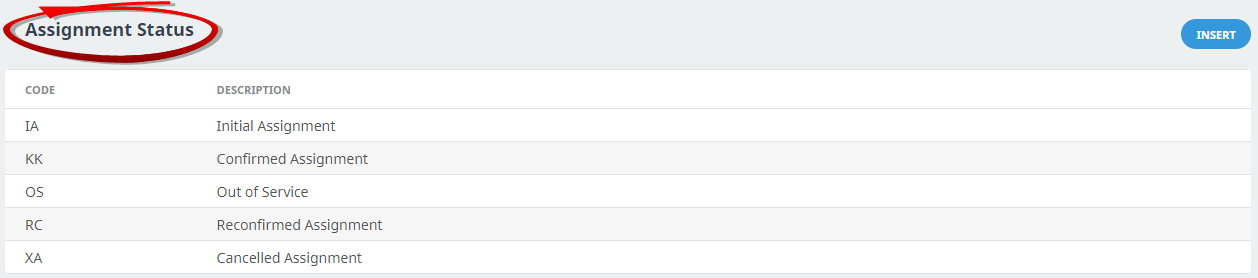
When Resource Assignments are created in the Operations application, the Assignment must have a status. The setup of Assignment status codes is described in the procedure below. Assignment statuses will be unique to each user company thought and planning for flow of statuses is important.
NOTE: Additionally reports can be generated based on assignement status.
The setup of Assignment Status Codes here will allow the Resource Assignment status to be updated in the Operations Application.
Create an Assignment Status
-
From the Home menu, select
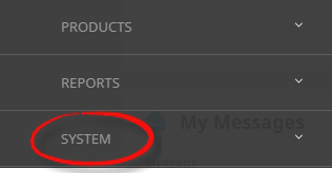
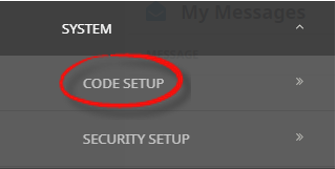
 Home > System > Code Setup.
- Click the Home menu to expand it:

- Click the System menu option to expand it:

- Click Code Setup to go to the Code Setup menu:

- Click the Home menu to expand it:
-
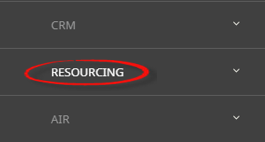
From the Code Setup menu, selectResourcing > Assignment Status.
- Click the Code Setup menu to expand it:

- Click Resourcing to expand the Resourcing menu:

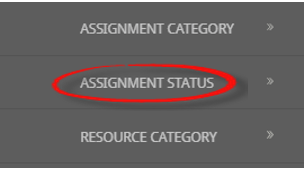
- Click Assignment Status to open the Assignment Status screen:

- Click the Code Setup menu to expand it:
-
On theAssignment Status screen, if the Assignment Status required is not already in the list, click Insert.
-
On the blankAssignment Status screen, enter a Code and Description.

- Review the completed screen.
-
ClickSave to keep the changes.

-
ClickExit to discard any changes.



About Assignment Status Fields
Code
A code for the Assignment Status. The status code must be 2 characters.
Description
A descriptive field to describe the Assignment Status. This field will allow up to 30 characters.