
Agent Invoice Import
What is the Agent Invoice Import function?
The Import Agent Invoice functionality provides the ability to import a file, creating agent invoices within Tourplan.
This article will explain:
-
What the import agent invoice does.
Overview
This function enables Tourplan to process a debtor (agent) bulk receipt import file, assigning payment receitps to the debtor. Tourplan will match the agent, booking, and accounting data with the information in the import file and create booking invoices and receipts accordingly.
This process is often used by wholesalers who use a clearing house such as Money Direct or eNett to process agent payments. The clearing house sends the wholesaler an import file. Tourplan can import the file via the Operations application and apply the payments listed in the file.
NOTE: The transaction date will determine the base conversion rate used for invoices and receipts generated via this method.
File Format
The import file must be in a specific tab separated format and the required setup configured before processing can commence.
To use this feature, user companies should contact their local Tourplan office to:
-
Discuss if the clearing house being used has a file format that suits the Tourplan import format.
-
Obtain advise of the INI Settings required to make the import work.
-
Determine if manipulation of the file format is required.
-
Arrange test imports.
Operations Menu Item
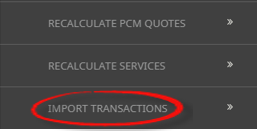
When enabled, users with access will see Import Transactions within the Booking Operations menu.
Important Note: Please consult with your local Tourplan support office if you are interested in the Import Agent Invoice functionality.