
PCM Optional Services In Separate Itinerary
How do I display PCM optional services in a separate itinerary?
For every PCM Quote created, Tourplan generates an itinerary of services. The PCM Quote is inserted into a Group or FITS bookings where you can add and customise an unlimited number of itineraries within the same booking. Optional services can be manually inserted or moved to a separate itinerary (within the same booking) ensuring they are kept separate from the main list of services.
This article will help you to …
-
Move PCM optional services from one itinerary to another.
Overview
Tourplan offers the flexibility to create multiple itineraries for a Group booking. This is useful for constructing pre and/or post tour arrangements, offering optional services, or for grouping services for specific Pax.
The default naming convention for itineraries starts in numerical order, for example the first itinerary is labelled as Itinerary1, the second is Itinerary2, and so forth. Itineraries can be added, renamed, and removed in the Groups > Booking Details > Pax Configurations menu. For more information please refer to the Groups User Manual.
NOTE: This example focuses on Group bookings.
Move PCM optional services from one itinerary to another
-
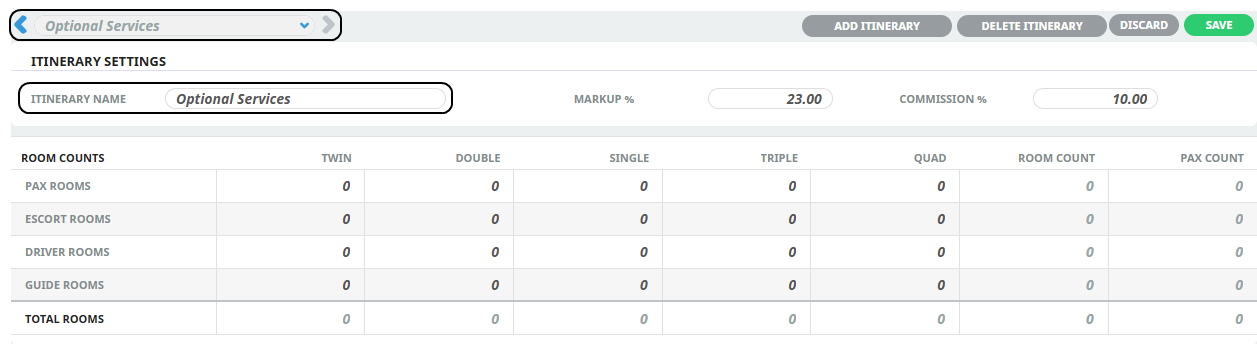
When creating a Group booking, open Booking Details > Pax Configurations to display the Itinerary Settings.
-
Click the Add Itinerary button and enter the new Itinerary Name.
-
The new name is displayed in the Itinerary selection (upper left dropdown). This lets you switch between itineraries using the dropdown selection or the left/right arrows.
-
Click Save.
-
Insert a PCM Quote containing an Optional Service into Itinerary1.

-
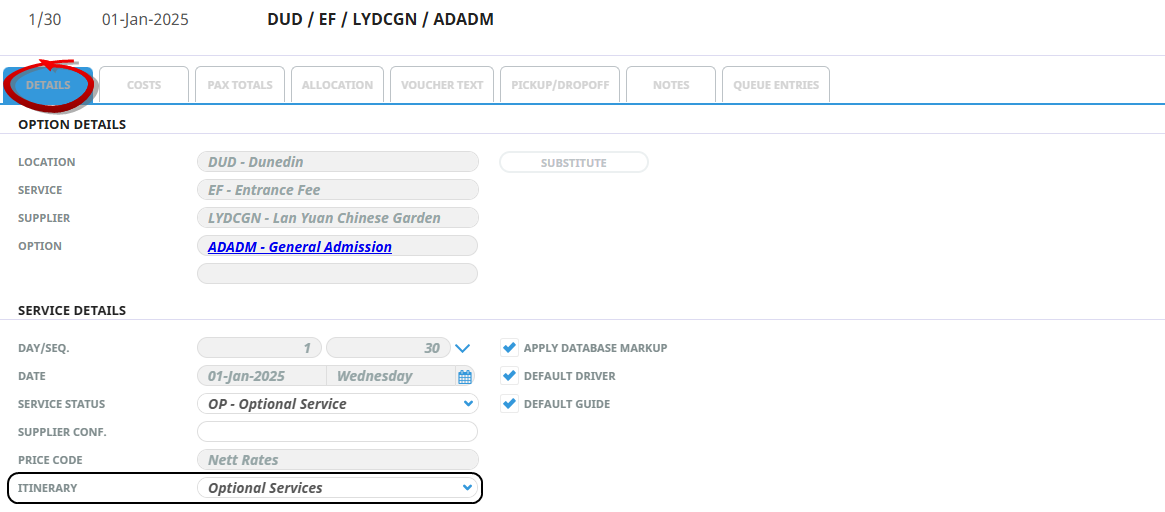
To move the Optional Service, open the booking itinerary and click on the Optional Service line to open the Details tab. Under the Service Details section, choose the Itinerary to where you want to move the service.
-
Click Save. The amended service will be moved to the selected itinerary.
For more information click on the links to learn more about Creating PCMs, Optional Services Creating Group Bookings, Setting Pax Configurations