Adding Service Types
What do I need to check if I've added a new service type to display webConnect product?
If you have added a new service type, there are a couple of things which will need to be configured before the service type and attached product will show on webConnect.
Is the service type attached to a service button?
Is the new service type linked to the correct iCom service button?
Adding a Service Button
-
Open the Code Setup and select iCom > Service Button from the menu.
-
Check that the Service Type is attached to a Service Button.
If not create a new Service Button - click on the link to learn more about Creating A Service Button.
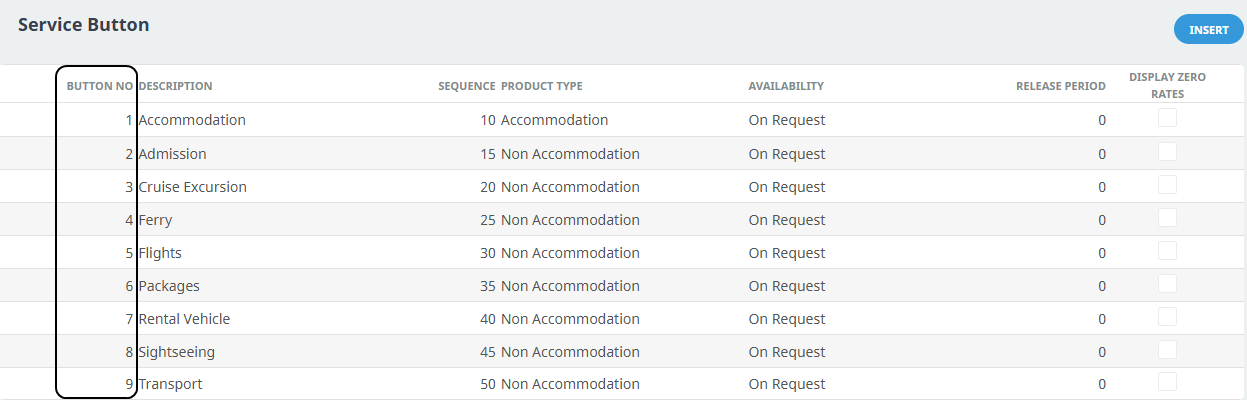
NOTE: The order that the service selection appears in webConnect is determined by the defined sequence number. (Its not the button number which determines the order). The example above, the service dropdown in webConnect would have Accommodation at the top of the list and Transport at the bottom of the list. We have chosen to have our service types in alphabetical order.
Link Service Type with Service Button
-
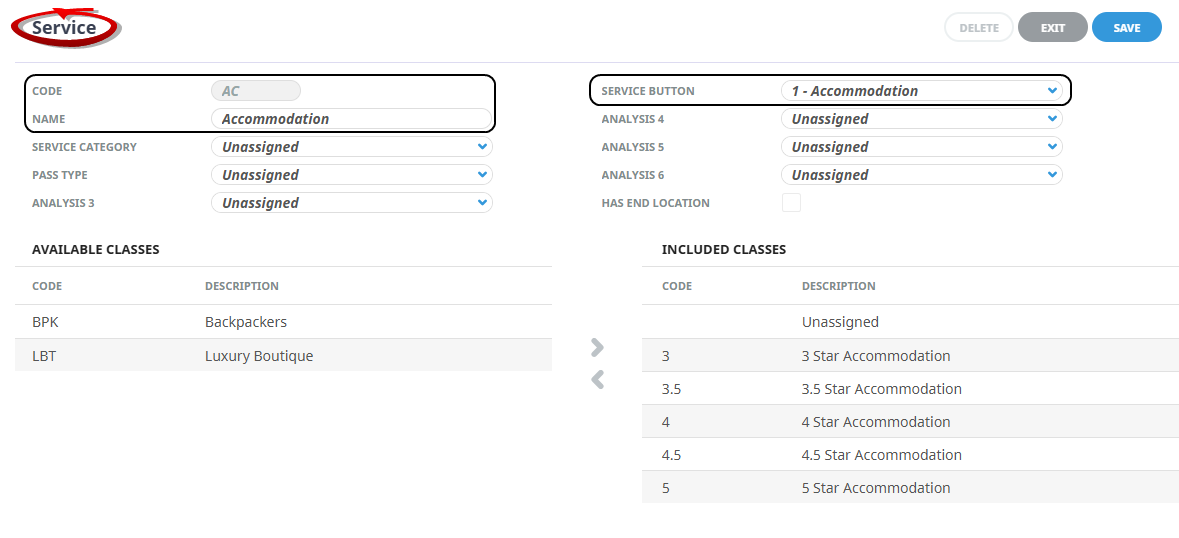
Open Code Setup and select Product > Service from the menu.
-
Open the Service type, ensure the service is linked to the correct Service Button.