RQ Service When Allocation Exists
Why does the service show RQ in webConnect when an allocation exists?
Several settings contribute to a service showing "On Request" on the search screen in webConnect.
We suggest checking the following in the order as listed below:
-
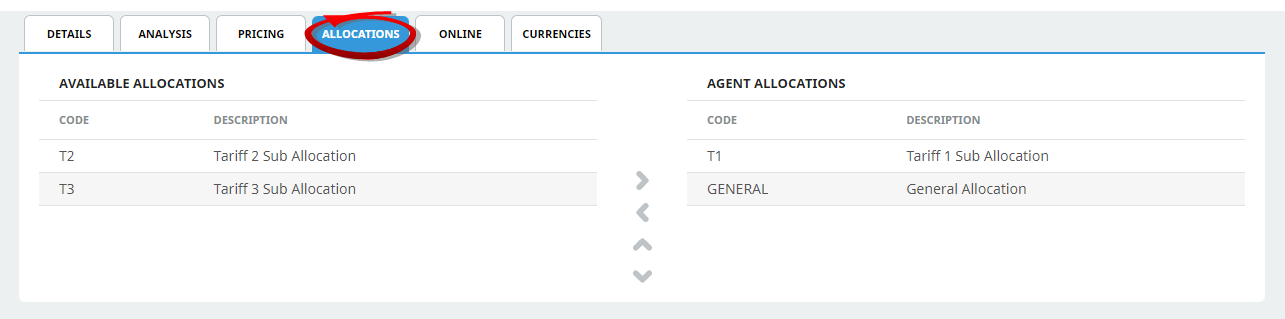
Within the Debtors Application - Allocations, does the Agent you are using have the correct Allocation code attached?
-
Is your service date within the Allocation Release time frame?
-
Are there Allocations Available for the service date(s) selected? They may be all used?
Troubleshooting
- The Debtor is not assigned to take from the supplier allocation.
-
If the allocation split code has not been assigned as an Agent Allocation the service will show "On Request".
-
Check that the Agent making the booking in webConnect has the Allocation split code assigned to take from Allocations.
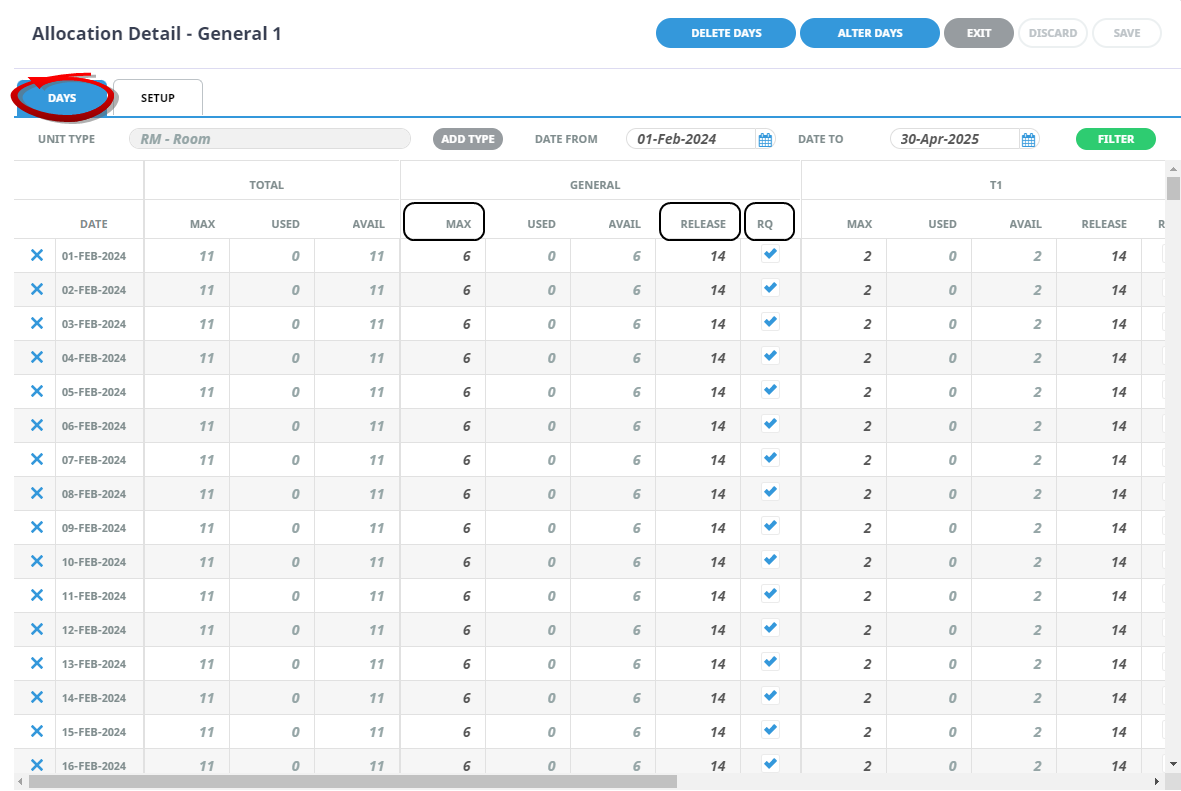
- The search date is within the Allocation Release Period.
- If the search date is within the Allocation Release Date time frame the service will show 'On Request' within webConnect.
- The number of Allocation Release Days are set when defining the allocation.
- To check - Search for the Allocation and check the number of days defined as the release period - does the webConnect service search dates fall within the release period (number of days)?
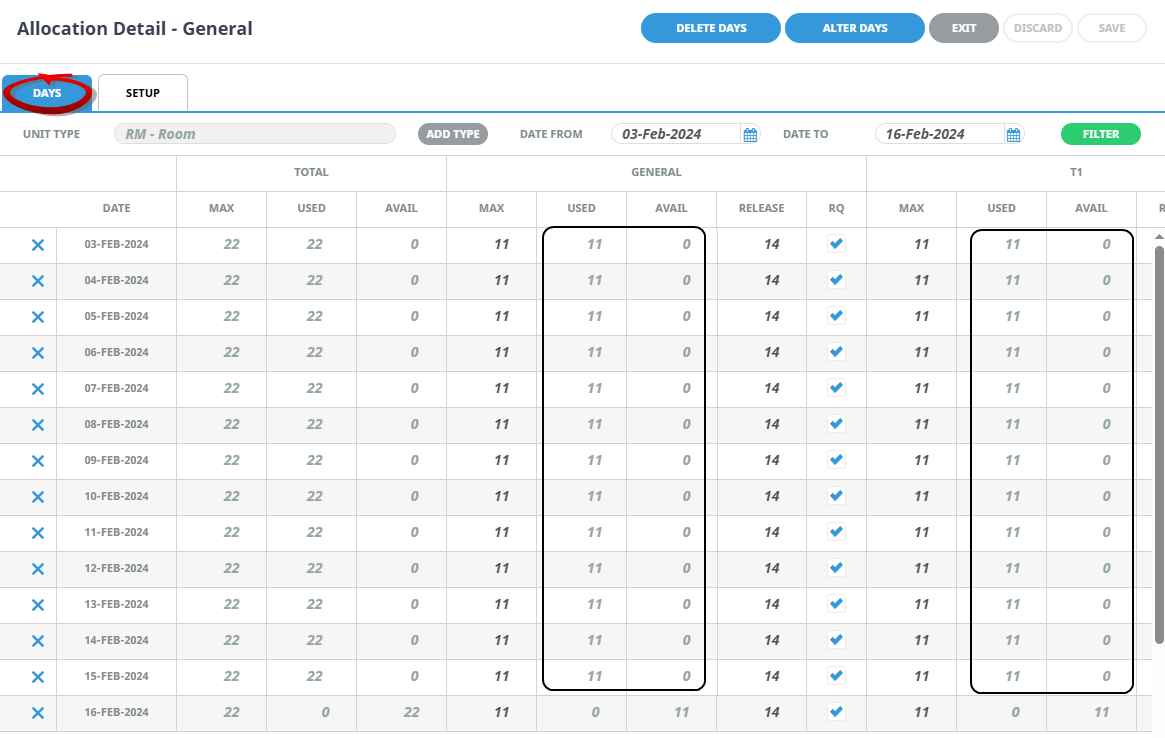
- The Allocation has used the available rooms.
- If the allocation has already used the rooms and there are no more rooms available the service will show 'On Request' within webConnect.
- The max number of rooms are assigned to the allocation. When bookings are made the number of used allocations will increase, and the number of remaining (available) allocations will decrease.
- To check - Search for the allocation and check to see if there is an allocation available for the dates requested.