Enable Product
How do I enable a product to show on webConnect?
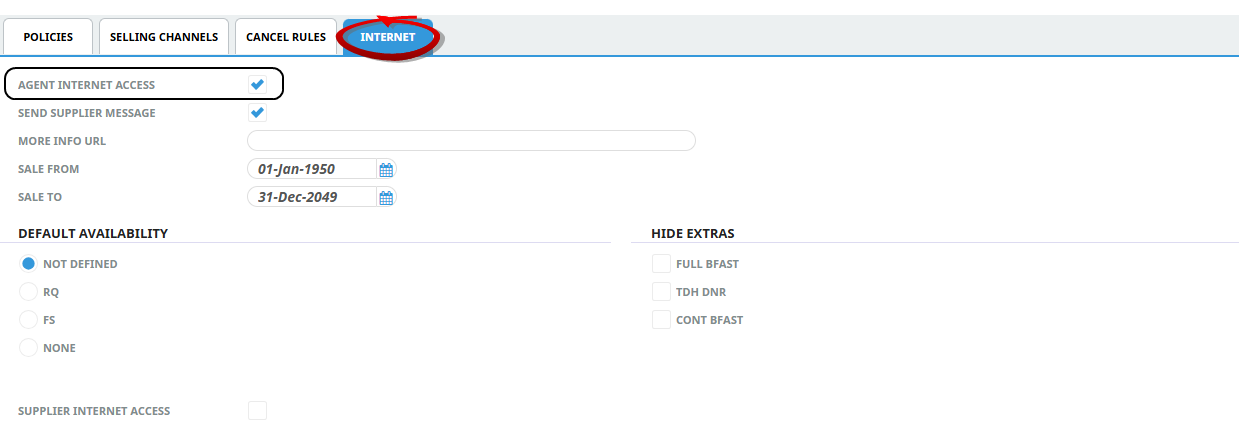
Each product will need to be internet enabled using the Agent Internet Access check box in the Product Internet Tab.
Enable Product Visibility on webConect
-
Open Product search select the required Product option.
-
From the Product Menu select Product Details > Policies, and click on the Internet tab.
-
Check the Agent Internet Access checkbox.
-
Click Save.