
Tax Treatment By Branch
Can I differ tax treatment by booking branch?
Tourplan NX provides tax calculation variations when a service is sold in the same country requiring an input and output tax vs the same service sold in a different country which has no output tax requirement.
Examples
-
A transport company in Thailand is required to charge input tax but the service is exempt for output tax
-
A service is purchased with input tax but selling free of charge and is exempt from applying output tax
-
A transport company provides inter boarder transport services, the supplier is charging output tax but the client is unable to claim output tax as this is non-taxable in the country they are travelling to
This function requires the setup of Tax codes with specific branch/es applied and works in conjunction with attached product taxes, providing the ability to offer differing tax calculations based on a selected Booking or PCM Branch.
This article will help you to
-
Understand tax configuration settings
-
Selected Branch functionality
-
Understanding Tax Configuration Settings
Tax code variations are configured with calculation settings to apply tax to the products cost or sell prices, and each tax code can have a branch defined. The tax codes are attached to the product, and when a booking or quote is created the branch selected will calculate the tax values for each service.
Tax Settings
There are four settings which control service tax variations
-
Booking/PCM branches created in Code Setup
-
Tax code variations (with specific Branch/es applied) in Code Setup
-
All required Tax codes attached to products
-
Booking/PCM Branch selected in a Booking
Branches
Booking branches for FIT’s and Groups, and PCM branches for PCM Quotes will need to be configured to implement this feature. Segmentation occurs when different branches are configured for different market requirements.
Tax Codes
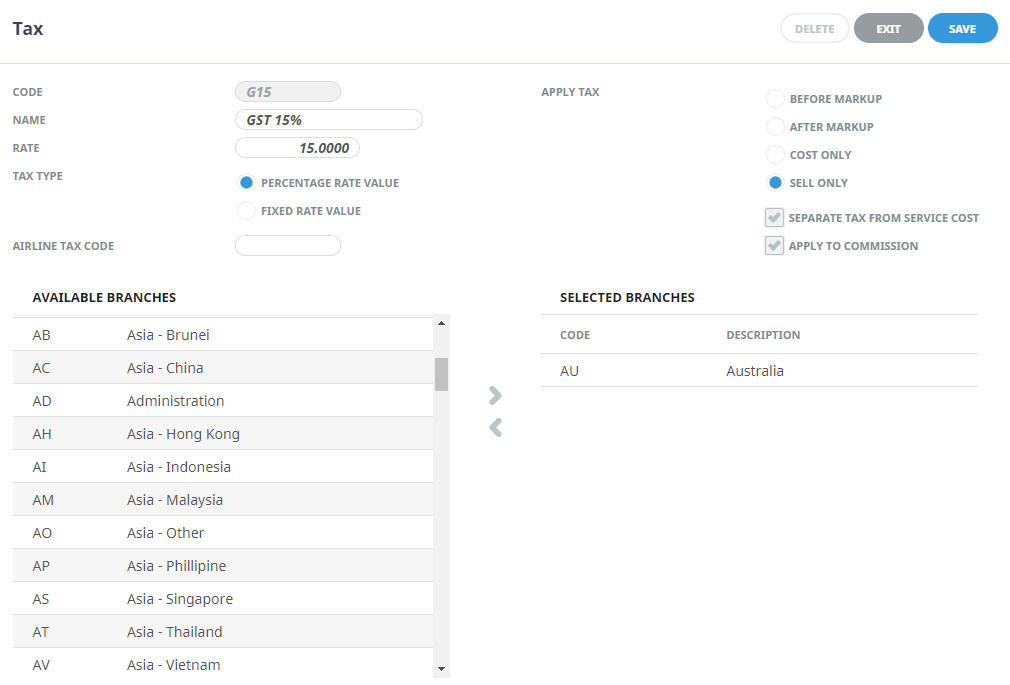
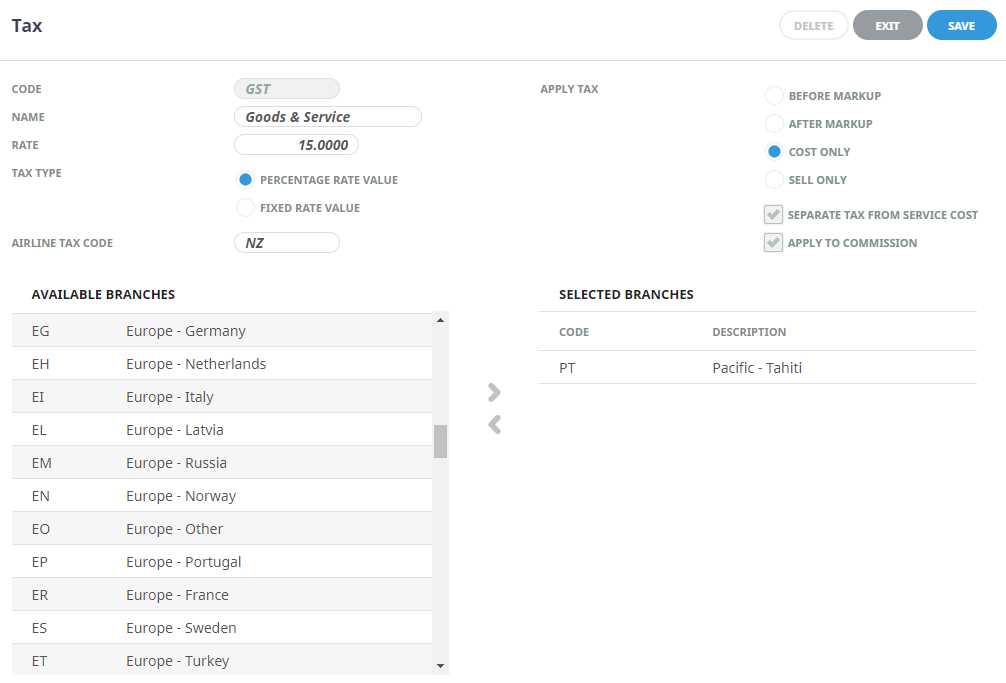
Tax codes define how the system calculates Tax for services within a booking. To achieve Tax variations, two Tax codes are configured, one is set to apply to ‘Cost Only’ values and the other is set to apply to ‘Sell Only’ values.
-
Cost Only, applies tax to the service nett costs and used when input tax is required
-
Sell Only, applies tax to the agent sell price and used when output tax is required
Within each tax code definition a branch or multiple branches are applied – allowing the system to apply taxes based on a booking or PCM branch selected. If no branch is selected within the Tax code the tax will apply for all bookings regardless of the booking branch selected.
Product Taxes
All variable Tax codes are attached to a product, and the system will apply taxation values based on the Tax code setup (cost only or sell only) and booking/PCM branch.
Booking/PCM Branches
Branch selection within a booking or PCM filters the product taxes and applies the required tax calculations for each service.
Considerations
If you are interested in configuring your taxes to be branch specific we suggest speaking with your local Tourplan Support team to discuss, plan and test the implementation of this feature.