
Commission On Extras
Can I define commission-able service extras?
Yes, Tourplan NX will calculate commission for internal and external services when the commission-able checkbox within the product is selected. Additionally, internal product rates can specify commission-able or non-commissionable service extras, i.e. the extras 1-5.
This article will explain:
-
Where to define commission rules for extras.
Overview
Whether you supplier contracts allow extras to be commissionable or are non-commissionable; commission configurable rules make it possible to align supplier agreements with product loading.
In Tourplan, you can define commission ability for extras at the supplier and product level, allowing you to apply supplier level defaults while still making precise product level exceptions where needed. This means you can confidently enable or disable commission on selected service extras.
Enabling / Disabling Commissionable Service Extras
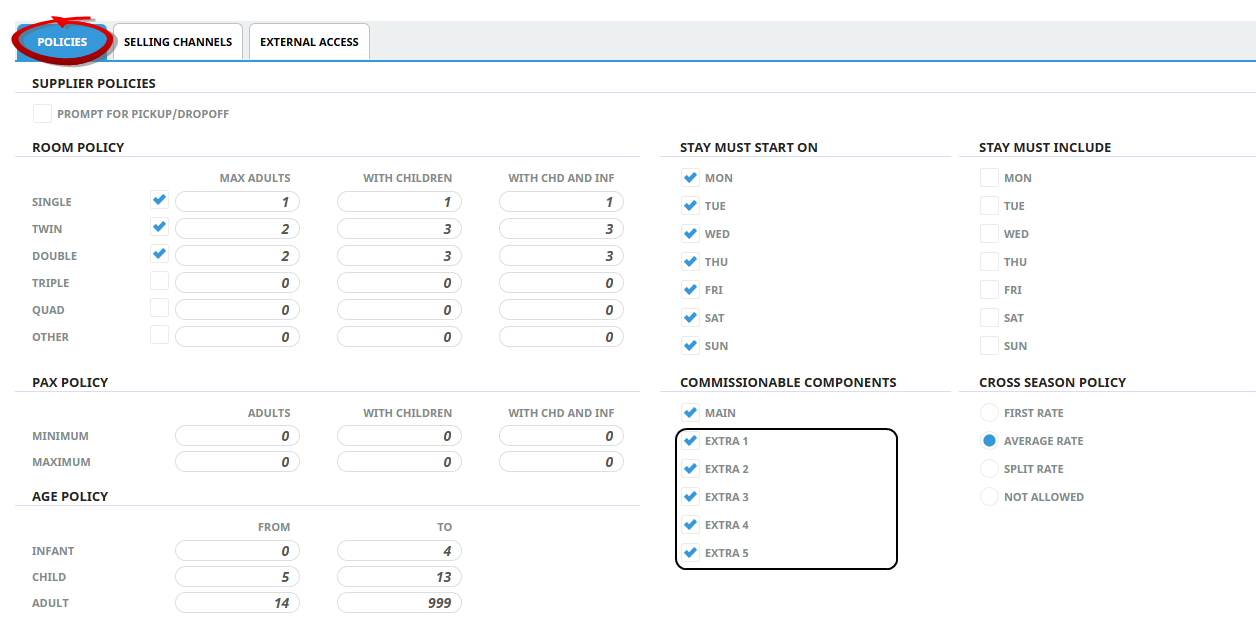
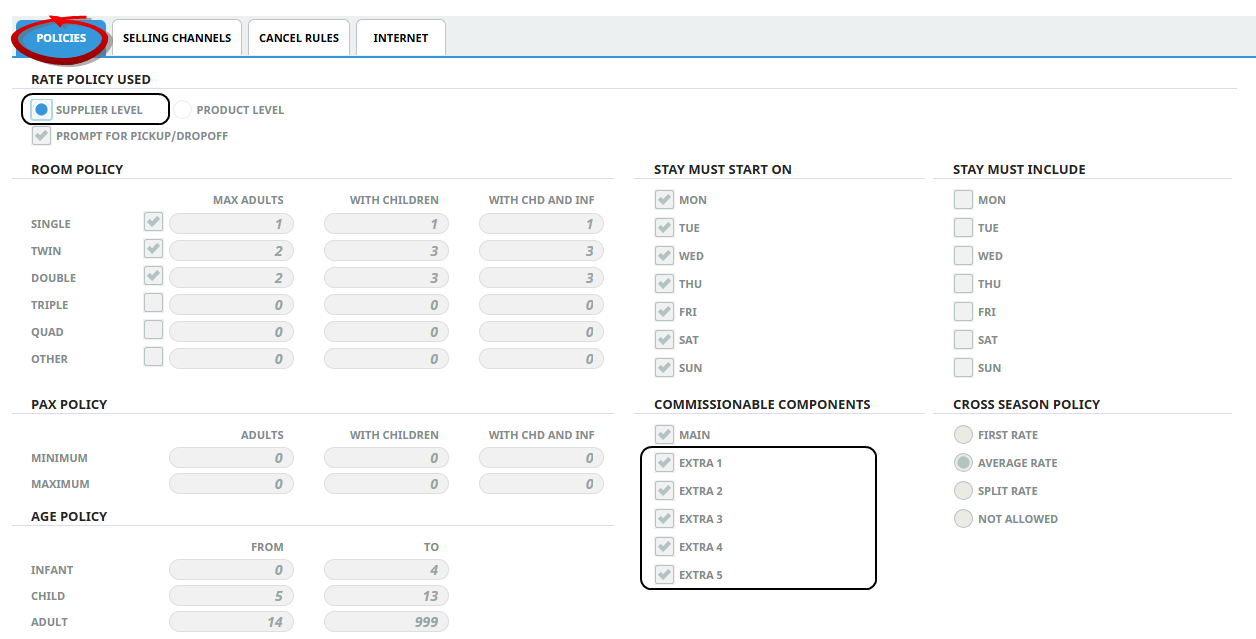
Commissionable service extras are defined within the policies tab at the supplier level (Figure 1) and at the product level (Figure 3).
Supplier Policies - Product Setup > Supplier > Supplier Notes.
Supplier Level (View Only):
Product Level
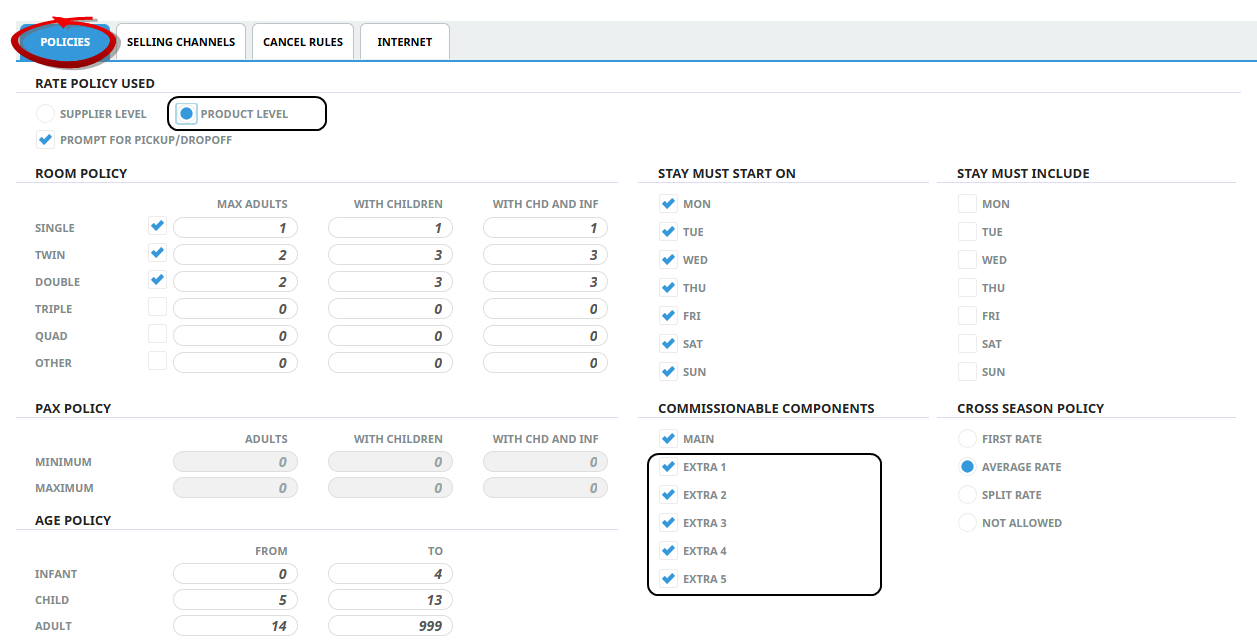
NOTE: External product rates apply a single main option value so only the main option checkbox is editable.
Product Rate Commissionable Setting
Commission is calculated when the commissionable checkbox is selected within the Date Range > Rate Set screen.
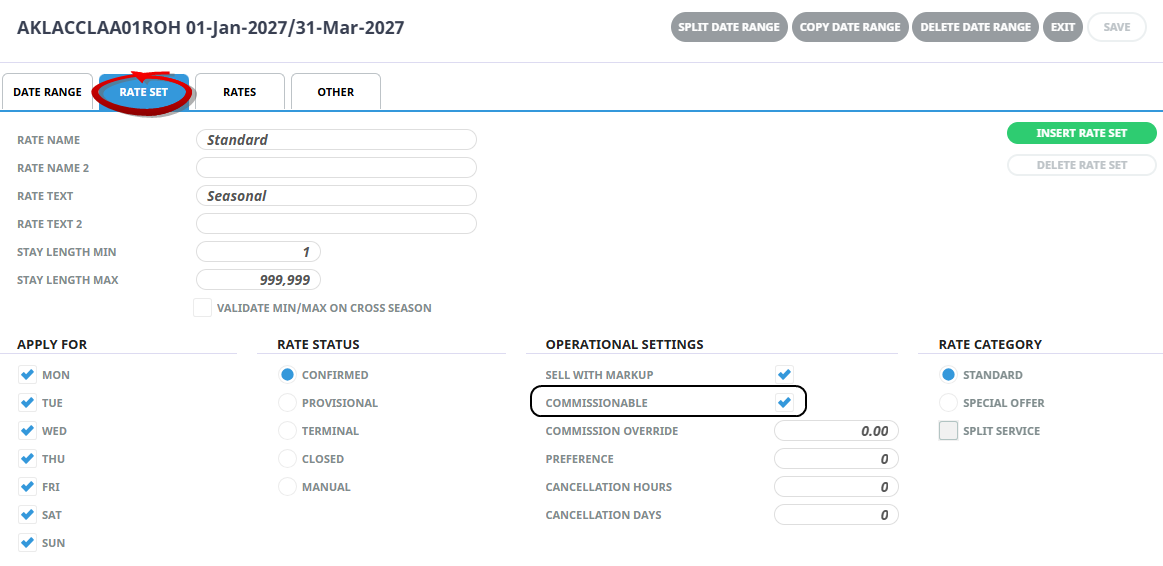
NOTE: This setting applies to the displayed rate and rate period - it is not configured for the entire product.