
Apartment or Dormitory style accommodation presents slightly different setup choices.
A ‘standard’ hotel accommodation rate setup can apply for as many people in a room that the hotel/motel can accommodate in that room, provided that the cost for additional pax over and above 4 pax (Quad Room) is consistent; i.e. 200.00 per Quad Room; 20.00 each additional adult. If the room was able to accommodate 7 adults, then Tourplan would cost this as 200.00 + 20.00 + 20.00 +20.00 = 260.00.
However, if the cost from the supplier for 7 adults was 235.00, then a standard type accommodation service cannot calculate the cost of the additional adults over and above 4 correctly. For this reason, a special Rate Category is provided on the Cost Details screen in the Service Option setup which allows the setting up of Apartment style accommodation on an occupancy basis. A example of that screen is given below.
NOTE: It is not intended to step through every screen in the product setup – only those screens that are different from a standard accommodation service are looked at.
Special Rates - Apartment/Dormitory Example
Product Tab
Price Rules Tab
Pax Breaks Tab

About the Apartment/Dormitory Example
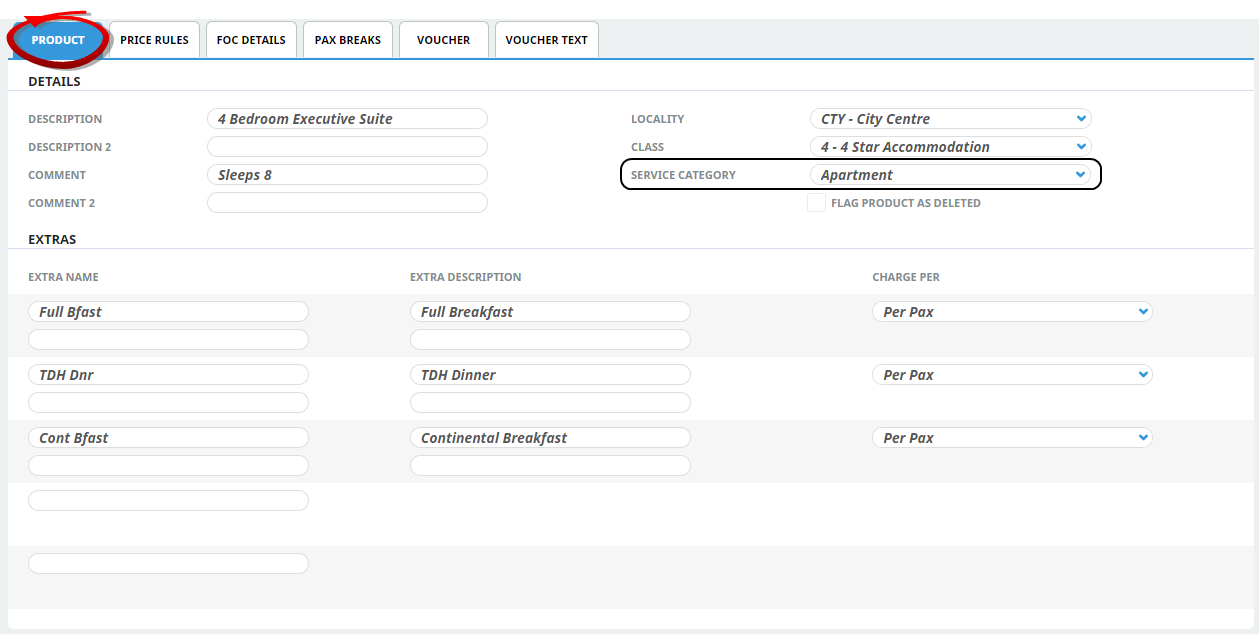
Apartment Setup - Product Tab
The Service Category 'Apartment' is checked.
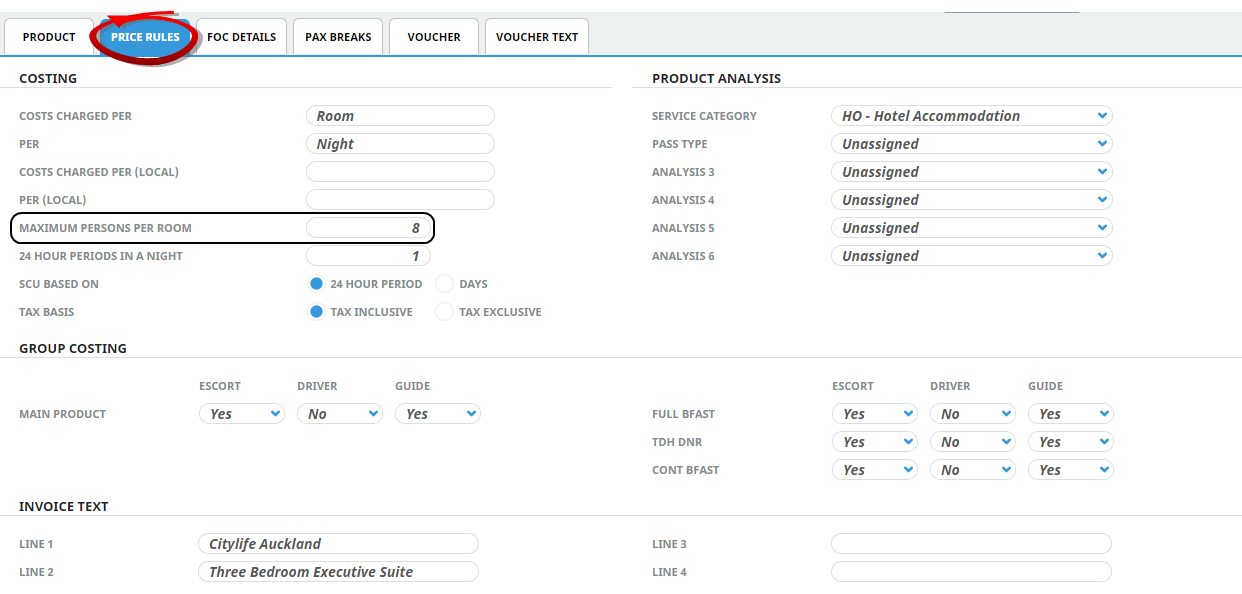
Apartment Setup - Price Rules Tab
In this screen, 'Maximum Persons Per Room' has been set to the maximum allowed by the supplier.
NOTE: Tourplan has a restriction for the 'Maximum Persons Per Room'. 11 is the maximum, If more than 11 pax are entered into this field the system will not allow the service to save and users will receive an error stating that the maximum value for an apartment is 11.
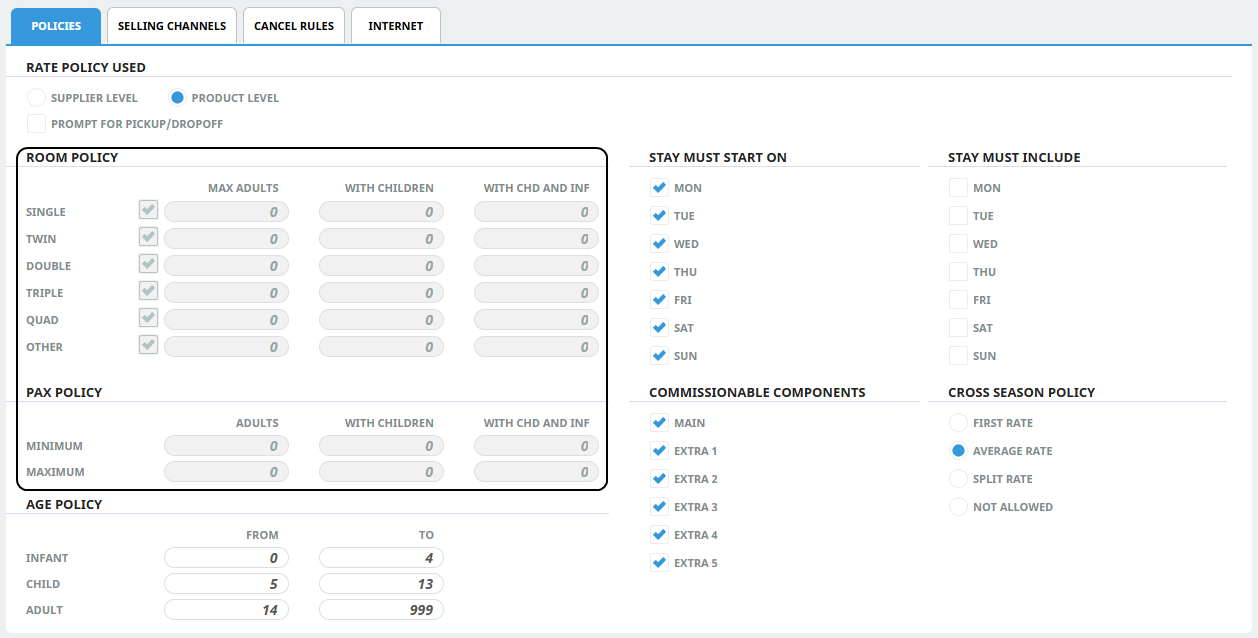
The 'Maximum Person Per Room' field defines the number of people that can stay in the Apartment. Therefore Room Policy, and Pax Policy fields are disabled for products with an 'Apartment' service category
Apartment Setup - Pax Breaks Tab
In the Pax Breaks tab there are check boxes that, when checked, will include Children and/or infants in the Pax Break count. If, for example, the include Children in Pax Count box was checked, then the Maximum Persons Per Room value set in the Price Rules tab will include children. This means that (for example) 4 Adults plus 4 Children, or 5 Adults plus 3 Children would be costed, but 5 Adults and 4 Children would not, and would require 2 apartments.