
Loading interactive content…
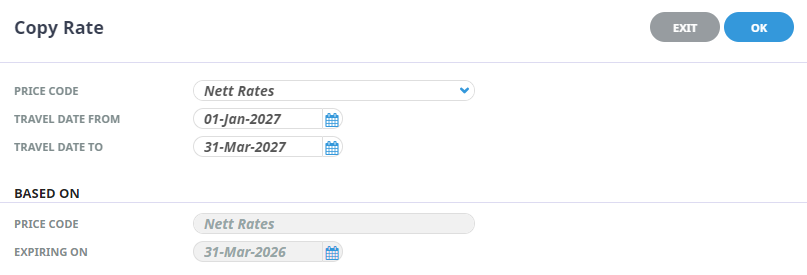
Existing date range and price code data is able to be ‘Copied’ into the new date range or price code and therefore only the data that needs changing has to be modified.
NOTE: When an existing date range/price code is copied, all existing sub levels (e.g. Weekend Rates etc.) are copied with it.
Copy an Existing Date Range
- Make sure at least one rate has already been added (see Add a Rate).
- Click the Date Range you want to copy (single click only - this opens the date range).
-
Click
 Copy Date Range.

-
ModifyCopy Rate details as required.
-
ClickOK to keep the changes and save or update the entry.

-
ClickExit to discard any changes.
