No FOC On Stay Pay
Why is an FOC night not showing when there is a Stay Pay deal?
A Free of Charge (FOC) night is sometimes included as part of promotional rate pricing contracts from Suppliers such as Stay Pay deals (e.g., Stay 3 Pay 2 or Stay 4 Pay 3). There are situations where an expected FOC night does not appear even when a Stay Pay promotion has been correctly loaded. This typically occurs due to rate rules for example date restrictions, minimum length-of-stay rules, or the way the promotion is attached. Understanding why the FOC night is not displaying requires examining how the Stay Pay deal is configured within Tourplan.
This article explores
-
the most common reason an FOC night may not show
-
how the system applies FOC's
-
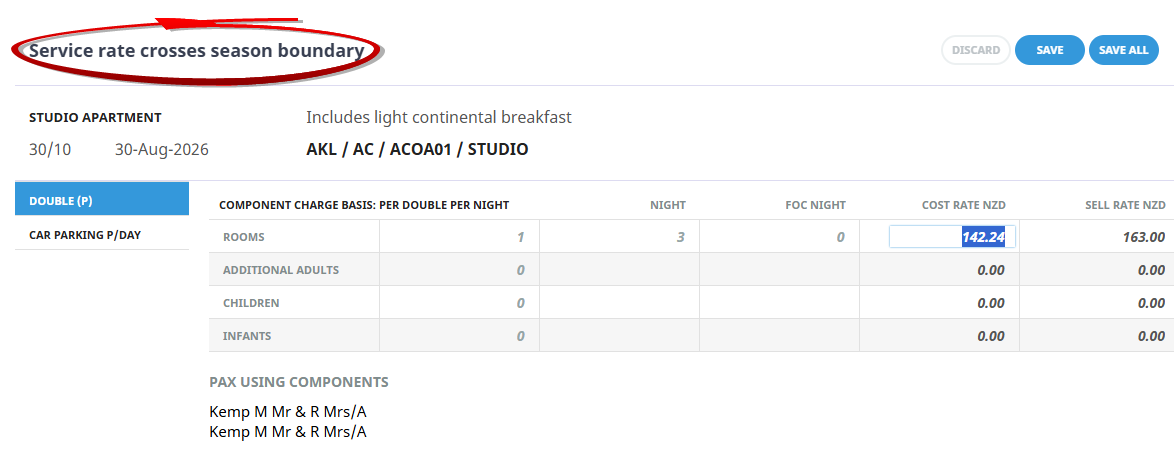
manual entry requirements if the stay crosses a season boundary
If you work in the Groups application or from the PCM application there is an additional INI setting required (Groups and PCM) to allow the system to calculate the second charge unit as an FOC.
NOTE: Check with your system administrator to ensure that the INI Setting to take the FOC: CALCULATE_SCU_FOC is applied.
If the INI Setting is enabled a problem can arise if you have a cross season when you insert the service into a booking.
-
If the booking for 3 nights falls completely in 1 Rate Period (no cross season exists) for which 3 nights = 2 nights is defined, a Free Night will be allocated.
-
However if the booking for 3 nights crosses 2 Rate Periods (cross season exists) and 3 nights = 2 nights only exists for one of the rate periods NO Free Night will be allocated and a manual rate entry will be required.
Stay Pay Rate Example:
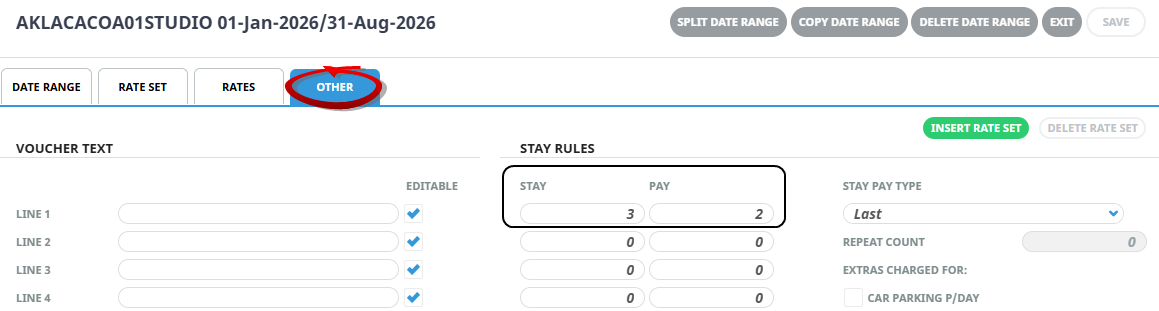
The product has a stay 3 (nights)/pay 2 (nights) for the date range 01Jan2026 - 31Aug2026
No Stay/Pay Rate Example:
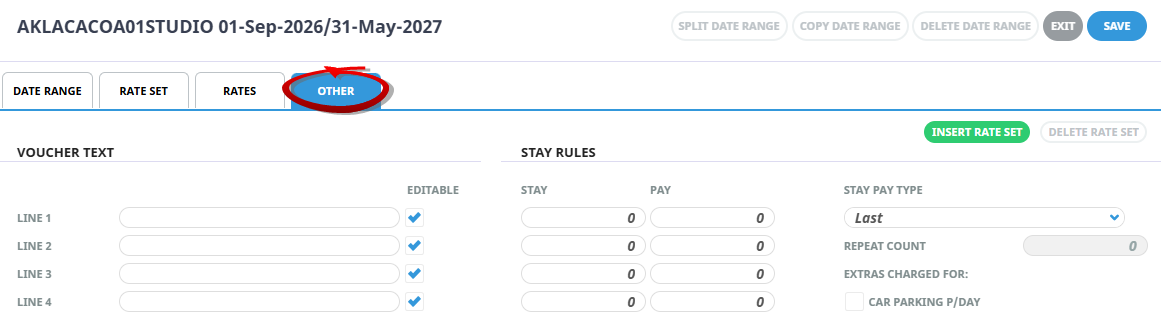
This stay pay offer is not valid for bookings between the dates. 01Sep2026- 31May2027
Example FOC Applied
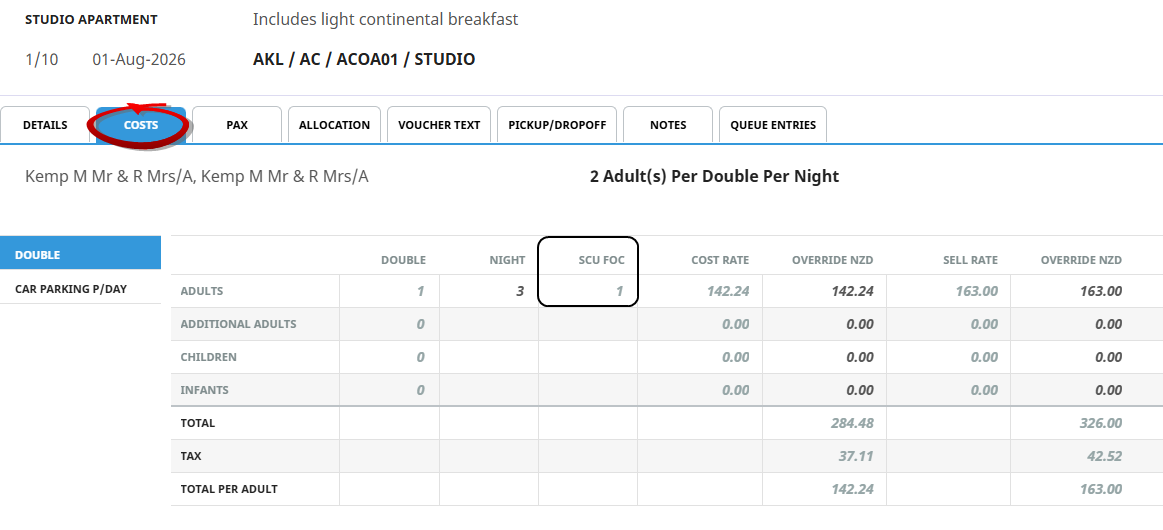
If a booking is made for three nights and the service in/out date falls between 01Jan2026 - 31Aug2026 (i.e. the out date is before 31Aug2026) the stay pay rule will automatically apply.
Example Manual Rate Entry Required
If the service in date falls between 01Jan2026 - 31Aug2026 and the out date is after 31Aug2026 the stay pay will not apply. Instead a manual rate entry is required, this is because the service rate crosses a season boundary.