
Update Exchange Rate
How do I update the exchange rate on a booking?
If the exchange rate has been updated, you can do a system wide update through the Operations application, or you can apply a one off re-calculation to update exchange rates in your booking using the Recalculate menu in Booking Details.
Update the exchange rate on a booking
-
Open the Booking.
-
Select Booking Details > Recalculate from the menu.
-
The Recalculate Booking modal opens, select No Prices, and tick the Update Exchange Rates checkbox.
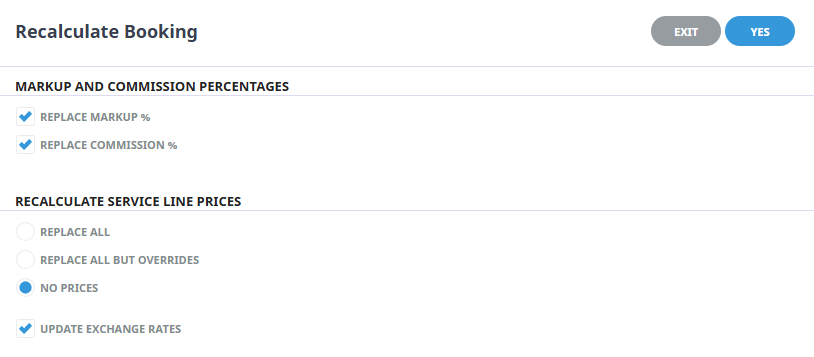
-
Click Yes.
Updates to exchange rates using the above procedure is done on a per booking basis updating booking values. Existing financial transactions are not updated.