
Quote Processing
What do the convert quote and cancel quote buttons do?
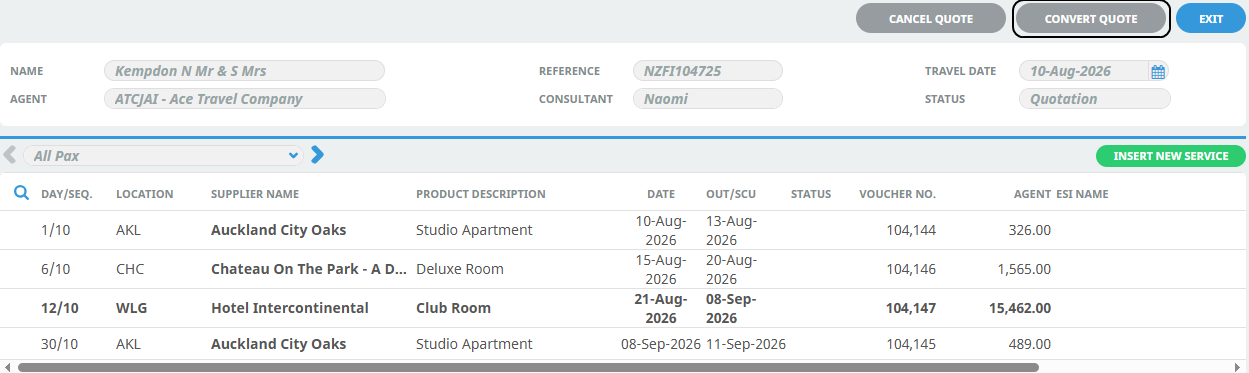
The Convert Quote and Cancel Quote buttons in Tourplan FITs application provides 'Quote to Book' and 'Cancel Quote' functionality for all bookings in a Quote status.
Convert Quote
This function converts a quotation into a booking a triggers the system to automatically check the current rates and availability of both internal and external products. (If external service connections are used).
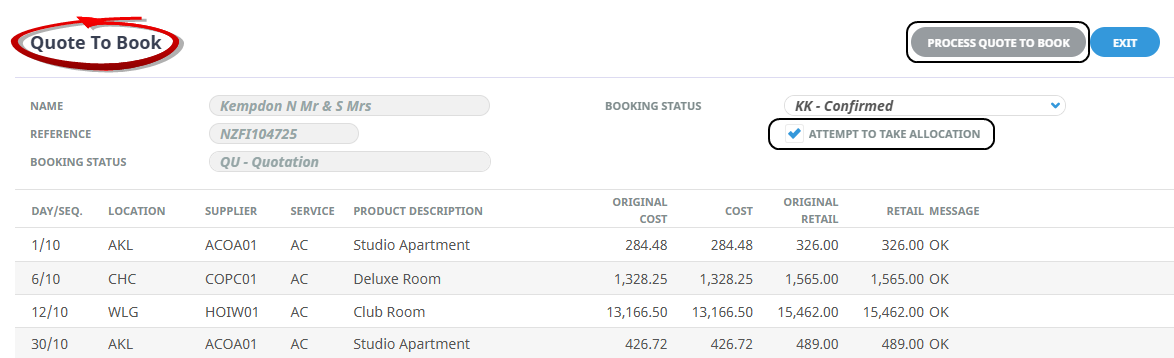
The booking status is updated and, if attempt to take allocation is selected, available allocations are taken when clicking 'Process Quote to Book'.
NOTE: External services that cannot be booked will be reported, their statuses will remain unchanged, allowing a manual booking process to be completed.
Converting A Quote
-
Open the Booking.
-
Click Convert Quote.
-
On the Quote To Book modal, select checkbox if quote processing is to 'Attempt To Take Allocation'.
-
Click Process Quote To Book.
-
A Summary screen will display the number of Successful Operations and/or Unsuccessful Operations.
-
Click OK.
Cancel Quote
This function updates the quoted booking status to a cancelled status.
When the cancellation is processed, any quoted external services will also apply a cancelled service status.
Cancelling A Booking
-
Open the Booking.
-
Click Cancel Quote. On the Cancel Quote modal, click Process Cancellation.
