
Local Language Features
What are local language features?
Tourplan NX provides local, alias, alternative, and user-defined fields that can be used to insert alternative language text. Organisations can save and display dual language entries for a selection of fields using an alternative language text entry known in Tourplan as Local Language functionality.
This feature provides the ability to communicate information using an alternative language. It’s designed for organisations whose suppliers or operations staff (e.g. drivers) may need one language version of a name for overseas client documentation, and a variation of the name for local correspondence.
This white paper will explain…
-
The local language field options available.
-
Where to find further information.
Overview
Local language functionality within Tourplan NX consists of additional fields within the UI; these fields allow alternative (local) language text for dual language data entry.
This document provides information on the possible field options available to save alternative local language text.
Local Language Fields
These are fields within Tourplan that are preconfigured to save local language text, including:
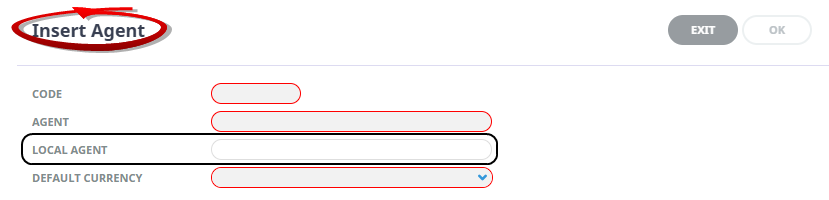
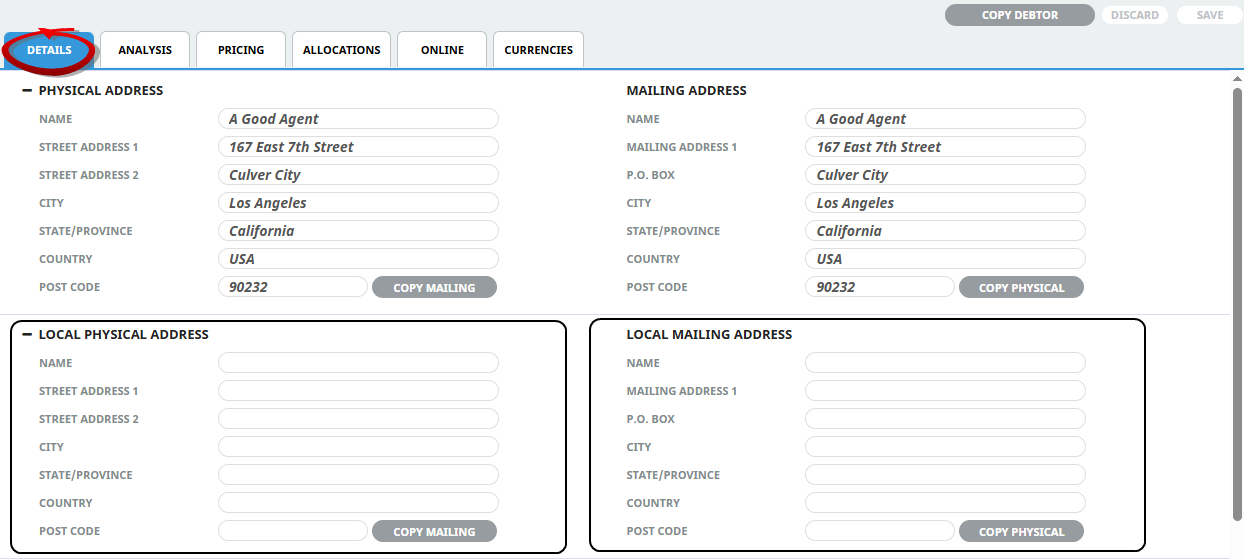
Debtor and Creditor Details
For debtors and creditors, local language fields are available to store alternative Name and Address details.
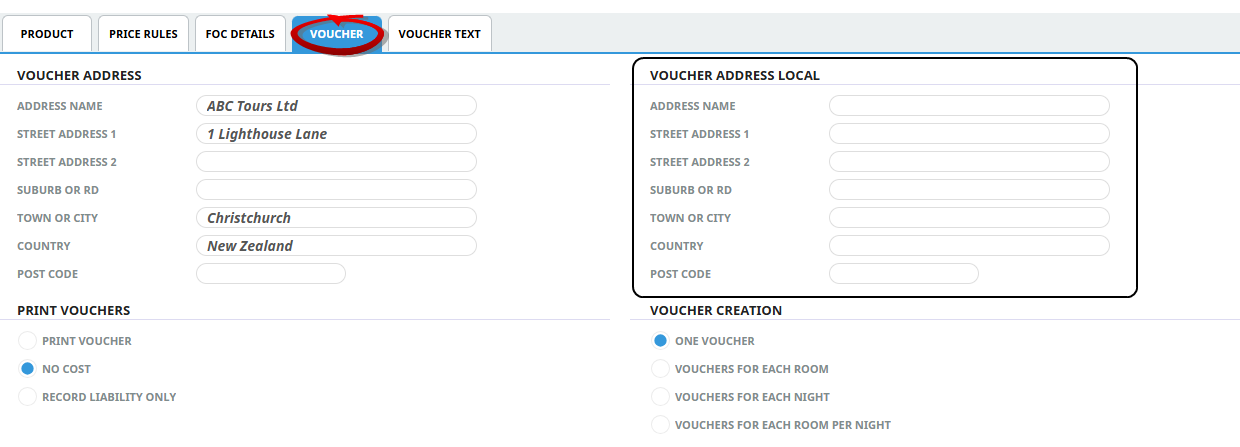
Product Voucher
Product vouchers also provide local language options for alternative Name and Address details.
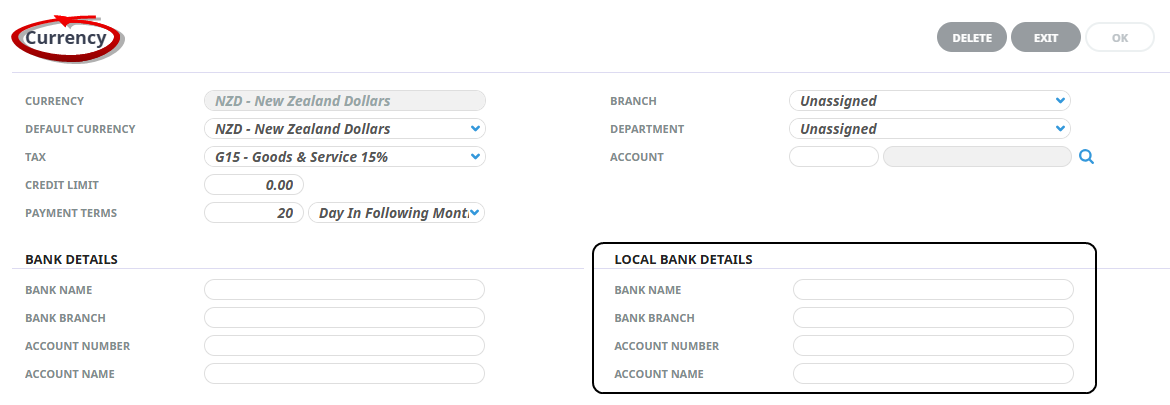
Local Bank Details
Debtor and creditor Bank Name, Bank Branch, Account Number and Account Name fields can be output to supplier messages. The Account Number field can also be used in an electronic payment file.
Alias Fields
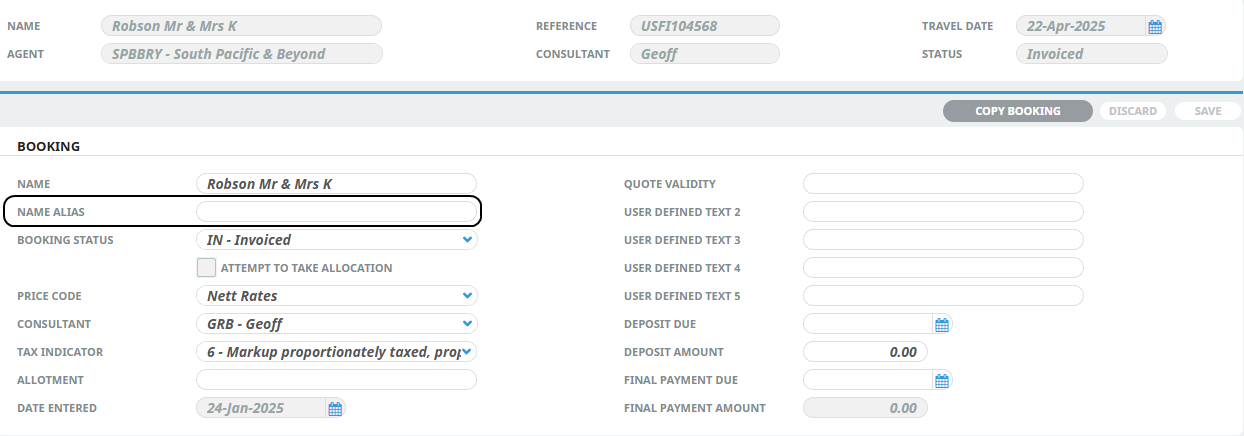
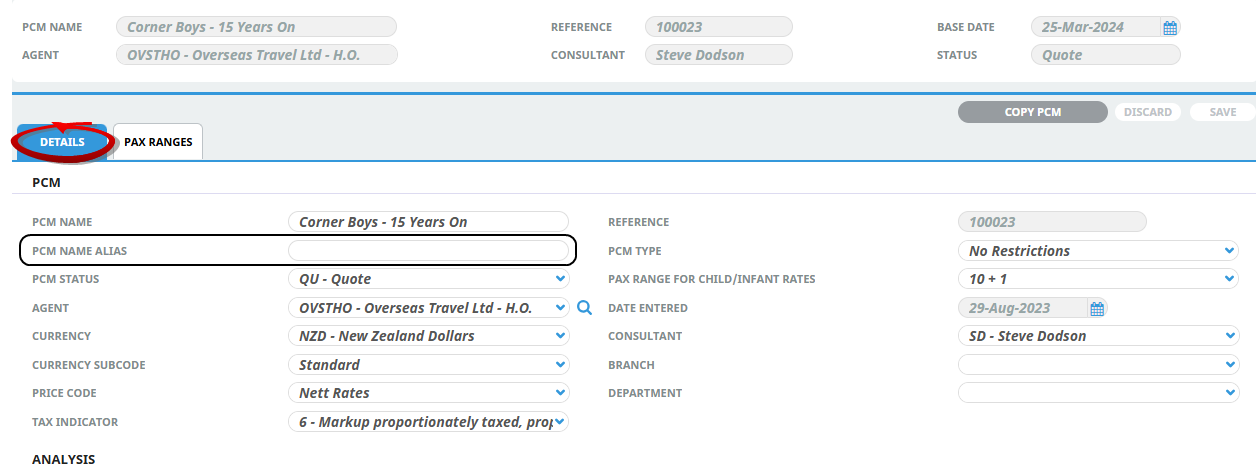
The Name Alias and PCM Name Alias fields allow for alternative language naming to be used for FITS/Group bookings, PCMs, and all Pax details within the system. Booking and Pax searches can also be done via alias field information.
FITS/Groups Name Alias
PCM Name Alias
Pax Name Alias

Alternative and User-Defined Fields
A number of alternative and user-defined fields can be used to save local language entries for product and transactional information. Organisations will need to carefully consider their requirements for data entry of these fields to ensure that message consistency is achieved
-
Product Descriptions/Comments/Extras and Extra Descriptions
Dual product description, comment, and extra fields allow possible alternative language option fields.
To learn more about these features, see the Product User Manual.
-
Product Voucher Text Details
Twenty lines of product voucher text can be used for voucher instructions, including alternative languages if required. These fields can be labelled for consistent data entry.
To learn more about these features, see the Product User Manual.
-
Service/Rate Voucher Text
For bookings and PCMs, the Service and Rate Voucher Text fields allow alternative language information to be applied either to the entire service regardless of rate period or price code (Service Voucher Text) or for a specific rate, rate periods, and price code (Rate Voucher Text).
To learn more about these features, see the Groups User Manual.
-
Product Invoice Text
Providing a description used on accounting transactions and able to appear on an agent invoice for a booked product, the invoice text fields can also be used for a local language option.
-
To learn more about these features, see the Product User Manual.
-
Product Cancellation Invoice Line
Organisations may choose to output specific local language text on cancellation invoice service lines; there are four fields that can be used for this purpose.
To learn more about these features, see the Product User Manual.
-
Creditor/Debtor User-Defined Fields
These User-Defined fields can be used for any organisational requirements including alternative languages.
Column Headers
The local language details can also be used within various tables throughout the system as column headers. For example: FIT, group booking, and PCM quotes.
To learn more about this feature in the example above, see the FITS User Manual.
NOTE: The fields covered in this article can be used to generate information for messaging if coded correctly within message templates. To learn more about this, see theMessaging User Manual.