
Loading interactive content…
Enable an Add Ons INI Setting
-
From the Home menu, select
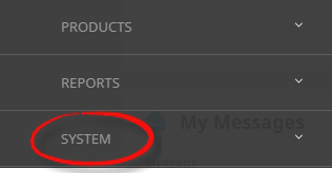
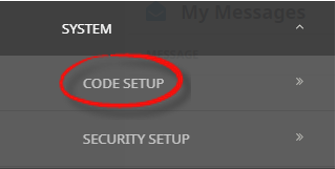
 Home > System > Code Setup.
- Click the Home menu to expand it:

- Click the System menu option to expand it:

- Click Code Setup to go to the Code Setup menu:

- Click the Home menu to expand it:
-
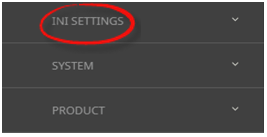
From the Code Setup menu, selectINI Settings > CRM.
- Click the Code Setup menu to expand it:

- Click INI Settings to expand the INI Settings menu:

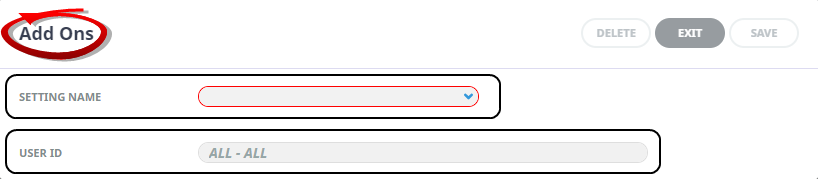
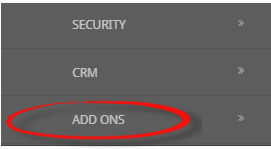
- Click Add Ons to open Add OnsINI Settings screen:

- Click the Code Setup menu to expand it:
-
On theAdd Ons screen, if the INI Setting that you want is not already in the list, click Insert.

-
In theAdd Ons screen, select a Setting Name, value and User ID.
-
ClickSave to keep the changes.

-
ClickExit to discard any changes.



Available Internet INI Settings
INI Settings can be enabled for all users or (where permitted) for specific users.
MOBILEAPP_AGENT_CONTACTS (All Users)
A comma-seperated list to define the Agent Contact Type/s used in the Mobile App add on.
MOBILEAPP_BOOKING_NOTES (All Users)
A comma-seperated list to define the Booking Note Category/ies used in the Mobile App add on.
MOBILEAPP_PAX_CONTACTS (All Users)
A comma-seperated list to define the Passenger Contact Type/s used in the Mobile App add on.
MOBILEAPP_SUPPLIER_CONTACTS (All Users)
A comma-seperated list to define the Supplier Contact Type/s used in the Mobile App add on.