
Loading interactive content…
Enable a Product INI Setting
-
From the Home menu, select
 Home > System > Code Setup.
- Click the Home menu to expand it:

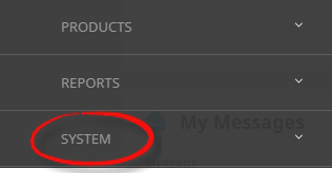
- Click the System menu option to expand it:

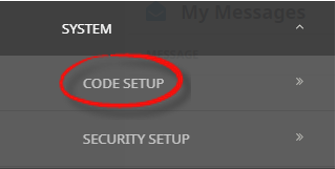
- Click Code Setup to go to the Code Setup menu:

- Click the Home menu to expand it:
-
From the Code Setup menu, selectINI Settings > Product.
- Click the Code Setup menu to expand it:

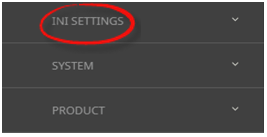
- Click INI Settings to expand the INI Settings menu:

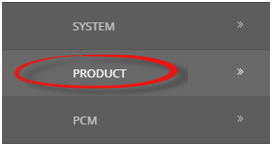
- Click Product to open the Product INI Settings screen:

- Click the Code Setup menu to expand it:
-
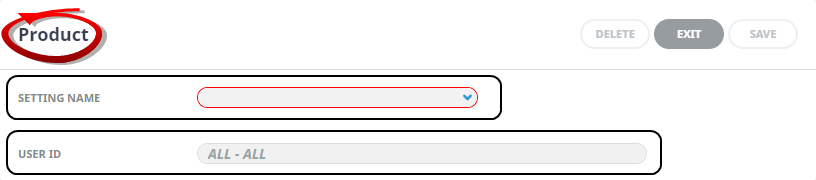
On theProduct screen, if the INI Setting that you want is not already in the list, click Insert.

-
In theProduct screen, select a Setting Name and User ID.
-
ClickSave to keep the changes.

-
ClickExit to discard any changes.



Available Product INI Settings
INI Settings can be enabled for all users or (where permitted) for specific users.
CANCEL_POLICY_DEF_COMM_TYPE (All Users)
This setting controls the default value for commission on a cancellation fee service. Available values are: [None - (Default), Percentage, Service, Matrix (Lookup)]
CANCEL_POLICY_DEF_INVOICE1 (All Users)
The default Invoice Text Line 1 for products with cancellation policies. Defaults <SN> so that the Supplier Name is substituted on invoice line 1 for any new cancellation policies created.
CANCEL_POLICY_DEF_INVOICE2 (All Users)
Invoice Text Line 2 for products with cancellation policies. This defaults to blank, but can be a text string - e.g. "Cancellation Fee"
CANCEL_POLICY_DEF_INVOICE3 (All Users)
Invoice Text Line 3 for products with cancellation policies. This defaults to blank, but can be a text string.
CANCEL_POLICY_DEF_INVOICE4 (All Users)
Invoice Text Line 4 for products with cancellation policies. This defaults to blank, but can be a text string.
CANCEL_POLICY_DEF_MSG_FORMAT (All Users)
This setting controls the default value for the message format type of a cancellation fee service, and will be stamped on each cancel policy service at the time the service is entered.
CANCEL_POLICY_DEF_MUP_TYPE (All Users)
This setting controls the default value used for Markup on a cancellation fee service. Available values are: [None - (Default), Percentage, Service, Matrix (Lookup)]
CANCEL_POLICY_DEF_PERIOD_UNIT (All Users)
This setting controls the default value for the rule period radio buttons on cancellation policies. Available values are: [Hours (Default), Days]
CANCEL_POLICY_DEF_SERVICE (All Users)
This setting controls the default service type to be used for the cancellation fee service. The value defined here will be stamped on each cancel policy at the time the policy is entered.
FOC_DEFAULTS (All or Per User)
The default sequence in which FOC quantities will be allocated when setting up a new service in the Product Database—e.g., (E)scort, (G)uide, (D)river.
MARKUP_OR_MARGIN (All or Per User)
Sets the default for radio button Markup/Margin in the Database Date Ranges screen. MARKUP/MARGIN.
NEWOPTIONTAX (All Users)
Indicates the default setting for the Tax Inclusive/Tax Exclusive radio buttons in the service Product Database/Price Rules screen. Valid choices are TaxInclusive, TaxExclusive or SystemTaxMode. SystemTaxMode will use the setting from the System INI TAXINCLUSIVE.
SHOW_DELETED_SERVICES (All or Per User)
Services in the Product Database can be flagged as Deleted. They are not actually deleted, but the flag hides them from users in the booking/quoting screens. Unless this flag is set to Y, they are also not visible in the Product Database application.