
Loading interactive content…
Enable a Security INI Setting
-
From the Home menu, select
 Home > System > Code Setup.
- Click the Home menu to expand it:

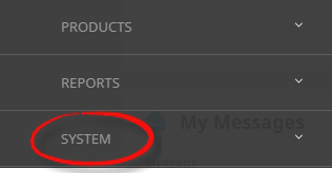
- Click the System menu option to expand it:

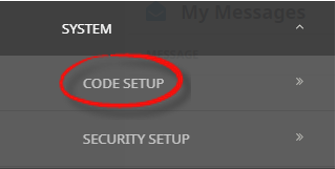
- Click Code Setup to go to the Code Setup menu:

- Click the Home menu to expand it:
-
From the Code Setup menu, selectINI Settings > Security.
- Click the Code Setup Menu to expand it:

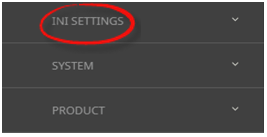
- Click the INI Settings menu option to expand it:

- Click Security to open the Security INI settings screen:

- Click the Code Setup Menu to expand it:
-
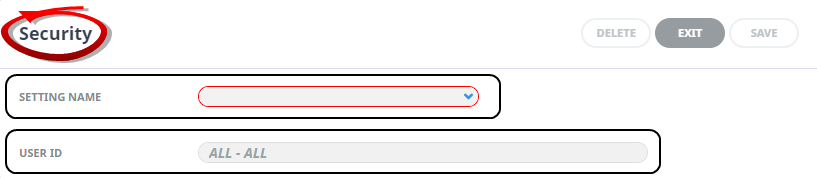
On theSecurity screen, if the INI Setting that you want is not already in the list, click Insert.

-
In theSecurity screen, select a Setting Name and User ID.
-
ClickSave to keep the changes.

-
ClickExit to discard any changes.



Available Security INI Settings
INI Settings can be enabled per user or for all users.
RESTRICTED_DEPARTMENTS (All Users)
A, comma-delimited/separated, list of departments for which access restrictions apply.
RESTRICTED_USER (All or Per User)
When set to 'Y' this will not allow access to restricted bookings. (Y/N) value.
SEC_FORCE_USER_PW (All Users)
When set to 'Y', Strict Passwords and Encryption are forced. (Y/N).
USER_PW_EXPIRES (All Users)
Default number of days between user password expiry.